How to Build a HIPAA-Compliant Mobile App
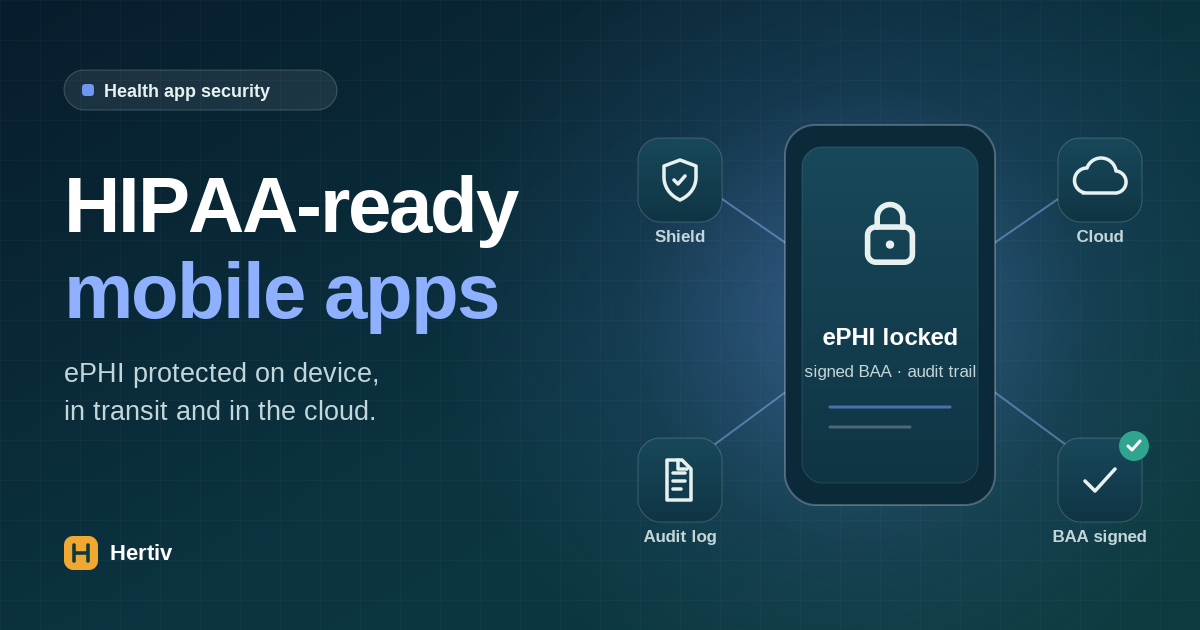
A HIPAA-compliant mobile app protects ePHI on device, in transit and in the cloud, with signed BAAs, audit logs and risk analysis behind every feature you ship.
On this page
Short answer
A HIPAA-compliant mobile app handles electronic protected health information under a signed Business Associate Agreement, encrypts data on the device and in transit, enforces access control and audit logging, and is backed by a documented security risk analysis.
What makes a mobile app HIPAA compliant?
A HIPAA-compliant mobile app is one that creates, receives, maintains or transmits electronic protected health information (ePHI) under administrative, physical and technical safeguards that satisfy the HIPAA Security Rule, with a signed Business Associate Agreement (BAA) where required. The app itself is only one layer; the vendor, hosting and support model around it must also comply.
The practical checklist for a mobile product team:
- Scope: identify every place ePHI appears, including local storage, caches, logs, crash reports, analytics and push payloads.
- Legal footing: confirm whether your organisation is a covered entity, business associate or conduit, and sign BAAs with every subcontractor that touches ePHI.
- Technical safeguards: encryption, access control, audit controls, integrity controls and transmission security.
- Administrative safeguards: a documented risk analysis, policies, workforce training and an incident response plan.
Most failed audits on mobile apps come from gaps outside the app binary: a third-party analytics SDK without a BAA, a debug log shipping ePHI to a crash service, or a shared admin console with no role separation. Treat compliance as a product requirement with owners, not a task for the security team alone. For the wider engineering picture, see software engineering services.
Which safeguards does the HIPAA Security Rule require?
The Security Rule names three safeguard families: administrative, physical and technical. For mobile, the technical safeguards do the heavy lifting, but an app cannot be compliant without the administrative work behind it.
Technical safeguards you should be able to demonstrate:
- Unique user identification and role-based access to ePHI.
- Encryption of ePHI at rest on the device (for example using the platform keystore or secure enclave) and in transit using current TLS.
- Audit controls that record who accessed what and when, with logs protected from tampering.
- Integrity controls so ePHI cannot be altered undetected.
- Automatic logoff and session timeouts tuned to the sensitivity of the data.
Administrative safeguards: a current risk analysis, risk management plan, sanction policy, workforce clearance and training, and contingency planning including backup and disaster recovery.
Physical safeguards: device and media controls, plus policies for staff who use personal phones for work. If your app runs on personal devices, a documented BYOD policy is part of the control set.
How do you handle ePHI on the device?
Store as little ePHI on the device as possible, encrypt what you must keep, and make deletion reliable. Phones are lost, resold and shared, and unencrypted local data turns a missing device into a potential breach.
Mobile-specific places ePHI leaks that teams miss:
- Local databases and caches: SQLite, Realm, Core Data and HTTP caches should be encrypted or excluded from backup where appropriate.
- Screenshots and app switcher: the operating system may snapshot the screen; blur or block sensitive views when the app backgrounds.
- Clipboard: users copy identifiers and notes; consider disabling copy on sensitive fields or clearing the clipboard.
- Push notifications: never put ePHI in the notification payload; show a generic message and fetch details after authentication.
- Logs and crash reports: scrub identifiers before they leave the device, and use crash tooling covered by a BAA.
- Analytics and ad SDKs: remove anything that is not covered by a BAA and does not need ePHI.
Pair these with a short session timeout, biometric or passcode re-entry, and remote wipe through mobile device management for corporate devices. Add a plan for jailbroken or rooted devices, even if that plan is simply refusing to run.
What does a HIPAA mobile architecture look like?
A HIPAA-aligned mobile architecture keeps ePHI in a controlled backend, minimises what reaches the device, and logs every access. The app becomes a thin client over audited APIs rather than a local record store.
A workable shape, from device to data:
- Client: encrypted local storage for the minimum data needed, biometric unlock, no ePHI in logs or notifications.
- Transport: TLS with certificate pinning considered for high-risk flows, and no ePHI in URLs or query strings.
- API layer: authentication, authorisation, rate limiting and request-level audit logging.
- Services: business logic that enforces role rules server-side; never rely on the client to hide data.
- Data store: encrypted at rest, access-controlled, with backups and retention rules.
- Observability: logs and traces scrubbed of ePHI, with an audit trail kept separately.
Hosting must be covered by a BAA, whether you use a cloud provider or your own data centre. If you integrate AI features such as summarisation or triage, keep the model provider inside the BAA perimeter and review it as part of the same programme; LLM development for production applications covers that evaluation. A solid backend design here is usually the same work as building a careful web application.
Which BAAs and vendor contracts do you need?
You need a Business Associate Agreement with every vendor that creates, receives, maintains or transmits ePHI on your behalf, and you need to know which vendors never touch ePHI so you can exclude them deliberately. The mobile stack usually produces a longer vendor list than teams expect.
Vendors that commonly need a BAA in a mobile health product:
- Cloud hosting, managed databases and object storage.
- Push notification and SMS providers, if payloads can contain ePHI.
- Crash reporting, logging and monitoring tools.
- Customer support tooling where agents may see ePHI.
- Email and document vendors used inside the app workflow.
- Any AI or transcription service that receives patient content.
Vendors that usually do not need a BAA, provided you keep ePHI out of them: app store analytics, ad networks, generic A/B testing tools and marketing analytics. Document that exclusion so it is a decision, not an omission.
For each vendor, record the data categories shared, the direction of flow, retention and deletion terms, and breach notification timelines. Keep the list in the same repository as your architecture diagrams so it is reviewed whenever a new SDK is added. Cybersecurity services can help run that vendor review as part of a broader security programme.
Example: a patient intake app, before and after
Example (hypothetical): a clinic wants a mobile intake app where patients enter symptoms, insurance details and medication lists. In the first design, the app stores the full record locally in an unencrypted database, sends crash reports to a third-party service and shows appointment details in push notifications.
What changes in a compliance-focused redesign:
- The local database is encrypted and only holds records for the active session; the rest lives in the backend.
- Crash reporting moves to a provider covered by a BAA, and identifiers are stripped from logs.
- Push notifications say "You have a new message" rather than naming the clinic or condition.
- Screens are blurred in the app switcher, and the clipboard is disabled on notes fields.
- Every read of a record writes an audit event with user, device and timestamp.
The rework is mostly in data flow and vendor choices, not in UI. Teams often find that the biggest cost is renegotiating contracts and rewriting logging paths, so budget for that before the feature roadmap is locked.
What are common mistakes in HIPAA mobile projects?
Most HIPAA mobile failures are process and architecture gaps that survive because nobody owns them. The technical controls are usually well understood; the gaps sit between teams.
- Assuming HTTPS is enough. Encryption in transit does not cover local storage, backups or logs.
- Skipping the risk analysis. Without a current, documented risk analysis, the rest of the programme has no defensible basis.
- Unreviewed SDKs. A single analytics or crash SDK without a BAA can put ePHI outside your control.
- ePHI in logs and notifications. Debug logs, error messages and push payloads are frequent leak points.
- Client-side authorisation. Hiding a button is not access control; enforce roles on the server.
- No mobile incident runbook. Breach notification timelines apply to lost devices too.
- Treating compliance as a launch gate. It is continuous: new features, SDKs and vendors reopen the question.
How do you build and ship a compliant mobile app?
Build compliance into delivery from the first sprint, and give it named owners across product, engineering, legal and security. The order below keeps rework manageable.
- Classify the data and roles. Map every ePHI field, where it is stored, and who can see it. Confirm covered entity or business associate status with counsel.
- Run a risk analysis. Document threats, likelihood and mitigations. Use it to drive the backlog, not to sit in a folder.
- Design the architecture around minimisation. Thin client, audited APIs, encrypted backend and a short list of BAA-covered vendors.
- Build controls into the pipeline. Static analysis, dependency review for new SDKs, secrets scanning and a release checklist that includes privacy review.
- Test the failure paths. Lost device, expired session, revoked access, offline mode and breach drill. Mobile belongs in incident response.
- Review continuously. Re-run the risk analysis when features, vendors or regulations change, and keep evidence of controls current.
If your team lacks mobile security depth, mobile app development support or staff augmentation can close the gap without stalling the roadmap. The same discipline applies to any regulated product you ship; our blog covers related engineering patterns.
Key takeaways
- Compliance is a program, not a framework: BAAs, policies, risk analysis and training carry as much weight as code.
- Encrypt ePHI at rest on the device and in transit; treat lost or stolen phones as a reportable risk otherwise.
- Mobile-specific risks: screenshots, clipboard, push notifications, local caches and background app snapshots.
- Keep audit logs for access to ePHI and make them tamper-evident and reviewable.
- Decide early whether the app is a covered entity, business associate or conduit, because it changes your obligations.
- Test on real devices and include mobile in your incident response and breach notification runbooks.
Frequently asked questions
Is a mobile app that stores patient data automatically a business associate?
Not automatically. Status depends on who you are and what you do with the data. A consumer app that lets users store their own records may fall outside HIPAA, while an app built for a covered entity that handles ePHI on its behalf usually operates as a business associate. Confirm with legal counsel before launch.
Does a HIPAA-compliant app need to encrypt data on the phone?
The Security Rule treats encryption as an addressable implementation specification, not optional in practice. If ePHI is stored on a device without encryption, you need a documented rationale and equivalent safeguards. Most auditors and enterprise customers expect encryption at rest on the device and in transit.
Can we use Firebase, AWS or Azure for a HIPAA mobile app?
Major cloud providers offer HIPAA-eligible services and will sign a BAA, but eligibility is per service, not per provider. You must confirm each service you use is covered, configure it correctly and keep ePHI out of non-eligible services and logs.
Are push notifications allowed to contain ePHI?
It is safer to keep ePHI out of push payloads. Notifications pass through provider infrastructure and can be seen on lock screens. Send a generic alert and fetch details after the user authenticates, so the notification itself carries no protected information.
How long should audit logs be kept?
HIPAA does not set a single retention period in the Security Rule, but documentation must be kept for six years, and many organisations align audit log retention with that or with state law. Define a retention period in policy, protect logs from tampering, and make sure they can be reviewed.
What happens if a phone with the app is lost?
Treat it as a potential incident. If the device and data are encrypted and access is protected, the risk may be low, but you still need a documented assessment and, where required, notification. Remote wipe, short sessions and device management reduce the impact.


