What Does a HelloFresh-Style App Cost to Build?
A HelloFresh-style meal-kit app needs menus, subscriptions, delivery and payments. Here is what drives the cost, and a worked example budget.
On this page
Short answer
A HelloFresh-style meal-kit app costs what any subscription commerce app costs: design, the customer app, the kitchen and delivery back office, payments and testing. The total depends on how many features the first version includes and how much is built from scratch versus bought as a service.
What is a HelloFresh-style app?
A HelloFresh-style app is a meal-kit subscription app: customers pick recipes, choose how many meals they want each week, pay a subscription, and get a box of measured ingredients delivered to their door. The app handles the menu, the order, the payment and the delivery tracking, while the kitchen and logistics run behind it.
What makes it different from a normal food delivery app is the subscription and the box. Customers do not order one meal at a time; they manage a weekly plan, skip weeks, swap recipes and pause the subscription. The app also has to handle dietary preferences, allergens and portion sizes, because the box is built around what each customer can eat.
Building one means building two products at once: a customer app that feels simple, and a back office that plans menus, packs boxes and schedules deliveries. The back office is where most of the hidden cost sits.
What features does a meal-kit app need?
A first version needs the features that let a customer subscribe, pick meals and get a box. Everything else — loyalty, referrals, recipe ratings — can wait for a later release.
| Feature | What it does | First version? |
|---|---|---|
| Menu browsing and recipes | Weekly menu, recipe cards, dietary filters | Yes |
| Subscription plans | Meals per week, box size, pause and skip | Yes |
| Checkout and payments | Cards, recurring billing, discounts | Yes |
| Delivery tracking | Delivery day, time window, tracking | Yes |
| Account and preferences | Allergens, diet, address, order history | Yes |
| Kitchen back office | Orders per recipe, packing lists, stock | Yes |
| Referrals and loyalty | Invite credits, points, rewards | Later |
| Recipe ratings and reviews | Rate meals, save favourites | Later |
The kitchen back office is easy to underestimate. It has to turn hundreds of subscriptions into a packing plan: how many portions of each recipe, which boxes they go in, and which delivery route each box takes. A spreadsheet works for the first hundred customers and breaks soon after. The delivery side is covered in our guide to on-demand delivery app costs.
What drives the cost?
Four things drive the cost: the number of platforms, the complexity of the subscription logic, the back office, and the integrations. Each one can double the build time if it is handled carelessly.
| Cost driver | Why it costs | How to keep it down |
|---|---|---|
| Platforms | iOS and Android double the native work | One platform first, or a cross-platform build |
| Subscription logic | Plans, skips, pauses, prorating | Use a billing service, not custom code |
| Back office | Packing, stock, delivery planning | Start with a simple admin panel |
| Payments | Recurring billing, refunds, failed cards | Use a payment provider's subscription tools |
| Design | Menu, recipes and checkout must look appetising | Use a design system, not custom screens |
The subscription logic deserves special care. Prorating a skipped week, handling a failed card, and pausing a plan without losing the customer's preferences are all edge cases that take time to get right. A billing service handles most of them, which is why building the billing from scratch is rarely worth it.
Build or buy: what should you build yourself?
Build the parts that make the product different, and buy the parts that every app needs. The menu experience, the recipe presentation and the subscription flow are the product; payments, maps, notifications and analytics are not.
Buy payments, maps, push notifications and analytics as services. Each one is a solved problem with a provider that handles the hard parts — card retries, address lookup, delivery windows — and each one you build yourself adds weeks of work and months of maintenance.
Build the menu, the plan picker and the kitchen back office yourself, because those are where the business lives. The way recipes are shown, the way a customer swaps a meal, and the way the kitchen turns orders into packing lists are the parts no off-the-shelf tool will get right.
If you want the same thinking for a simpler app, our guide to what an iOS app costs to build shows the same split for a first version.
Example: a worked budget for a first version
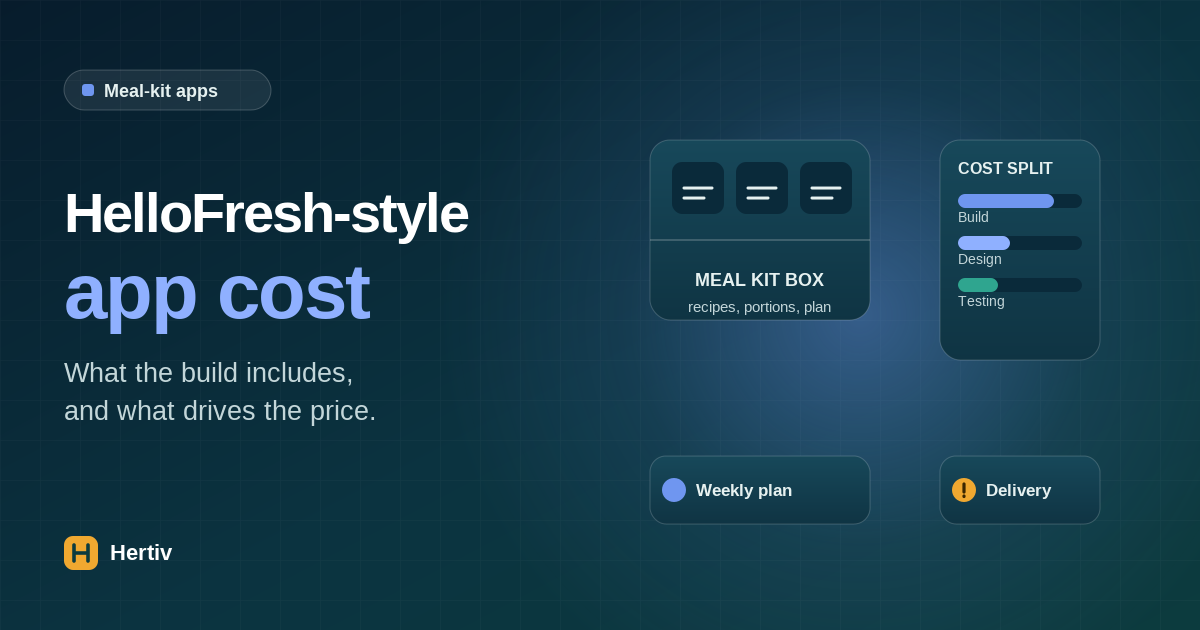
Example (hypothetical): a team builds a first version for one platform, with a menu, subscription plans, payments, delivery tracking and a simple kitchen back office. The build takes 1,800 hours of development at $85 an hour, which is 1,800 times 85, or $153,000.
Design adds $12,000 for the menu, checkout and back-office screens, and testing adds $10,000 for the subscription edge cases and the delivery flow. The total for the first version is $153,000 plus $12,000 plus $10,000, which is $175,000.
That figure covers the build only. Running costs come on top: hosting, the payment provider's fees, maps, notifications and support. A realistic first-year running budget for a small launch is a few thousand dollars a month, and it grows with orders. The same staged approach is covered in our guide to what an intelligent mobile app costs to build.
Two things would change the number fast. Adding a second native platform roughly doubles the app work, and adding a full logistics system with route planning and driver tracking is a second product in itself. Both are worth doing later, after the first version proves that customers want the box.
How to plan the budget in steps
Plan the budget in steps, and cut scope at each step before cutting quality. A smaller first version that works well beats a large one that ships late and half-finished.
- List the must-have features. Menu, plans, checkout, delivery tracking, back office. Everything else goes on the later list.
- Price each feature in hours. Ask the team to estimate each feature separately, then add a buffer for the subscription edge cases.
- Decide what to buy. Payments, maps, notifications and analytics come from providers; price their monthly fees into the running budget.
- Choose one platform first. Ship on the platform most of your customers use, and add the second one after launch.
- Set a launch budget and a running budget. The build is a one-off cost; hosting, fees and support repeat every month.
Get the estimates in writing and ask what is not included. Testing, store review fixes and the first month of support are the items most often left out, and they are the ones that cause budget surprises after launch.
What are the common mistakes?
The most common mistakes are building two platforms at once, writing custom billing, and skipping the kitchen back office until launch week.
- Two platforms at once. Twice the app work for a product nobody has tried yet.
- Custom billing. Subscriptions have edge cases — retries, prorating, pauses — that a billing service already handles.
- No back office. The kitchen needs packing lists and stock counts from day one, not after the first hundred orders.
- Too many recipes at launch. A small menu that works beats a large menu the kitchen cannot pack reliably.
- No delivery fallback. A missed delivery window needs a plan — a refund, a redelivery or a credit — before it happens.
Teams that launch small, watch the first hundred orders closely and fix the back office first usually reach a stable product faster than teams that build every feature before launch.
Key takeaways
- A HelloFresh-style app is a subscription app plus a kitchen back office — both need building
- Menu, plans, checkout, delivery tracking and the back office are the must-haves for a first version
- Subscription logic, platforms and the back office drive the cost; buy payments, maps and notifications
- A first version for one platform with a worked budget of $175,000 is a realistic planning figure
- Launch small, test the subscription edge cases, and add the second platform after launch
Frequently asked questions
How much does a meal-kit app like HelloFresh cost to build?
A first version for one platform with menu, subscription plans, payments, delivery tracking and a simple kitchen back office typically costs in the low six figures, depending on the team's rates and the feature list. The worked example in this guide comes to $175,000 for the build, with running costs on top.
Do I need both iOS and Android from the start?
No. Launch on the platform most of your customers use, then add the second one once the first version proves itself. Building both at once roughly doubles the app work and delays the launch.
Can I use a payment provider for subscriptions?
Yes, and you should. Payment providers offer subscription tools that handle recurring billing, failed-card retries, prorating and pauses. Building that logic yourself takes weeks and creates support work every month.
What is the kitchen back office?
It is the admin side that turns subscriptions into packing lists: how many portions of each recipe, which boxes they go in, and which delivery route each box takes. It also tracks stock so the kitchen knows what to order. Without it, the kitchen works from spreadsheets that break as orders grow.
How long does it take to build a meal-kit app?
A first version usually takes a few months with a small team, depending on the feature list and whether one or two platforms are built. The subscription logic and the back office take longer than most teams expect, so allow time for them in the plan.
What running costs should I budget for?
Hosting, payment provider fees, maps, push notifications and customer support are the main monthly costs. They start small and grow with orders. Set a monthly running budget alongside the build budget so the launch does not stall for lack of operating funds.


