Gray Box Testing: What It Is and When to Use It
Gray box testing is software testing done with partial knowledge of the system, such as its data flow and database design, without reading the source code.
On this page
Short answer
Gray box testing is a software testing method where the tester knows some of the system's inner workings, such as its data flow, database design and interfaces, but does not read the full source code. It sits between black box testing, which uses no inner knowledge, and white box testing, which uses full code access.
What is gray box testing?
Gray box testing is a software testing method where the tester knows some of the system's inner workings, such as its data flow, database design and interfaces, but does not read the full source code. The tester uses that partial knowledge to choose better test cases than a tester who only sees the outside of the system.
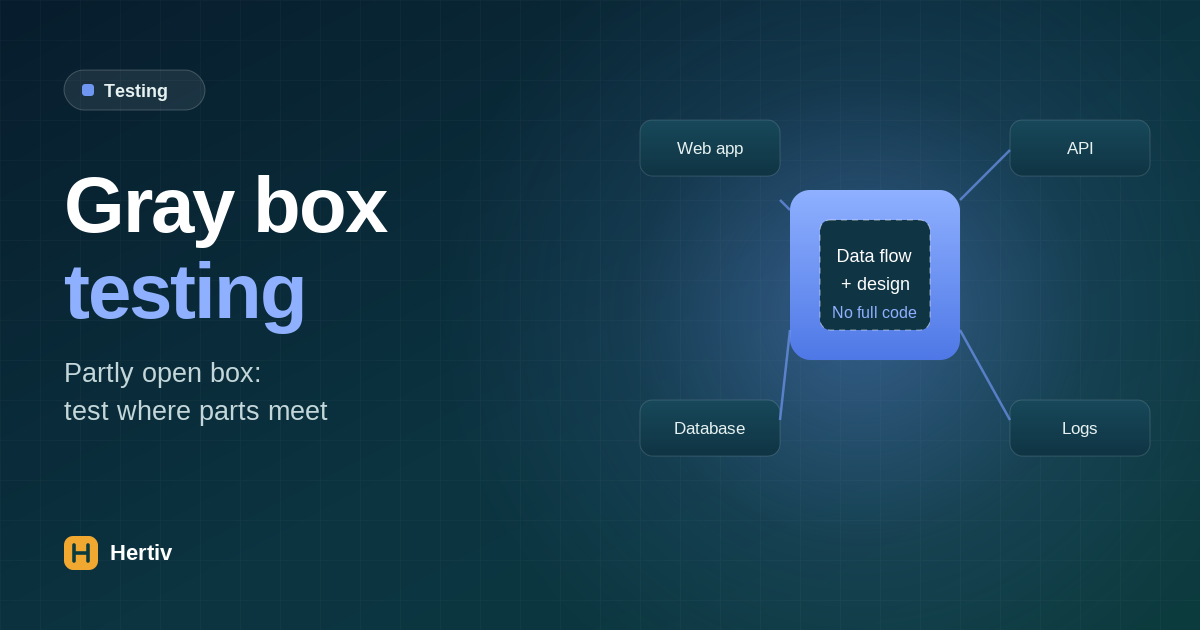
The name comes from the mix. In black box testing the system is a closed box: the tester sends inputs and checks outputs. In white box testing the box is open: the tester reads the code and tests each branch. In gray box testing the box is partly open, so the tester knows how data moves and where it is stored, but not how every line of code works.
Testers usually get this knowledge from design documents, database schemas, API descriptions and logs, rather than from the code itself. That makes gray box testing a good fit for teams where testers and developers work together but testers do not read code every day. For the wider testing picture, see the best automated software testing tools.
How does gray box testing compare with black and white box testing?
The three methods differ in what the tester knows and what they can find. Black box testing finds problems a user would hit, white box testing finds problems inside the code, and gray box testing finds problems where the parts of a system meet, such as a wrong database value or a broken interface.
| Method | What the tester knows | What it finds best |
|---|---|---|
| Black box | Only inputs and outputs | User-facing faults |
| Gray box | Data flow, design, interfaces | Integration and data faults |
| White box | Full source code | Code-level faults |
Gray box testing is often the most practical choice for a team that ships often. Testers can check the database after an action, read an error log, or test an API directly, without waiting for a developer to explain the code. It needs more access than black box testing, but far less skill in reading code than white box testing.
When should you use gray box testing?
Use gray box testing when the system has several parts that must work together, such as a web app, an API and a database. It is the right method when a fault could hide in the gap between two parts, for example when the app shows the right screen but saves the wrong value to the database.
It also fits well for integration testing, API testing and database testing. A tester who can read the API description and check the database can write test cases that a black box tester would miss, such as sending a value the API accepts but the database rejects.
Do not use it as the only method. Gray box testing will not find a user-facing problem that only shows up in the interface, and it will not find a code fault that only shows up in a rare branch of the code. Pair it with black box tests for the interface and white box tests for the riskiest code. See the best API testing tools for tools that fit this kind of testing.
How to run a gray box test in six steps
Run a gray box test in six steps, starting with the design documents and ending with a report that names the exact place where each fault was found.
- Gather the design material. Read the data flow diagrams, database schema and API descriptions before writing any test case.
- List the interfaces. Write down every place where two parts meet, such as the app and the API, or the API and the database.
- Write test cases per interface. For each one, include normal values, edge values and values the other side should reject.
- Set up access. Give testers read access to the database and the logs, so they can check what was actually stored.
- Run the tests and check both sides. Check the screen the user sees and the data the system stored, because the two can disagree.
- Report the fault's location. Name the interface or table where the fault sits, not just the screen where it showed up.
The step teams skip most is the last one. A report that only says the checkout failed is far less useful than one that says the order total was right on screen but wrong in the orders table. Location is what makes a gray box report worth reading.
Example (hypothetical): testing a checkout API
Example (hypothetical): a team tests a checkout API with 120 test cases, covering 40 endpoints with 3 cases each. On the first run, 90 cases pass and 30 fail, which is a pass rate of 90 / 120 = 75%.
The failures split into two groups. Of the 30 failures, 18 come from the API accepting values the database then rejects, and 12 come from wrong totals on screen. The team fixes the API checks first, then the totals, and on the second run 116 of the 120 cases pass, which is 116 / 120 = 96.7%.
The four cases that still fail all sit at one interface: the payment step returns a success code but stores no payment record. A black box tester would have seen only a success screen, so the fault would have shipped. Gray box testing caught it because the tester checked the database, not just the screen.
What access do gray box testers need?
Gray box testers need read access to the database, the logs and the API descriptions, plus a test environment that matches production data in shape, if not in size. Without that access they are black box testers with a better vocabulary, and the method loses its value.
Access must be read-only where it matters. Testers should be able to read the database and the logs, but not change production data or delete records. In most teams this means a staging database that is reset often, with test data that covers normal, edge and invalid values.
Testers also need time with the developers. A short walkthrough of the data flow and the database design at the start of a sprint saves hours of guessing later. The best gray box testing happens when testers and developers share the same design documents. For tools that check code quality alongside testing, see the best static code analysis software.
What are the common mistakes?
The most common mistakes with gray box testing are treating it as white box testing, testing without database access, and writing test cases that only check the screen.
- Reading all the code. If testers read every line of code, the method becomes white box testing and takes far longer.
- No database access. Without it, testers cannot check what was stored, which is the main gain of the method.
- Screen-only checks. A test that only checks the screen misses faults that hide in the data.
- Skipping the design. Test cases written without the data flow diagrams miss the interfaces where faults live.
- Testing everything at once. Gray box testing works best per interface, not as one giant test of the whole system.
- Reports without location. A report that does not name the faulty interface sends developers hunting.
Key takeaways
- Gray box testing uses partial knowledge: data flow and design, not full code
- It finds faults where parts meet, such as an API the database then rejects
- Testers need read access to the database, logs and API descriptions
- Check both the screen and the stored data, because the two can disagree
- Report the fault's location, not just the screen where it showed up
Frequently asked questions
What is gray box testing?
Gray box testing is software testing done with partial knowledge of the system, such as its data flow, database design and interfaces, but without reading the full source code. It sits between black box testing, which uses no inner knowledge, and white box testing, which uses full code access.
How is gray box testing different from black box testing?
In black box testing the tester only sees inputs and outputs, so they can only find faults a user would hit. In gray box testing the tester also knows the data flow and design, so they can check the database and logs and find faults where parts of the system meet.
Do gray box testers need to read code?
No. Gray box testers work from design documents, database schemas, API descriptions and logs, not from the source code. They need enough technical knowledge to read those documents and query a database, but they do not need to read or write production code.
When is gray box testing the best choice?
It is the best choice when a system has several parts that must work together, such as a web app, an API and a database, and when faults could hide in the gap between them. It is also a good fit for integration testing and API testing in teams that ship often.
What tools do gray box testers use?
They use the same tools as other testers, such as API clients, test runners and database browsers, plus read access to logs. The method is defined by what the tester knows and checks, not by a special tool, so most teams start with the tools they already have.
Can gray box testing replace white box testing?
No. Gray box testing will not find a fault hidden in a rare branch of the code, because the tester does not read the code. Use it alongside black box tests for the interface and white box tests for the riskiest code, so each method covers what the others miss.


