Flutter 2 vs Flutter 1: What Changed, and Why It Matters
Flutter 2 added null safety, web support and desktop support to the Flutter 1 toolkit. Here is what changed, what it means for existing apps, and how to move.
On this page
Short answer
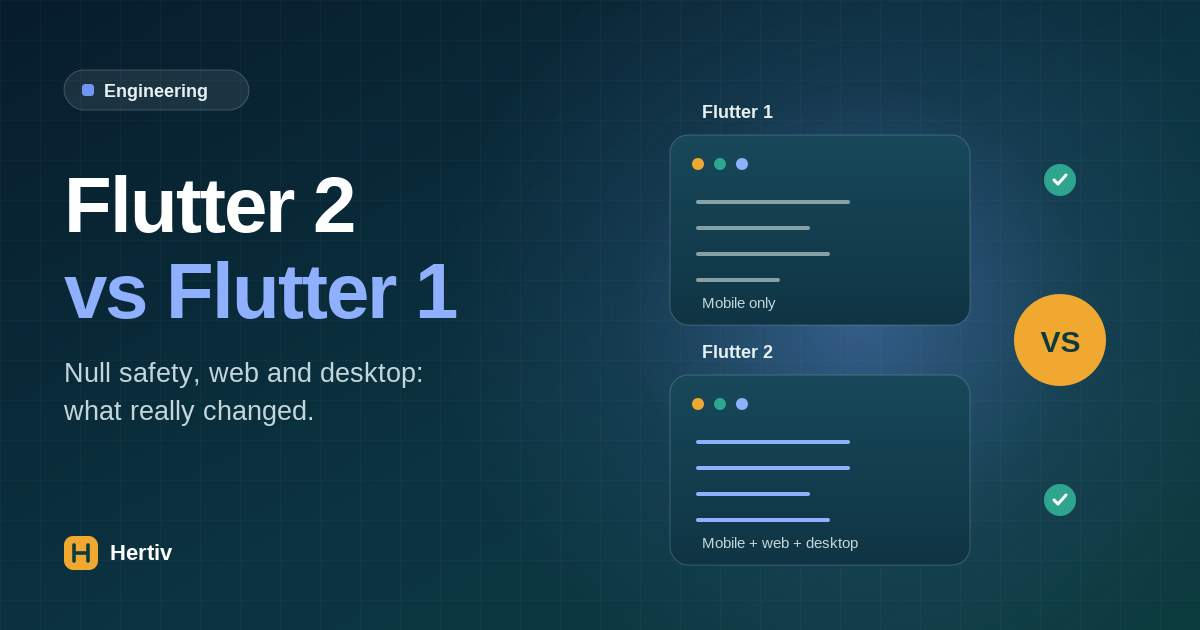
Flutter 2 is the 2021 release of Google's Flutter framework that added sound null safety, stable web support and early desktop support to what Flutter 1 offered. Flutter 1 covered mobile apps on iOS and Android, while Flutter 2 let the same codebase reach browsers and desktop machines as well.
What is the difference between Flutter 1 and Flutter 2?
Flutter 1 is the first stable generation of the Flutter framework, released for building mobile apps on iOS and Android from one codebase. Flutter 2 is the release that followed it, and it widened the same framework to the web and to desktop operating systems.
The core idea did not change. Both versions use the Dart language and the same widget system, so a developer who knows Flutter 1 can read Flutter 2 code at once. What changed is the reach of the framework and the safety of the language underneath it.
Flutter 2 also arrived with sound null safety in Dart, which changed how the language handles values that can be missing. That is the single largest change for existing code, because it touches many files. The Flutter guide explains the framework itself in more detail.
How do Flutter 1 and Flutter 2 compare?
The table below maps the main differences between the two releases, so a team with a Flutter 1 app can see what an upgrade brings.
| Area | Flutter 1 | Flutter 2 |
|---|---|---|
| Mobile | iOS and Android | iOS and Android |
| Web | Early preview only | Stable web support |
| Desktop | Not supported | Early Windows, macOS, Linux |
| Null safety | Not available | Sound null safety in Dart |
| Text handling | Basic text input | Improved autofill and text editing |
| Plugins | Mobile plugins | More plugins, including web |
| Ads support | Mobile ads only | Ads plugin for more formats |
Most of the change is additive. Flutter 2 did not remove the mobile tools that Flutter 1 teams relied on; it added new targets and a stricter language mode on top of them.
What did null safety change?
Null safety changed how Dart handles values that can be missing. In Flutter 1, a variable could hold no value at any point, and a missing check caused a crash at run time. In Flutter 2, a value that can be missing must be marked as such, and the compiler forces the developer to handle it.
For new code, null safety catches a whole class of errors before the app runs. For existing code, it means a migration pass: the team reviews each file, marks the values that can be missing, and adds the checks the compiler asks for. Dart ships a migration tool that suggests most of the changes.
The migration is the most labour-heavy part of moving from Flutter 1 to Flutter 2. It is also the part with the clearest payoff, because null errors are one of the most common crashes in mobile apps. Teams that migrate in small files, one at a time, keep the app working throughout.
What did web and desktop support add?
Web support in Flutter 2 let the same codebase render in a browser, which meant a team could ship a web version of its app without a separate project. The web build uses the same widgets, but the team must check performance, text selection and scrolling, which behave differently in a browser.
Desktop support arrived as an early release for Windows, macOS and Linux. It suited internal tools and simple desktop apps, but it was not yet the finished desktop story. Teams that needed a polished desktop app usually waited for later releases before committing to it.
The practical effect was choice. A team could keep its mobile app as the main product and add a web version for sharing links and onboarding, or build a small desktop companion for staff. The Flutter vs React Native comparison covers how this choice looks against the other cross-platform option.
Flutter is not the only cross-platform choice. The Ionic vs Flutter comparison looks at the web-first alternative, which suits teams that already build with web technology.
How do you move an app from Flutter 1 to Flutter 2?
You move an app from Flutter 1 to Flutter 2 in stages, keeping the app releasable at each step rather than attempting one large rewrite.
- Update the SDK and dependencies. Move to the Flutter 2 SDK and update plugins to versions that support it.
- Fix breaking changes. Read the release notes and fix the API changes the compiler reports.
- Run the migration tool. Use the Dart migration tool to suggest null safety changes file by file.
- Migrate in small parts. Convert one feature at a time and run the tests after each part.
- Test on every target. Check the app on iOS, Android and, if you use it, the web build.
- Ship and watch crash reports. Release to a small group first and check for new errors before a full rollout.
A team that migrates in small steps can keep shipping during the move. A team that tries to convert everything at once usually ends up with a long branch that is hard to merge and harder to test.
Example (hypothetical): upgrading a small app
Example (hypothetical): a team has a Flutter 1 app with 40 Dart files. The migration tool suggests changes in 30 of them, and the team estimates 30 minutes per file, which is 30 times 30 minutes, or 15 hours of migration work.
Updating the SDK and plugins takes 4 hours, and fixing the breaking API changes takes another 6 hours. Testing on iOS, Android and web takes 10 hours. The total is 15 plus 4 plus 6 plus 10, which is 35 hours, or about one working week for one developer.
The numbers are invented to show the arithmetic, not a real estimate. The point is that the migration is measured in days for a small app, and that the null safety pass is usually the largest single part of the work.
What are the common mistakes?
The most common mistakes when moving from Flutter 1 to Flutter 2 are migrating everything at once, ignoring plugin support, and treating web support as a free extra platform.
- One giant migration. Converting every file in a single branch makes the change hard to review and hard to roll back.
- Skipping plugin checks. A plugin without a Flutter 2 version can block the whole upgrade until it is replaced.
- Assuming the web build is free. The web version needs its own testing for performance, text input and layout.
- Ignoring the tests. Null safety changes can hide logic errors that only tests catch, so the suite should run after each step.
- Staying on Flutter 1. Old versions stop receiving fixes, so staying put trades a short migration for growing risk.
Key takeaways
- Flutter 2 kept Flutter 1's mobile tools and added web and desktop targets
- Sound null safety is the largest change, and it catches missing-value errors early
- The migration is mostly a file-by-file null safety pass, not a rewrite
- Web support adds a browser version; desktop support was still early in Flutter 2
- Migrate in small steps with tests running, and check plugin support first
Frequently asked questions
Is Flutter 2 still used today?
Flutter 2 itself is an older release now, and later versions have replaced it. The ideas it introduced, null safety and multi-platform support, are still central to Flutter. Teams on Flutter 1 should move to a current release rather than stopping at Flutter 2.
Do I need to rewrite my app for Flutter 2?
No. The migration is a file-by-file update, mostly for null safety and a few API changes. The widget code and the app structure stay the same. Most small apps complete the move in days, not months.
What is sound null safety?
Sound null safety is a language rule that forces the developer to say which values can be missing. The compiler then checks every use of those values and refuses to build code that could read a missing value. It turns a run-time crash into a build-time error.
Can Flutter 2 apps run on the web?
Yes. Flutter 2 made web support stable, so the same codebase can build a web app. The web version needs its own testing, because performance, text editing and scrolling behave differently in a browser than on a phone.
What about Flutter 1 plugins in Flutter 2?
Most plugins were updated for Flutter 2, but some were not. Before migrating, list the plugins the app uses and check each one for a Flutter 2 version. A plugin without support must be replaced or removed before the upgrade can finish.
Should a new project start on Flutter 2?
No. A new project should start on the current Flutter release, which includes everything Flutter 2 added plus later fixes and features. Flutter 2 matters mainly to teams still running Flutter 1 apps.


