ERP AI Chatbots: What They Answer and How to Add One
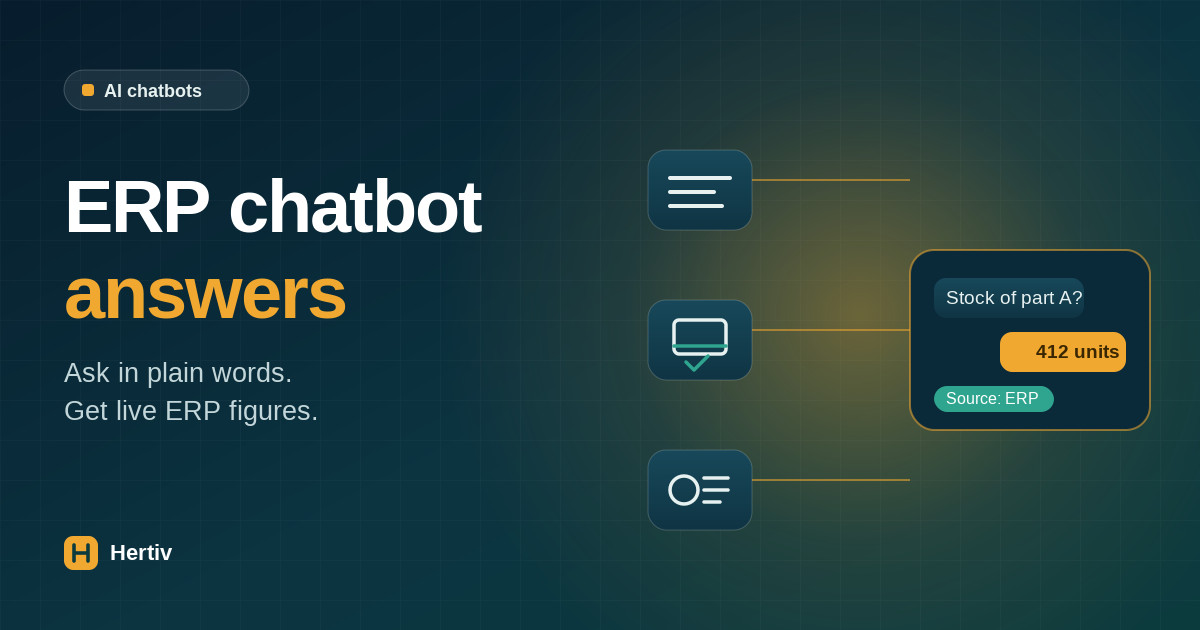
An ERP AI chatbot answers staff questions in plain language and pulls live figures from the ERP, so lookups and approvals happen without opening a screen.
On this page
Short answer
An ERP AI chatbot is a chat interface on top of an enterprise resource planning system. Staff ask questions in plain language, such as stock levels or invoice approvals, and it reads live ERP data, answers with figures, and can start an approval. It works best for frequent lookups and simple approvals, and it should show its source and hand off to a person when the answer is unclear.
What is an ERP AI chatbot?
An ERP AI chatbot is a conversational interface that answers staff questions by reading data from an enterprise resource planning system. Instead of opening screens, running reports or asking a colleague, a warehouse worker, buyer or finance clerk types a question and gets an answer drawn from live ERP records.
The chatbot is not a separate system. It sits on top of the ERP, uses the same permissions each person already has, and returns the same figures the ERP screens would show. That is what makes it useful: the answer is only as good as the ERP data behind it.
| Staff question | What the chatbot does | Where the answer comes from |
|---|---|---|
| How many units of part A are in stock? | Reads the inventory balance | Inventory module |
| Where is order 4412? | Reports the order stage and date | Sales order module |
| Is invoice 8891 approved? | Checks the approval status | Accounts payable |
| Who approved this purchase order? | Shows the approval trail | Procurement workflow |
| What is the balance on this customer? | Reads the open balance | Accounts receivable |
| Can I book annual leave next week? | Checks the leave balance and rota | HR module |
Most ERP chatbots handle lookups and simple actions. They rarely replace the ERP screens for complex work, such as building a production plan or reconciling a month, where a person needs to see the full picture.
What can staff ask an ERP chatbot?
Staff can ask an ERP chatbot about figures, status and simple tasks. The strongest use cases are the questions people ask every day: stock levels, order tracking, delivery dates, invoice status, leave balances and expense approvals. Each one is a short question with a short answer.
The chatbot also works well for approvals. A manager can approve a purchase order, an expense claim or a leave request from a chat message, with the amount and the requester shown in the message. The approval is recorded in the ERP in the same way as an approval made on screen.
It works less well for open-ended questions. Asking a chatbot to explain why a project is over budget, or to plan next quarter, needs judgement and context the ERP does not hold. For those questions, the chatbot should point to the right report or the right person instead of guessing.
A useful test is to list the ten most common questions your support desk or ERP key users receive each week. If most of them are lookups with a single answer, a chatbot will help. If most need investigation, fix the process first.
How does a chatbot connect to ERP data?
A chatbot connects to ERP data through the ERP's own interface, usually an API, a database view or a connector built for that ERP. The chatbot sends a structured request, such as a stock query for one item, and the ERP returns the figure. The chatbot then turns that figure into a sentence.
Permissions matter more than the connection itself. The chatbot must act with the permissions of the person asking, not with a single shared account. A warehouse worker should see stock figures but not payroll data, and a buyer should see their own orders, not every supplier price.
Most teams add a middle layer between the chatbot and the ERP. That layer checks the question, maps it to the right query, applies the person's permissions, and records what was asked and answered. The log is what lets you audit answers and fix mistakes later.
For a first version, keep the connection read-only. Let the chatbot answer questions and show figures, but let approvals and record changes go through the ERP screens. Add write actions only after the read-only version has run cleanly for a few weeks.
Should you build, buy or switch it on in your ERP?
Most teams should buy or switch on a chatbot that already fits their ERP. The large ERP vendors now ship chat or assistant features, and there are specialist chatbot products for SAP, Oracle, Microsoft Dynamics and NetSuite. These handle the connection, the permissions and the audit log for you.
Building your own makes sense only when your ERP is heavily customised, or when the questions staff ask are specific to your business and no product covers them. Even then, build on a standard chat framework and a language model, and spend your effort on the ERP connection and the permission rules, not on the chat interface.
When you compare products, ask three questions. Does it respect the ERP's own permissions per user? Does it log every question and answer? And can it show the source record for each figure it gives? If a product cannot do all three, it is not ready for production use.
For a deeper look at the wider agent picture, intelligent agents for ERP covers agents that carry out multi-step work, while a chatbot is best seen as the conversational front door to the same data.
How do you roll out an ERP chatbot?
Roll out an ERP chatbot in small steps, starting with one team and a short list of questions. A narrow launch teaches you what staff actually ask, and it keeps mistakes small while the chatbot is new.
- Pick one team and ten questions. Choose the team that asks the most lookups, and write down their ten most common questions with the right answers.
- Connect the chatbot to read-only data. Give it access to the modules those questions need, with each person's own permissions.
- Test with real questions. Let the team ask their normal questions for two weeks, and check every answer against the ERP screens.
- Fix the wrong answers first. Add missing data, correct the wording of questions, or narrow the scope until the answers are right.
- Add one write action at a time. Start with approvals, then add simple record creation, and check the audit log after each step.
Train staff on what the chatbot cannot do. People trust a chatbot that says it does not know more than one that guesses. A clear handoff to a person, with the question and the context attached, keeps the chatbot useful even when it cannot answer.
Example (hypothetical): a warehouse team stops opening screens
Example (hypothetical): a warehouse with 40 pickers checks stock levels and order status many times a day. Each picker makes about 6 lookups a day, and each lookup on an ERP screen takes about 3 minutes, including finding the right screen and item. That is 40 times 6 times 3 minutes, or 720 minutes, which is 12 hours a day across the team.
With a chatbot, each lookup takes about 30 seconds, because the picker types the item code and gets the figure back. The same 240 lookups now take 240 times 30 seconds, or 120 minutes, which is 2 hours a day. The team saves about 10 hours a day, and the figures come from the same ERP records, so the answers match the screens.
The saving only holds if the chatbot answers are right. The team checks the first two weeks of answers against the ERP screens, and any wrong answer is logged and fixed. After that, the chatbot handles the routine lookups and the pickers open screens only for work that needs the full picture.
Common mistakes
The most common mistake is giving the chatbot broad access and hoping the language model will behave. A chatbot with a shared admin account can show figures to people who should not see them. Always run it with the permissions of the person asking.
- Launching with every question at once, so nobody knows which answers are wrong
- Letting the chatbot invent figures when the ERP has no record, instead of saying it does not know
- Skipping the audit log, so a wrong approval cannot be traced back
- Adding write actions on day one, before the read-only answers are proven right
- Forgetting to train staff, so people trust a wrong answer because it arrived quickly
Keep the scope small, check answers against the ERP, and add features one at a time. A chatbot that answers ten questions correctly is worth more than one that tries to answer everything and gets a quarter of it wrong.
Key takeaways
- An ERP AI chatbot answers staff questions from live ERP data, with the same permissions each person already has.
- It works best for frequent lookups and simple approvals, not for open-ended planning questions.
- Run it read-only first, and add write actions only after the answers are proven right.
- Every answer should show its source record, and every question should be logged.
- A narrow launch with one team and ten questions beats a company-wide launch.
Frequently asked questions
What is an ERP AI chatbot?
An ERP AI chatbot is a chat interface that answers staff questions by reading live data from an enterprise resource planning system. Staff ask in plain language, and the chatbot returns figures, status or approvals drawn from the ERP records, using the permissions of the person asking.
What questions can an ERP chatbot answer?
It handles lookups with a single answer, such as stock levels, order status, delivery dates, invoice approval status, leave balances and customer balances. It can also route simple approvals. It is not suited to open-ended questions that need judgement or investigation.
Does an ERP chatbot replace the ERP screens?
No. It covers frequent lookups and simple approvals, while complex work such as production planning, month-end reconciliation and detailed reporting still needs the ERP screens. The chatbot is a faster front door, not a replacement for the system.
How do you keep an ERP chatbot secure?
Run it with the permissions of the person asking, never with a shared admin account. Keep a log of every question and answer, show the source record for each figure, and start read-only so no records change until the answers are proven right.
Should you build or buy an ERP chatbot?
Most teams should buy a product that already fits their ERP, or switch on the vendor's own chat feature, since these handle the connection, permissions and audit log. Build your own only when your ERP is heavily customised or your questions are specific to your business.
How long does it take to roll out an ERP chatbot?
A narrow pilot with one team and ten questions can run in a few weeks, including the read-only connection and two weeks of answer checks. Adding write actions such as approvals takes longer, and should wait until the read-only answers are consistently right.


