Enterprise Application Security: A Practical Program Guide
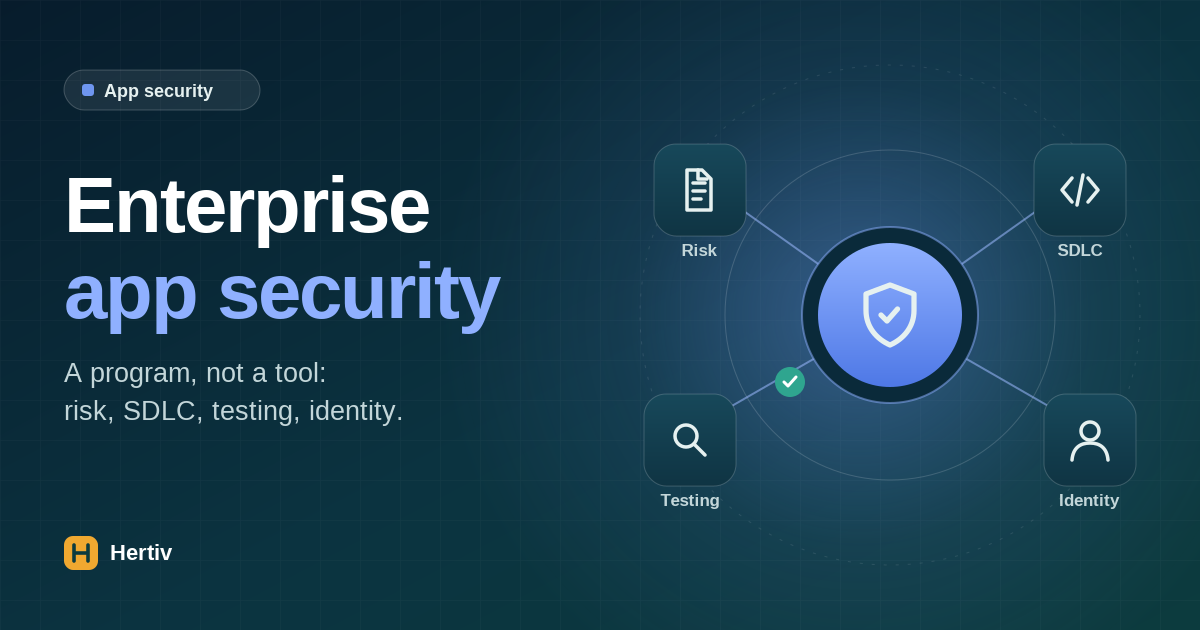
Enterprise application security is a program that secures every app you build and buy through risk classification, secure SDLC, testing, identity control and monitoring.
On this page
Short answer
Enterprise application security is the practice of protecting every application an organisation builds, buys or integrates through consistent controls across design, code, dependencies, identity, deployment and runtime. It works when it is a repeatable program tied to risk tiers, not a one-time penetration test.
What is enterprise application security?
Enterprise application security is the set of people, processes and technical controls that protect the applications a large organisation builds, buys and connects, across their whole lifecycle. It covers code you write, software you purchase and the APIs and integrations between them.
It differs from general IT security in where it focuses. Infrastructure security protects networks, servers and endpoints; application security protects the logic, data flows, identities and dependencies inside the software itself. A firewall will not stop a broken authorisation check that lets one tenant read another tenant's invoices.
A practical program answers four questions for every application:
- What data does it touch, and who can reach it?
- How do changes get made, reviewed and deployed?
- What could break that lets an attacker in or out?
- How would you detect and respond if it happened?
Answering these consistently across a portfolio of dozens or hundreds of applications is the real work. The tools are the easy part. For teams building custom systems, the program has to reach into engineering workflow, which is where software engineering services often intersect with security planning.
How do you classify applications by risk?
Classify applications by the sensitivity of the data they handle, their exposure to untrusted users and their business criticality. Controls then scale with the tier instead of being applied uniformly, which keeps the program affordable and focused.
A workable three-tier model:
| Tier | Typical profile | Example controls |
|---|---|---|
| High | Customer or personal data, internet-facing, financially material | Threat model per change, mandatory code review, DAST and dependency scanning, quarterly access review, logging and alerting |
| Medium | Internal users, limited sensitive data | Threat model at major releases, code review, automated scanning, annual access review |
| Low | Public content, no sensitive data | Baseline scanning, standard SSO, minimal review |
Two rules make classification stick. First, the tier is assigned at intake, before development starts, and recorded in the same system that tracks the app. Second, the tier can only go down with a documented justification signed off by someone accountable for risk.
In practice, most portfolios end up with a long tail of medium and low systems and a small set of high-risk applications that deserve most of the attention.
What does a secure software development lifecycle look like?
A secure SDLC embeds security checks into the steps engineering already performs, so security becomes a property of the delivery pipeline rather than a separate review gate at the end. The goal is to catch cheap problems early and reserve human expertise for design-level risks.
The lifecycle, in practical terms:
- Design: a short threat modelling session for high-tier applications, covering entry points, trust boundaries and what an attacker would try first.
- Build: secret scanning and dependency checks in the pipeline; approved libraries and patterns documented somewhere engineers actually look.
- Review: code review that treats authentication, authorisation, input handling and logging as review subjects, not afterthoughts.
- Test: automated dynamic scanning against a staging environment, plus manual testing for high-tier applications before major releases.
- Deploy: secure defaults for configuration, secrets injected at runtime rather than baked into images, and environment separation enforced.
- Operate: logging, alerting and a route for security findings to become engineering work items with owners and dates.
The failure mode to avoid is a security team that reviews documents while the pipeline ships code. Embed checks where code moves. Teams building this alongside delivery work often find that cybersecurity services help set the baseline before scaling it across teams.
Where do most application breaches actually start?
Most application breaches start with ordinary weaknesses: broken access control, leaked credentials, unpatched dependencies and misconfigured storage or APIs, rather than sophisticated zero-day exploits. That matters because it tells you where to spend effort.
The recurring categories are worth memorising:
- Authorisation gaps: an endpoint checks that a user is logged in but not whether they should see that record. Multi-tenant systems are especially exposed to this.
- Credential and secret exposure: keys in repositories, tokens in logs, long-lived credentials shared across services.
- Dependency and supply chain risk: an outdated library, an unmaintained package or a compromised build dependency.
- Injection and unsafe input handling: still present, often through query construction or template rendering.
- Misconfiguration: public buckets, verbose error pages, default admin accounts, permissive CORS.
- Insecure integrations: third-party APIs and webhooks trusted without verification.
Tracking these categories in your defect taxonomy lets you see which ones keep recurring and fix the underlying engineering habit rather than individual tickets.
How should identity and access be handled across an application estate?
Identity should be centralised, with applications delegating authentication to a single provider and enforcing authorisation decisions in one place per application. Most access problems are design problems, not cryptography problems.
What good looks like:
- Single sign-on for workforce users, with multi-factor authentication enforced rather than optional.
- Short-lived credentials for service-to-service calls, issued by a managed identity system, not static API keys copied between teams.
- Authorisation modelled explicitly: roles or attributes defined per application, checked at the API, never only in the user interface.
- Privileged access separated from day-to-day access, with its own review cadence.
- Joiner, mover and leaver processes tied to the identity provider, so access disappears when someone leaves.
Example: a hypothetical SaaS product with 400 internal users and 60 service accounts. If access reviews cover only the 400 humans and skip the service accounts, the review has missed the credentials most likely to be over-privileged and least likely to be rotated. A useful check is to count service accounts with write access and confirm each has an owner.
How do you secure AI features inside enterprise applications?
AI features need their own security review because they introduce new input paths, new data flows and new permissions. A chatbot or agent added to an existing application is a new attack surface with its own rules.
The main areas to cover:
- Prompt injection and data exfiltration: untrusted input, including retrieved documents, can steer the model. Treat model output as untrusted until validated.
- Retrieval scope: a retrieval-augmented system must only return documents the requesting user is allowed to see. Enforcement belongs in the retrieval layer, not the prompt.
- Agent permissions: an agent acting on tools should have the narrowest scope that still does the job, with human approval for irreversible actions.
- Data handling: what leaves your boundary when calling a model provider, and under which terms.
- Monitoring: log prompts and tool calls in a way that supports investigation without storing sensitive content unnecessarily.
For teams deploying LLM features, the controls overlap heavily with general application security. Reviewing how the system behaves before release is part of the same discipline, as described in how to evaluate an LLM application before launch. Dedicated AI security work is often the fastest route to a usable baseline.
How do you prioritise and measure an application security program?
Prioritise by exposure and impact, then measure whether remediation is getting faster. A program that produces long vulnerability lists without closing them is a reporting exercise, not a security program.
A practical sequence:
- Inventory every application and integration, with an owner and a risk tier.
- Fix the highest-exposure basics first: authentication, authorisation on sensitive endpoints, secret management and public storage.
- Automate the pipeline for high-tier applications so scanning and dependency checks run on every change.
- Close findings on a clock, with severity-based targets and an escalation path when dates slip.
- Review quarterly using metrics that reflect outcomes.
Useful metrics include the share of high-tier applications with an up-to-date threat model, the share of applications on centralised SSO, the median time from critical finding to fix, and the number of applications with no assigned owner. Avoid counting scans or tickets raised; those measure activity.
Common mistakes:
- Buying tooling before inventory, so scans cover an unknown fraction of the estate.
- Treating SaaS and third-party integrations as someone else's problem.
- Letting exceptions accumulate without expiry dates.
- Running the program as a gate at release rather than a partner during design.
- Ignoring the build pipeline and package sources, which sit upstream of everything.
When the work spans many applications, a security review or a custom software development engagement can help put the baseline in place before scaling it.
Key takeaways
- Start with an inventory and risk tiers; controls should match the data each app touches, not be uniform
- Shift security left with threat modelling at design and automated checks in CI rather than late-stage reviews only
- Identity, secrets handling and dependency management cause more real breaches than exotic attacks
- Treat SaaS and third-party APIs as part of your application attack surface with the same rigour
- Design for AI features separately: prompts, retrieval sources and agent permissions need their own controls
- Measure the program by mean time to remediate and control coverage, not by number of scans run
Frequently asked questions
What is the difference between application security and product security?
They overlap heavily. Application security usually refers to the controls protecting software across its lifecycle, while product security often includes the broader product ecosystem such as devices, customer-facing infrastructure and incident response. Many organisations use the terms interchangeably.
Do we need penetration testing if we already do automated scanning?
Yes, for high-risk applications. Automated scanning finds known patterns at scale but misses logic flaws, authorisation gaps across workflows and chained issues. Manual testing adds value when targeted at the parts of the system where a mistake matters most.
How often should threat modelling be repeated?
For high-tier applications, at each significant architectural change rather than on a fixed calendar. A new integration, a new data source or a new user type is a good trigger. Medium-tier applications can be reviewed at major releases.
How should we handle security findings from third-party SaaS vendors?
Include vendors in the inventory, record what data they receive and require evidence of their controls at onboarding and annually. For integrations, verify webhook signatures and scope API tokens to the minimum needed. Vendor risk is part of your application attack surface.
Where do AI features fit into an existing application security review?
Treat them as a new component with new inputs and permissions. Review retrieval scope, prompt injection handling, tool permissions for agents and what data leaves your boundary. These checks extend the standard review rather than replacing it.
What is a reasonable first step for a team with no program today?
Build an inventory with owners and risk tiers, then fix authentication, authorisation and secret handling on the highest-exposure applications. Automate scanning in the pipeline next. Tooling and policy documents can follow once you know what you are protecting.


