Emotion AI Applications: 6 Examples and Where They Work
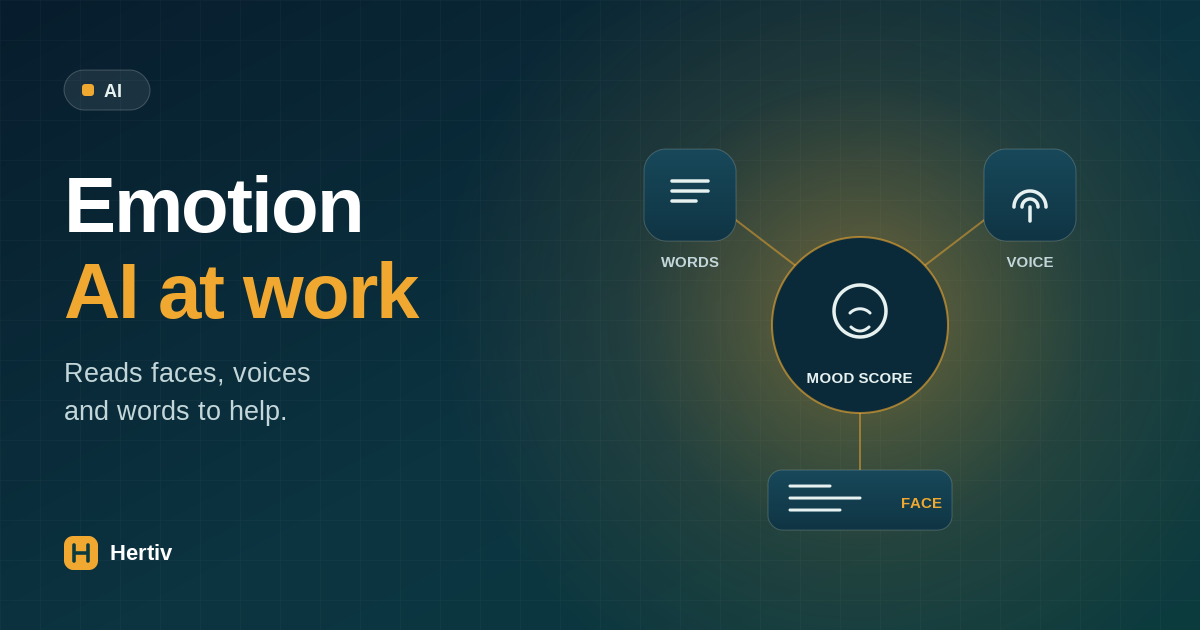
Emotion AI reads faces, voices and text to spot feelings such as frustration or interest. These six applications show where it helps and where it falls short.
On this page
Short answer
Emotion AI is software that reads signals such as facial expressions, voice tone and word choice to estimate how a person feels, and changes what a product does next. A support tool can pass an angry caller to a person, a car can warn a drowsy driver, and a tutor can slow down when a learner looks confused. It estimates feelings; it does not know them for certain.
What is emotion AI, and where is it used?
Emotion AI is software that reads signals such as facial expressions, voice tone and word choice to estimate how a person feels. It then uses that reading to change what a product does next, for example by passing a frustrated caller to a person or by slowing a lesson when a learner looks confused.
The software works on patterns, not on mind reading. A model is trained on labelled examples of faces, voices and text, then scores new input against those patterns. The score is a probability, so the same face can read as tired, bored or simply focused, and the system can be wrong.
Most products combine several signals at once. A call centre tool may read both voice tone and word choice, while a car system may watch eye movement and head position together. One signal on its own is rarely enough to act on, which is why AI agents for customer support usually pair the score with the customer's history before routing a call.
| Application | What it reads | What it does | Main limit |
|---|---|---|---|
| Customer support | Voice tone, word choice | Routes angry callers to a person | Accents and sarcasm confuse it |
| Driver safety | Eyes, head position | Warns a drowsy driver | Glasses and low light reduce accuracy |
| Hiring interviews | Face, voice, answers | Scores recorded interviews | Risk of bias, rules differ by country |
| Healthcare check-ins | Voice, self-reported mood | Flags mood changes between visits | Not a diagnosis, needs a clinician |
| Tutoring | Face, clicks, pauses | Slows or repeats a hard lesson | Confusion looks like boredom |
| Games and media | Face, voice, play style | Adjusts difficulty or music | Players can fake a reaction |
The six examples below follow the same pattern: a signal goes in, a score comes out, and a product changes its next step. The difference between them is how much is at stake when the score is wrong.
1. Customer support: best for spotting frustrated callers
Customer support is the most common use of emotion AI. The tool listens to a call or reads a chat, scores the customer's tone and word choice, and flags calls that sound angry, confused or ready to cancel. Agents see the score live and can change their approach before the call turns bad.
Some tools also route calls. A caller who sounds calm stays with the automated flow, while a caller who sounds upset goes straight to a senior agent. The goal is shorter, calmer calls, not replacing people: the handover matters more than the score itself, and a good AI chatbot hands over with the full conversation attached.
- Pros: catches unhappy customers early; gives agents a clear signal to act on; works on calls and chats.
- Cons: accents and sarcasm lower accuracy; customers may dislike being scored; scores need human review.
2. Driver safety: best for drowsiness alerts
Driver safety systems watch the driver's eyes and head position through a cabin camera. When blinking slows, the eyes close for too long or the head nods, the system sounds an alert and suggests a break. Some fleet systems also send the event to a manager.
This use works because the signal is narrow. The system is not judging a mood; it is checking whether the driver is alert. That makes the score easier to trust than a general reading of feelings, and a false alert costs little.
- Pros: clear, narrow signal; alerts are cheap and fast; helps fleet managers spot risky routes.
- Cons: glasses, sunglasses and low light reduce accuracy; drivers may see the camera as surveillance.
3. Hiring interviews: best for structured scoring, with care
Some hiring tools score recorded video interviews by reading facial expressions, voice tone and the words a candidate uses. Recruiters use the score as one input next to skills tests and work samples, and the tool usually flags answers that need a second look.
This is the riskiest application on the list. A model can score people differently by accent, age or lighting, and several countries restrict or ban automated scoring in hiring. Any team using it should test the scores across groups and keep a person in charge of the final call.
- Pros: gives every candidate the same first pass; flags answers worth a second look; speeds up screening.
- Cons: bias risk is real and hard to spot; rules differ by country; candidates may distrust the process.
4. Healthcare check-ins: best for mood tracking between visits
Healthcare apps use emotion AI to track mood between visits. A patient records a short voice note or answers a few questions, and the app scores changes in tone and word choice over weeks. A clinician sees the trend and can bring a visit forward when the trend drops.
The score is a trend line, not a diagnosis. It can show that a patient has sounded flatter for three weeks, but it cannot say why, and it cannot replace a clinician's judgement. The value is in the pattern over time, not in a single day's score.
- Pros: spots slow changes a single visit misses; cheap to run daily; gives clinicians a trend to discuss.
- Cons: never a diagnosis on its own; needs consent and clear data rules; a bad day can skew the trend.
5. Tutoring and learning: best for pacing lessons
Tutoring tools use emotion AI to pace a lesson. When a learner pauses often, replays a section or looks away from the screen, the tool slows down, repeats the hard part or offers a simpler example. When the learner moves fast and answers well, it moves on.
The signal here is behaviour as much as feeling. Pauses and replays are easy to measure, and the fix is low risk: repeating a lesson costs nothing. The tool does not need to know exactly how the learner feels, only that they are stuck.
- Pros: adapts pace without a teacher watching; uses behaviour, not just faces; low cost when wrong.
- Cons: confusion and boredom look alike; camera use needs consent; overuse can feel intrusive.
6. Games and media: best for adjusting difficulty and mood
Games and media apps use emotion AI to change what happens next. A game can lower the difficulty when a player looks frustrated, or raise it when they look bored. A music app can suggest a calmer playlist when the listener's voice sounds tense.
This is the lowest-stakes use on the list. If the reading is wrong, the player gets a slightly easier level or a different song, and nothing important breaks. That makes it a good place to try the technology before using it anywhere that matters more.
- Pros: low stakes when the reading is wrong; makes products feel responsive; easy to test and tune.
- Cons: players can fake a reaction; adds cost for a small gain; privacy rules still apply.
How to choose an emotion AI tool
Choosing an emotion AI tool starts with the decision you want it to support. Pick the tool after the decision, not before, and test it on your own users before you trust it.
- Name the decision. Write down what the tool should change: route a call, sound an alert, slow a lesson. If no decision changes, you do not need the tool.
- Test on your own people. Run the tool on real calls, faces and voices from your users. A demo score on a sample clip tells you little about your accent mix or lighting.
- Ask how the score is made. The vendor should explain which signals it uses, how it was trained and how it handles different ages, accents and skin tones.
- Check the rules. Emotion data is personal data in many countries, and some uses are restricted. Confirm consent, storage and deletion rules before you start.
- Keep a person in the loop. Use the score to suggest an action, not to take one. A person should make the final call wherever the stakes are high, and a small AI proof of concept is a cheap way to test that handover before you roll it out.
For pricing, plans and free tiers, check the vendor's own pricing page; vendors change plans often, so a quote from an article goes out of date fast. See vendor site for current prices.
What are the common mistakes?
The most common emotion AI mistakes are treating a score as a fact, using one signal on its own, and skipping consent. A score is a probability, and a probability is not a feeling.
- Treating the score as a fact. A score of 80% frustrated does not mean the person is frustrated. It means the pattern looks like frustration. Act on it as a hint, not as proof.
- Using one signal alone. A face without voice, or voice without words, is easy to misread. Combine at least two signals before you act.
- Skipping consent. Reading faces and voices is personal data. Tell people what you record, why, and how long you keep it.
- No human review. Automated scores in hiring or healthcare need a person checking them. An unchecked score can quietly repeat a bias.
- Buying before testing. A demo on clean sample clips says little about your users. Test on your own calls, faces and voices first.
Key takeaways
- Emotion AI estimates feelings from faces, voices and words; it does not know them for certain
- Customer support and driver safety are the most proven uses, because the signal is narrow
- Hiring and healthcare uses carry the highest risk and need a person in the loop
- Combine at least two signals before acting on a score
- Test any tool on your own users, accents and lighting before you buy it
Frequently asked questions
What is emotion AI?
Emotion AI is software that reads signals such as facial expressions, voice tone and word choice to estimate how a person feels. It then uses that estimate to change what a product does next, such as routing an upset caller to a person or slowing a lesson for a confused learner.
Is emotion AI accurate?
It is partly accurate. It scores patterns, so it works best on narrow signals such as drowsiness or raised voices, and worst on broad feelings such as sadness or interest. Accuracy also drops with accents, glasses, low light and sarcasm, so scores should be treated as hints.
Is emotion AI legal to use?
It depends on the country and the use. Emotion data is personal data in many places, so you need consent and clear rules for storage and deletion. Some countries restrict automated scoring in hiring, so check the rules where you operate before you start.
What is the difference between emotion AI and sentiment analysis?
Sentiment analysis reads text and scores whether the words sound positive, negative or neutral. Emotion AI is broader: it also reads faces and voices, and it tries to name feelings such as frustration or confusion rather than just a positive or negative score.
Can emotion AI replace human judgement?
No. It can flag a pattern, such as a caller who sounds upset or a driver who looks drowsy, but it cannot know why a person feels that way. A person should make the final call wherever the decision affects hiring, health or safety.
How much does emotion AI cost?
Prices vary by vendor, by volume and by whether you use an API or a full product. Most vendors charge by the minute of audio or video processed, or by the number of users. Check the vendor's own pricing page for current prices; see vendor site.


