Document AI in Legal Practice: What It Reads and Why
Document AI reads contracts and discovery files, pulls out the clauses and dates that matter, and routes them for review. Here is where it helps a legal team.
On this page
Short answer
Document AI in legal practice is software that reads legal documents, extracts clauses, dates, parties and obligations, and organises them for review. It speeds up contract review, due diligence and discovery by finding the passages a lawyer needs, but it does not give legal advice: every flagged clause still needs a lawyer to read it and decide.
What is document AI in legal practice?
Document AI in legal practice is software that reads legal documents the way a junior reviewer would, but faster: it finds the clauses, dates, parties, amounts and obligations inside contracts, filings and discovery files, and turns them into structured data a team can search and compare.
The tool does not understand law the way a lawyer does. It recognises patterns in text: a termination clause looks a certain way, a governing-law clause has a known shape, and a renewal date sits near a set of familiar words. Modern systems use language models to handle the variation in how clauses are written, but the output is still a list of passages and extracted fields, not a legal opinion.
What makes it useful is scale. A single contract is easy to read; three hundred contracts for a deal, or a million pages of discovery, are not. Document AI turns that pile into a searchable set of answers, so lawyers spend their time on the clauses that matter instead of hunting for them.
What documents does document AI read?
Document AI in legal work reads any document with repeatable structure, but it is strongest on contracts, due diligence files and discovery material, where the same clause types appear again and again. The table below shows the common document types and what the tool pulls out of each.
| Document type | What it extracts | Main use |
|---|---|---|
| Contracts | Parties, dates, renewal, liability caps | Review and comparison |
| NDAs | Scope, term, carve-outs | Fast triage |
| Leases | Rent, term, break clauses, deposits | Portfolio checks |
| Discovery files | Names, dates, key passages | Finding responsive material |
| Regulatory filings | Obligations, deadlines, owners | Compliance tracking |
| Invoices and bills | Amounts, rates, matter numbers | Billing review |
Scanned paper is harder than born-digital text, because the tool must first read the image. Modern tools handle clean scans well, but handwritten notes, stamps and poor copies still need a human eye. If your archive is mostly scanned, budget time to check the extraction quality on a sample before you trust it.
How does document AI change contract review?
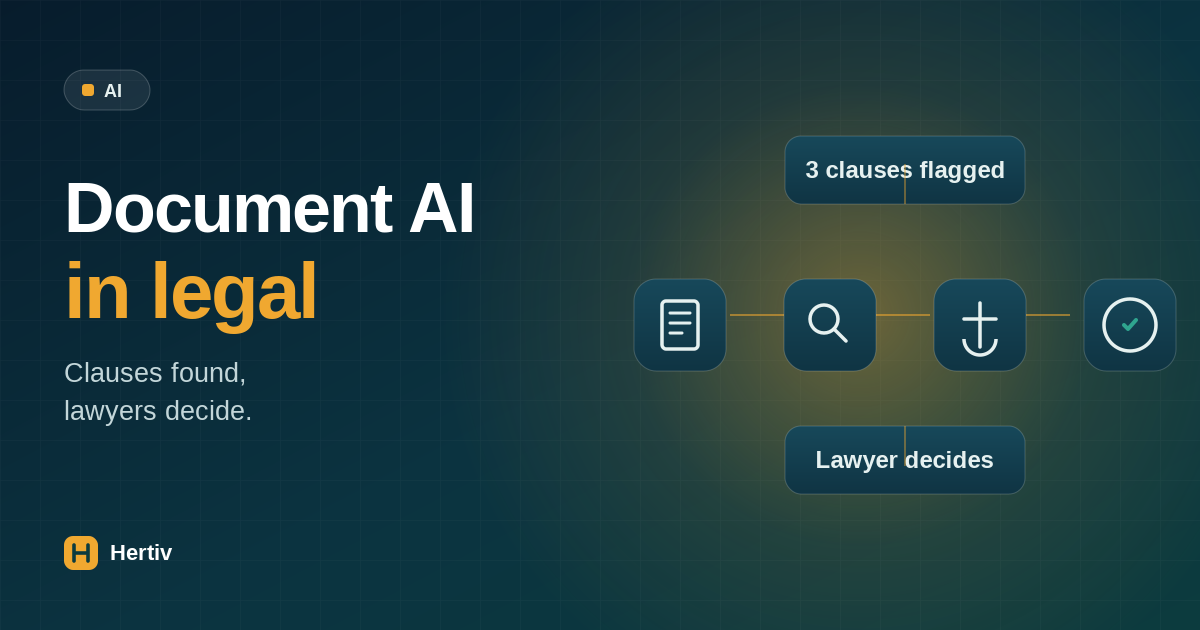
Document AI changes contract review by moving the first pass from a lawyer to a machine. Instead of reading every page, the lawyer starts with a list of flagged clauses, a comparison against the firm's standard positions, and a summary of what is missing. The review becomes a decision task rather than a reading task.
The practical effect is a shorter queue. A standard non-disclosure agreement can be checked in minutes when the tool confirms it matches the firm's template. A supplier contract with unusual liability terms gets flagged and goes to a senior lawyer at once. The tool does not decide what is acceptable; it sorts the pile so the right person sees the right document first.
Comparison is the second big change. When a deal involves many contracts, the tool can show which ones have a different governing law, a missing renewal clause or an unusual cap, in a single table. Doing that by hand takes days and invites mistakes. For teams building this, document AI covers the extraction and validation design.
How to start using document AI in a law firm
You start using document AI in a law firm by picking one document type, testing the tool on a real sample, and setting the review rules before you roll it out. A narrow pilot avoids the common failure of buying a tool and then searching for a use for it.
- Pick one document type. NDAs or standard supplier contracts are good first choices because they repeat and the review rules are clear.
- Gather a test set. Collect 50 to 100 real examples, including the awkward ones, with the correct answers marked by a lawyer.
- Test two or three tools. Run the same test set through each and compare how many clauses they find and how many they miss.
- Set the review rules. Decide which findings a junior lawyer can clear, which need a senior lawyer, and what happens when the tool is unsure.
- Connect it to your matter system. Extracted data should land where the team already works, not in a separate dashboard nobody opens.
- Review accuracy monthly. Check a sample of the tool's output against lawyer review and fix the prompts or rules when it drifts.
Confidentiality comes first in every step. Client documents must stay in a system with access controls and audit logs, and the vendor contract should state that the data is not used to train models. See AI governance for the control points that matter.
Example (hypothetical): a firm reviews 300 contracts
Example (hypothetical): a mid-size firm takes on a deal with 300 supplier contracts to review in three weeks. Reading each one takes a lawyer about 20 minutes, so the full set is 300 times 20 minutes, which is 6,000 minutes, or 100 hours of reading.
With document AI, the tool reads all 300 first and sorts them. It finds 210 that match the firm's standard positions, which a junior lawyer clears at 5 minutes each, or 1,050 minutes, which is 17.5 hours. The remaining 90 have unusual terms and get a full 20-minute review each, which is 1,800 minutes, or 30 hours. The total is 47.5 hours, saving about 52 hours against the 100-hour manual plan.
The saving is real, but only because the firm set the rules first: which clauses count as standard, who clears them, and what happens to the ones the tool cannot classify. Without those rules, the 210 cleared contracts would be a risk, not a saving.
What are the limits and risks?
Document AI has clear limits, and a legal team should plan around them rather than discover them in a live matter. The tool can miss a clause written in unusual language, misread a number, or flag a standard clause as a risk because it does not know the deal context. Every output needs a review step, and the review step needs an owner.
Confidentiality is the biggest risk. Legal documents contain client secrets, and sending them to a cloud tool means trusting the vendor's security and contract terms. Check where the data is stored, who can see it, whether it is used for training, and how it is deleted. If the vendor cannot answer those questions in writing, do not send client documents there.
Privilege is the second risk. In some matters, the way documents are processed can affect privilege claims, so the team should agree with counsel how the tool is used before it touches discovery material. The tool is a helper for the lawyer, not a replacement for legal judgement, and its output should never go to a client or a court without a lawyer reading it first.
What are the common mistakes?
The most common document AI mistakes in legal practice are trusting the output without a review step, starting with the hardest documents, and ignoring confidentiality. Each one is avoidable with a short pilot and clear rules.
- No human review step. A clause the tool misses is a risk the firm owns. Every finding needs a named reviewer.
- Starting with discovery. Discovery files are messy and varied. Start with NDAs or standard contracts, where the patterns are clear.
- Ignoring scanned quality. Poor scans produce poor extraction. Check the sample quality before you judge the tool.
- No vendor data terms. If the contract does not cover storage, training use and deletion, the firm is exposed.
- Treating output as advice. The tool finds passages; it does not advise. A lawyer must decide what each clause means for the client.
- No accuracy checks. Without a monthly sample check, a slow drop in accuracy goes unnoticed for months.
Key takeaways
- Document AI extracts clauses, dates and obligations so lawyers review decisions, not pages
- Start with one repeatable document type, such as NDAs, and test on real examples
- Set review rules first: who clears standard findings and who sees the unusual ones
- Confidentiality is a contract question: check storage, training use and deletion terms
- Check accuracy on a sample every month, because a slow drift goes unnoticed
Frequently asked questions
What is document AI in legal work?
Document AI in legal work is software that reads contracts, filings and discovery files, finds clauses, dates, parties and obligations, and turns them into structured data. It speeds up review and due diligence by sorting documents and flagging the passages a lawyer needs to read, but it does not give legal advice.
Can document AI replace a lawyer for contract review?
No. It can find and sort clauses far faster than a person, but it cannot judge what a clause means for a client, negotiate a position, or take responsibility for advice. The reliable pattern is machine first pass plus lawyer review, with the lawyer making every decision that affects the client.
Which legal documents work best with document AI?
Repeatable documents work best: NDAs, standard supplier contracts, leases and regulatory filings, where the same clause types appear again and again. Discovery files and one-off bespoke agreements are harder, because the language varies more and the tool has fewer patterns to match.
Is it safe to send client documents to a document AI tool?
It is safe only when the vendor contract covers storage location, access controls, audit logs, a ban on training use and a deletion process. The firm should also check privilege implications before the tool touches discovery material. If the vendor cannot answer these in writing, do not send client documents there.
How accurate is document AI on legal documents?
Accuracy varies by document type and quality. Clean digital contracts with standard clauses score well, while scanned paper and unusual drafting score lower. The only honest answer comes from testing the tool on your own documents, with a lawyer marking the correct answers, and re-checking a sample every month.
How much does document AI cost for a law firm?
Pricing varies by vendor and volume, and most charge per document or per user. The honest way to judge cost is a pilot: run a real test set through the tool, measure the hours saved against the fee, and compare that with the cost of the manual review it replaces. See the vendor site for current pricing.


