DevOps Best Practices: What Works in Real Teams
DevOps best practices are the habits that keep software shipping safely: small releases, automated tests, observable systems and fast, honest feedback.
On this page
Short answer
DevOps best practices are the habits that let teams ship software often and safely: small releases, automated testing, infrastructure as code, monitoring that people actually watch, and a culture where the team that builds a service also runs it. They matter because they shrink the gap between writing code and learning whether it works in production.
What are DevOps best practices?
DevOps best practices are the habits that let teams ship software often and safely: small releases, automated testing, infrastructure as code, monitoring that people actually watch, and a culture where the team that builds a service also runs it. They are practices, not tools, and the same practice can be done well with simple tooling or badly with expensive tooling.
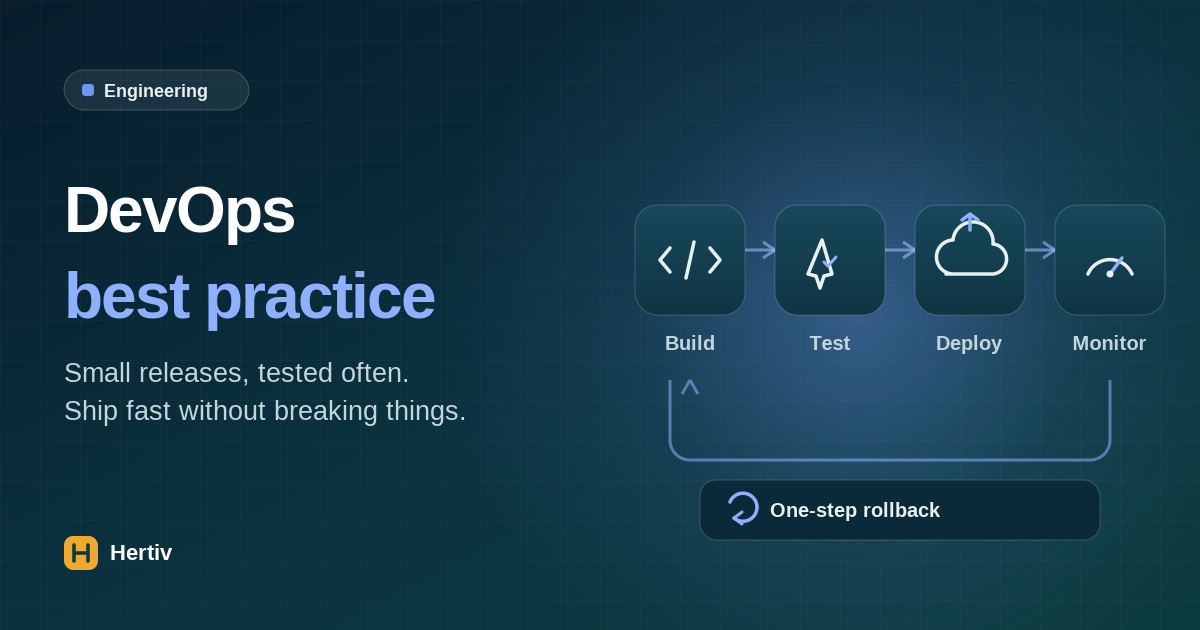
DevOps itself is the combination of development and operations into one flow: code, tests, deployment and monitoring are one pipeline rather than separate handovers between teams. The best practices are the parts of that flow that keep it fast without making it fragile.
The practices below are the ones that show up again and again in teams that ship daily with few incidents. None of them requires a particular vendor, and most of them cost more in discipline than in money. For the background, see what is DevOps.
Which practices matter most?
The practices that matter most are the ones that shorten the time between a change and the feedback about that change. A team that learns in minutes can fix a problem in minutes; a team that learns in weeks fixes it in weeks.
| Practice | What it fixes | Where it applies |
|---|---|---|
| Small, frequent releases | Large, risky deployments | Every change to production |
| Automated tests in the pipeline | Regressions reaching users | Every pull request |
| Infrastructure as code | Untracked manual changes | Servers, networks, permissions |
| Monitoring and alerts | Problems found by customers first | Every running service |
| One team owns build and run | Handover delays and blame | Team structure |
| Blameless incident reviews | Hidden causes and repeat outages | After every incident |
Small releases sit at the top because they make everything else easier: a small change is easier to test, easier to review, easier to roll back, and easier to understand when something goes wrong. See DevOps principles explained for the ideas behind the list.
How do you build a reliable CI/CD pipeline?
You build a reliable CI/CD pipeline by making every change go through the same automated path, with tests and checks that run the same way each time. The pipeline is the only way to production, so nothing reaches users without passing it.
- Build on every commit. The pipeline compiles the code and runs the unit tests on every push, so a broken change is caught within minutes.
- Run the fast checks first. Linting, unit tests and secret scanning run before the slower integration tests, so developers get quick feedback.
- Test in an environment like production. Integration tests run against a staging environment that matches production closely, so environment differences do not hide bugs.
- Deploy automatically to staging, manually to production. Staging deploys on every merge; production deploys on a button press, so the team controls the timing.
- Make rollbacks one step. Keep the previous version ready to restore, so a bad release is undone in minutes rather than hours.
- Log every deployment. Record what was deployed, when, by whom and from which commit, so any incident can be traced to a change.
A pipeline that is slow or flaky will be worked around, so keep it fast and fix it when it breaks. A ten-minute pipeline that people trust beats a thirty-minute pipeline that people avoid.
How do you keep systems observable and safe?
You keep systems observable and safe by collecting logs, metrics and traces, setting alerts on the signals that matter, and limiting who can change what in production. Observability is what turns "the site is slow" into a specific cause.
Start with the four signals users notice: latency, traffic, errors and saturation. A dashboard that shows those four for each service covers most investigations, and alerts should fire on them, not on every minor event. An alert that fires constantly gets ignored, so tune alerts until each one means someone should act.
For safety, keep production access narrow: only the people who need it, with short-lived credentials and multi-factor authentication. Secrets live in a secret manager, never in code or chat. Infrastructure changes go through the same pipeline as code, with review, so a firewall rule or a permission change is checked before it is applied. See DevOps services for how teams organise this work.
Example (hypothetical): a team cuts failed deploys
Example (hypothetical): a 25-person product team deploys 20 times a month, and 6 of those deploys fail in production, a failure rate of 30%. Each failure takes about 3 hours to find and fix, so the team loses 18 hours a month to bad deploys, and customers see the failures first.
The team changes four things: every change goes through the pipeline with automated tests, deploys shrink from a week of work to a day of work, staging is rebuilt to match production, and rollbacks are made one step. After three months, the team still deploys 20 times a month, but only 1 deploy fails, a failure rate of 5%.
Failed deploy hours fall from 18 a month to 3, saving 15 hours a month, and the team finds the one failure from monitoring before customers report it. The tools did not change much; the habits did.
What are the common mistakes?
The most common DevOps best practice mistakes are buying tools before agreeing on habits, automating a bad process, and measuring activity instead of outcomes.
- Buying tools before agreeing on habits. A new pipeline tool without agreed rules just automates the old confusion faster.
- Automating a broken process. If the manual release process is unclear, automating it produces unclear releases at higher speed.
- Big releases with a pipeline. A pipeline that ships a month of work at once keeps all the risk of big releases and adds the cost of the pipeline.
- Alerts nobody acts on. An alert that fires every day and is ignored trains the team to ignore alerts, including the important ones.
- Measuring deploys instead of outcomes. Counting deployments says nothing about quality; track failed deploys, recovery time and customer impact instead.
- One team builds, another runs. When the team that writes the code never sees it fail in production, it keeps writing the same failures.
How do you start with DevOps best practices?
You start with DevOps best practices by picking the one pain that costs the most time, fixing it, and then moving to the next. A team that tries to adopt everything at once adopts nothing.
A workable first month looks like this: put every change through one pipeline with automated tests, shrink releases so each one holds a day of work, add the four signals to a dashboard for the main service, and hold a short review after the next incident. Each step is small, and each one pays back within weeks.
After that, add infrastructure as code for the most-changed resources, then tighten production access and secrets handling. Review the practices every quarter: which ones are actually followed, which ones are ignored, and which pain costs the most time now. The list changes as the team grows, and the review is what keeps it honest.
Key takeaways
- Small, frequent releases make testing, review and rollback easier than any tool does
- Every change goes through one pipeline, with fast checks first and a one-step rollback
- Watch latency, traffic, errors and saturation, and tune alerts until each one means act now
- The team that builds a service should also run it, so it feels its own failures
- Start with the single pain that costs the most time, then move to the next
Frequently asked questions
What are DevOps best practices?
They are the habits that let teams ship software often and safely: small releases, automated testing, infrastructure as code, monitoring that people actually watch, and one team owning both building and running a service.
What is the most important DevOps best practice?
Small, frequent releases. A small change is easier to test, review and roll back than a large one, and it makes every other practice, from testing to monitoring, easier to do well.
How is DevOps different from agile?
Agile is about how teams plan and build software in short cycles. DevOps extends that into deployment and operations, so the same team ships, watches and fixes the software it builds.
Do small teams need DevOps best practices?
Yes, and they benefit most, because a small team cannot afford a separate operations group. A simple pipeline, small releases and basic monitoring give a small team the same safety as a large one, with less overhead.
What is infrastructure as code?
It is writing servers, networks and permissions as files in version control, so infrastructure is reviewed, tested and deployed like code. A change to a firewall rule is then checked before it is applied, not discovered afterwards.
How do you measure DevOps success?
Track failed deploys, time to recover from an incident, and how often customers find problems before monitoring does. Counting deployments alone says nothing about quality, so measure outcomes, not activity.


