Customer Service Chatbots for Insurance: How They Work
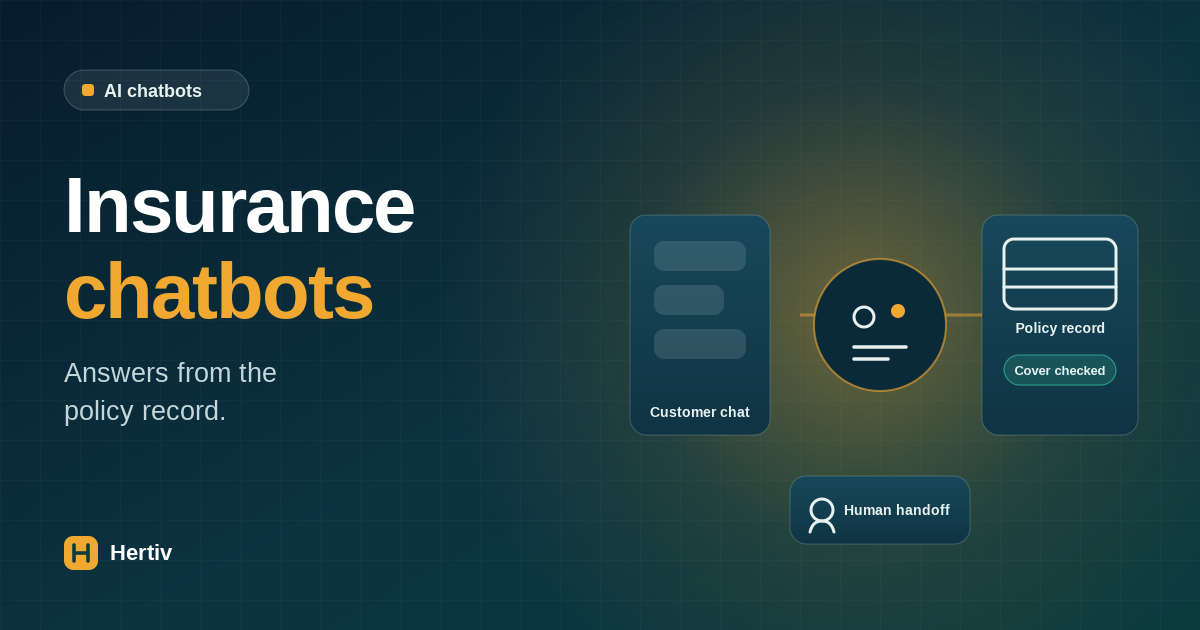
Insurance chatbots answer policy and claims questions by checking the customer's policy record first, then answering or passing the chat to a human.
On this page
Short answer
Customer service chatbots for insurance are chat tools that answer policy and claims questions by looking up the customer's policy record, then giving a direct answer or passing the conversation to a human agent. They work well for routine questions and status checks, and they fail when the answer needs judgement, discretion or a decision the system is not allowed to make.
What are customer service chatbots for insurance?
Customer service chatbots for insurance are chat tools on a website, app or messaging channel that answer customer questions about policies, claims and payments by checking the customer's policy record first.
Unlike a general chatbot, an insurance chatbot must be accurate about money and cover. A wrong answer about what is covered can cost the insurer far more than the chat saved, so the chatbot is built around the policy system, not around free-form conversation.
The chatbot sits between the customer and the insurer's systems. It identifies the customer, finds the policy, and then either answers from that record or hands the chat to a human with the full context attached.
What do insurance chatbots actually handle?
Insurance chatbots handle routine, record-based tasks well, and hand the rest to humans.
| Task | Chatbot handles | Human handles |
|---|---|---|
| Policy questions | What is covered, excess, renewal date | Disputed cover and complex wording |
| Claims | First notice, document collection, status updates | Assessment, settlement and disputes |
| Quotes | Standard quotes from stored details | Unusual risks and bespoke cover |
| Payments | Due dates, failed payments, plan changes | Hardship cases and refunds |
| Documents | Certificates, policy copies, address changes | Corrections that change the risk |
The pattern is consistent: the chatbot is good when the answer is in the record and the rules are clear, and it should step aside when the question needs judgement. A claim status update is a record lookup; a disputed claim is a judgement call.
Most insurers start with the three tasks that generate the most calls: cover questions, claim status and document requests. Those three usually account for the bulk of routine contact, which is why they are automated first. For the wider picture, see AI chatbot use cases.
How does an insurance chatbot work behind the scenes?
An insurance chatbot works by identifying the customer, fetching the policy record, matching the question to a task, and then answering from the record or handing off to a human.
The flow is: the customer logs in or verifies identity, the chatbot pulls the policy details, and the question is matched to an intent such as 'claim status' or 'excess amount'. The answer is then built from the policy data, not from general knowledge.
The chatbot also needs to recognise when a conversation has changed direction. A customer who starts by asking about a renewal date may then mention a recent accident, and the chatbot must notice the new topic and switch tasks rather than answering the old one. That switch is where many first versions fail, because the intent match was built for one question at a time.
Guardrails matter more here than in most chatbots. The system must never invent a cover amount, a deadline or a settlement figure, and it must say so clearly when it cannot answer. Every handoff should carry the chat history, so the customer does not have to repeat themselves to the human agent.
What does a good insurance chatbot need?
A good insurance chatbot needs accurate policy data, clear handoff rules, and a way to measure whether its answers were right.
- Live policy data. Answers must come from the current policy record, not from a static help page.
- Clear handoff rules. The chatbot must know which topics it may not answer, and pass them to a human at once.
- Plain language. Policy wording is hard to read; the chatbot should explain cover in short, plain sentences.
- Audit trail. Every answer should be logged, so a wrong answer can be found and fixed.
- Regular review. Someone should read a sample of chats each week and fix the answers that were wrong or unclear.
Real deployments of this kind are covered in real-world AI chatbot examples, which show how teams measure whether the handoff is working.
Example (hypothetical): an insurer handling 1,000 chats a day
Example (hypothetical): an insurer receives 1,000 customer chats a day, and a chatbot is introduced to handle the routine ones.
In the first month the chatbot resolves 600 of the 1,000 chats on its own, and passes 400 to human agents. Each resolved chat saves about 4 minutes of agent time, so 600 chats times 4 minutes is 2,400 minutes, or 40 hours of agent time saved per day.
The insurer does not cut staff. Instead, the 40 hours a day go to the 400 harder chats, which now get answered faster and with fewer mistakes, because agents are no longer rushed. The measure that matters is not chats handled, but whether the 400 human chats and the 600 bot chats were both answered correctly.
What are the common mistakes?
The most common mistakes are letting the chatbot guess, hiding the human handoff, and measuring the wrong thing.
- Guessing at cover. A chatbot that invents a cover amount creates a liability; it must say it does not know.
- Hiding the human option. Customers who cannot reach a human quickly will call instead, which costs more than the chat saved.
- Measuring chats, not correctness. A high resolution rate means nothing if a share of the answers were wrong.
- Stale policy data. If the chatbot reads an old record, every answer built on it is wrong.
- No review loop. Without weekly review of real chats, the same wrong answer can run for months.
An AI agent for customer support can extend this pattern beyond chat, but the same rules apply: accurate data, clear handoffs and regular review.
How to start with an insurance chatbot
You start with an insurance chatbot by picking one routine task, connecting it to live policy data, and measuring correctness before expanding.
- Pick one task. Claim status or cover questions are good first choices, because the answer is in the record.
- Connect live data. The chatbot must read the current policy, not a copy from last month.
- Write the handoff rules. List the topics the chatbot must never answer, and test that it passes them on.
- Run a small pilot. Offer the chatbot to a small group and review every chat for the first weeks.
- Measure correctness. Track how many answers were right, not just how many chats were handled.
Expand only when the pilot answers are right and the handoff works. A chatbot that answers one task correctly is worth more than one that answers five tasks badly.
Key takeaways
- An insurance chatbot answers from the customer's policy record, not from general knowledge
- It handles routine, record-based tasks, and must hand judgement calls to a human
- It must never invent a cover amount, a deadline or a settlement figure
- Measure correctness, not chat volume: a high resolution rate means nothing if answers were wrong
- Start with one task on live data, pilot small, and expand only when answers are right
Frequently asked questions
Can an insurance chatbot handle claims?
It can handle the routine parts of a claim, such as first notice, document collection and status updates. Assessment, settlement and disputes need a human, because they involve judgement about the policy wording and the facts of the loss.
What happens if the chatbot gives a wrong answer about cover?
A wrong answer about cover can bind the insurer or create a complaint, which is why chatbots must be built to say they do not know rather than guess. Every answer should be logged so mistakes can be found and fixed quickly.
Do customers prefer chatbots or human agents?
It depends on the task. Customers usually prefer a chatbot for a quick status check or a document request, and a human for a dispute, a complex claim or a sensitive situation. Offering both, with an easy handoff, works better than forcing either one.
What data does an insurance chatbot need?
It needs the customer's identity, the current policy details, claim status and payment history, all from live systems. Without live data the chatbot can only give general answers, which are rarely what the customer is asking for.
How is an insurance chatbot different from a website FAQ?
A FAQ gives the same general answer to everyone, while a chatbot looks up the customer's own policy and gives an answer specific to them, such as their excess or their claim status. That personal answer is the whole point of the chatbot.
How do insurers check whether a chatbot is working?
They review a sample of real chats each week, check whether the answers were correct, and track how often the handoff to a human worked smoothly. Correctness and handoff quality matter far more than the number of chats handled.


