Customer Behavior Tracking Software: What It Does
Customer behavior tracking software records what people click, view and skip on your site or app, then turns those events into funnels and cohorts you can act on.
On this page
Short answer
Customer behavior tracking software records the actions people take on a website or app, such as page views, clicks, searches and purchases, and turns them into reports that show where people drop off and what they do next. It helps product and marketing teams find friction, test changes and decide what to build.
What is customer behavior tracking software?
Customer behavior tracking software is a tool that records what people do on a website or app and turns those actions into readable reports. Instead of only counting visitors, it follows the path each person takes, from the first page they land on to the point where they buy, sign up or leave.
The software works by capturing small events: a page view, a button click, a search, a form field filled in, a video played. Each event carries context, such as the time, the device and the page it happened on. Together, those events form a timeline for every visitor.
Teams use it to answer practical questions. Which pages lose the most people? Do visitors from search behave differently from visitors from email? Does a new checkout layout help or hurt? Without tracked behavior, those questions get answered with opinion. With it, they get answered with evidence from real use, which is the point of connecting it to your wider data analytics for business work.
What behavior does it track?
Customer behavior tracking software tracks the actions that matter to your product, not everything a person does. The most useful events fall into a small set of types, and each type answers a different question about how people use what you built.
| Event type | What it records | Question it answers |
|---|---|---|
| Page views | Which pages load, in what order | Where do people start and stop? |
| Clicks and taps | Buttons, links and menus used | What do people try to do? |
| Searches | Terms typed into site search | What can people not find? |
| Form events | Fields filled, errors, abandonment | Where do forms fail? |
| Purchases and sign-ups | Completed conversions and value | What actually pays off? |
Most tools also record session details such as the device, the browser, the traffic source and the time between events. Some add heatmaps or session replays, which show where people move the mouse or scroll. Those views help with layout questions, but the event log is the part that drives decisions, because it can be counted and compared over time.
How does the tracking work in practice?
Tracking works by placing a small script or software kit on your site or app, which sends an event to the tracking tool each time a defined action happens. The tool stores the event with a timestamp and links it to a visitor profile, so later actions from the same person join the same timeline.
Anonymous visitors are usually identified by a cookie or device id. When someone signs in or gives an email address, the tool can join the anonymous history to a known account. That join is what lets a team see that the person who read three help articles last week is the same person who started a trial today.
Good setups define events in one place, with names everyone agrees on. If the checkout button is called "checkout_start" in one report and "begin_checkout" in another, the numbers split and nobody trusts them. A short naming guide, kept with the code, prevents most of the mess.
Consent matters too: tracking must follow the privacy rules of each market you serve, and the tool should be able to run with consent banners and data deletion requests handled properly.
How do teams turn tracked behavior into fixes?
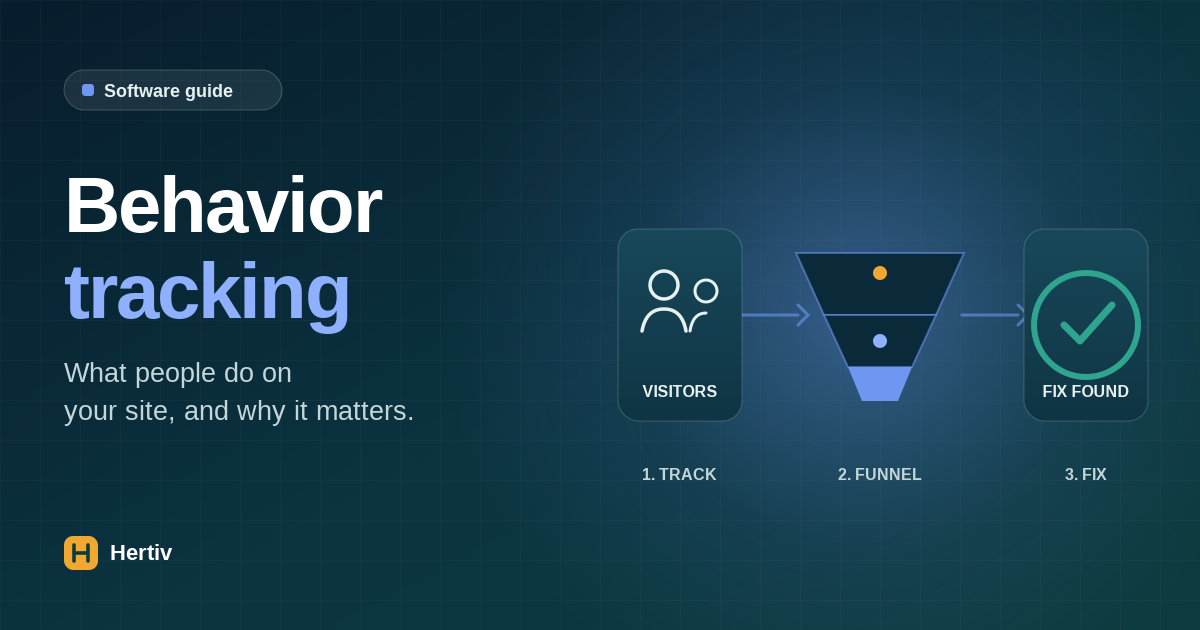
Teams turn tracked behavior into fixes by looking for the step where the most people stop, then testing one change at a time. The usual starting point is a funnel: the sequence of steps from landing page to purchase or sign-up, with the share of people who complete each step.
A funnel shows where the loss happens, but not why. To find the why, teams split the funnel into groups, called cohorts, and compare them. Do mobile visitors drop off more than desktop visitors? Do people who use search convert more than people who browse? Each split is a clue about what to fix first.
The next step is a small, testable change. If the form step loses half of the people who reach it, the team might shorten the form, move a field or explain why an address is needed, then watch the funnel for two weeks.
That loop, measure, change, measure again, is how tracked behavior earns its keep. It also feeds into customer feedback analytics, because behavior shows what people did while feedback explains what they felt about it.
What should you look for when choosing one?
You should choose customer behavior tracking software by matching it to the questions your team actually asks, not by the length of its feature list. A tool that is easy to set up and easy to read will get used; a powerful tool that nobody opens will not.
- List the decisions first. Write down the five questions you need answered each month, such as where checkout loses people or which onboarding step stalls. If the tool cannot answer them, it is the wrong tool.
- Check the event model. Can you define your own events and properties, or are you limited to page views? Custom events are what make the data useful.
- Test the reports. Build one funnel and one cohort comparison during a trial. If that takes a specialist, it will take a specialist every time.
- Check privacy controls. Look for consent handling, data retention settings and a way to delete one person's data on request.
- Count the total cost. Compare the price at your current event volume and at twice that volume, including any data export fees.
Also check how the tool connects to the rest of your stack. It should send data to your warehouse or analytics tool without a custom project, and it should work with your consent banner. If your team already predicts churn or demand, AI that predicts customer trends and behavior can sit on top of the same event stream.
Example (hypothetical): a checkout fix found in the data
Example (hypothetical): an online shop with 10,000 visitors in a week sees 2,400 of them reach the checkout page, which is 24 out of every 100 visitors. Of those 2,400, only 480 complete a purchase, which is 20 out of every 100 people who reach checkout. The funnel points at checkout, not at the product pages.
The team splits the checkout step by device. On desktop, 28 out of every 100 people who reach checkout finish. On mobile, only 12 out of every 100 finish. Session replays show mobile users tapping the address field and getting a keyboard that covers the next button. The team moves the button above the keyboard area and shortens the address form.
Two weeks later, 2,500 people reach checkout and 700 complete a purchase, which is 28 out of every 100, up from 20. Mobile completion rises from 12 to 24 out of every 100. The fix was small, but the funnel showed exactly where to look, and the before and after numbers showed whether the fix worked.
What are the common mistakes?
The most common mistakes with customer behavior tracking software are tracking too much, naming events badly and never acting on what the data shows. Each one is easy to make and easy to avoid once you know to watch for it.
- Tracking everything. Recording every hover and scroll fills the database with noise and slows the site. Track the actions tied to a decision, and leave the rest out.
- Inconsistent event names. Two names for the same action split the data and break funnels. Keep one naming guide and review it when new events are added.
- Ignoring consent. Tracking people who declined consent creates legal risk and bad data. Respect the banner and the deletion requests.
- Reading averages only. An average hides the group that is struggling. Always split by device, source or plan before deciding.
- Collecting without acting. A dashboard nobody reviews is decoration. Give one person the job of checking the funnel each week and raising one fix.
Key takeaways
- Customer behavior tracking software records actions, such as clicks, searches and purchases, as events with context
- Funnels show where people stop; splitting them by device or source shows why
- One naming guide for events keeps the data trustworthy
- Consent handling and data deletion are part of the setup, not an afterthought
- The value comes from the measure, change, measure again loop, not from the dashboard
Frequently asked questions
Is customer behavior tracking the same as web analytics?
Web analytics counts visits and page views in aggregate. Customer behavior tracking follows individual actions and paths, so you can see the sequence one person took and where that sequence broke down. Many teams use both, with behavior tracking for product decisions.
Does it slow down my website?
A small tracking script adds a little load, but a well-built one loads after the page content and sends events in the background. Problems come from tracking too many events or adding several tools at once, so keep the setup lean.
What is the difference between an event and a page view?
A page view records that a page loaded. An event records that something happened on the page, such as a click, a search or a form submission. Events are what let you build funnels and measure the steps between pages.
Do I need consent to track behavior?
In most markets, yes, at least for tracking that identifies a person or follows them across sessions. Use a consent banner, honor declines, and pick a tool with retention and deletion controls built in.
How long should I keep tracking data?
Keep raw event data long enough to compare trends, usually 12 to 24 months, then aggregate older data into summaries. Shorter retention is fine for high-volume sites where storage costs add up quickly.
Can small teams use this software?
Yes. Small teams often get the most from it, because a single funnel can reveal the one fix that matters. Start with five events and one funnel, and add more only when a decision needs them.


