CPQ Software for Manufacturing: Fixing Slow, Wrong Quotes
CPQ software fixes slow, error-prone manufacturing quotes by pricing from live rules, so sales send accurate quotes in hours instead of days.
On this page
Short answer
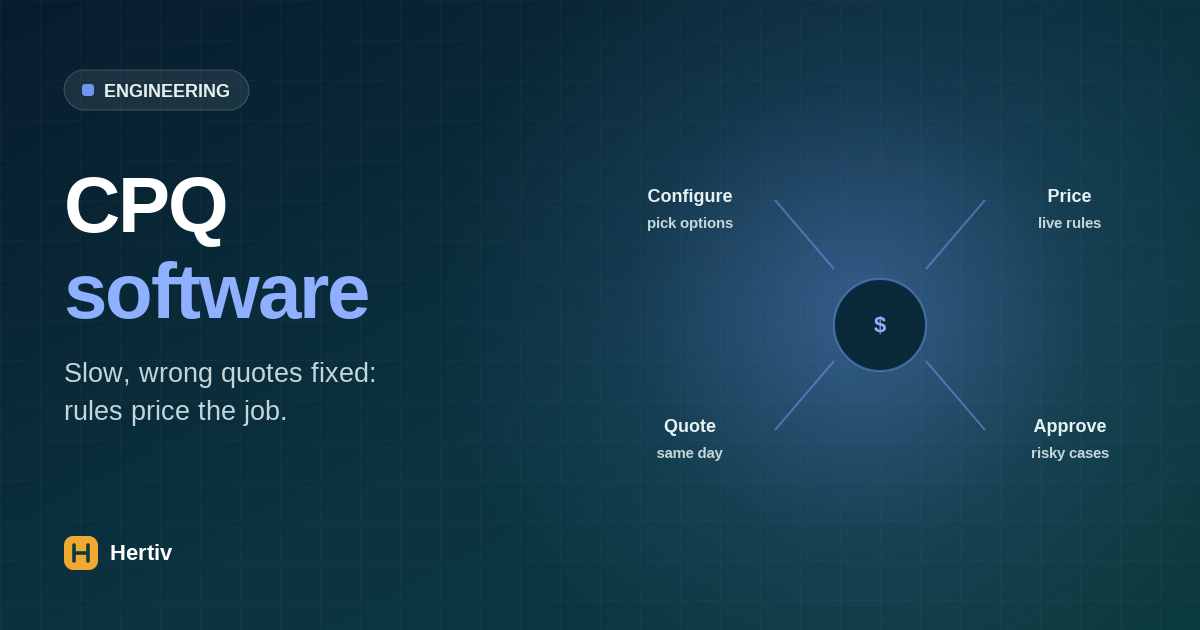
CPQ software, short for configure, price, quote, helps manufacturers turn a customer request into a correct price without the usual back-and-forth. Sales picks the product options, the software checks that they fit together, prices them from live rules and produces a quote the customer can sign. For manufacturers, that replaces spreadsheets, guesswork and quotes that come back wrong.
What is CPQ software for manufacturing?
CPQ software is a tool that turns a product configuration into a price and a quote. A salesperson or a customer picks options, such as size, material, finish and quantity, and the software checks that the combination is valid, works out the price from rules the business sets, and produces a quote document. In manufacturing, where products have many options and dependencies, that check matters more than in simple retail.
Without CPQ, quoting usually lives in spreadsheets and in the heads of a few experts. A quote takes days, two salespeople price the same job differently, and errors surface after the order is placed. CPQ moves the rules into one place, so the quote is the same no matter who makes it.
| Quoting issue | Without CPQ | With CPQ |
|---|---|---|
| Quote time | Days of back-and-forth | Hours, often same day |
| Wrong options | Found after the order | Blocked at configuration |
| Price differences | Depends on who quotes | Same rules for everyone |
| Discounts | Given by habit | Checked against margin rules |
| Re-quotes | Full rework each time | Change one option, reprice |
Why are manufacturing quotes so slow and error-prone?
Manufacturing quotes are slow because the price depends on choices that interact. A bigger size may need a different material, a finish may rule out a coating, and a quantity may change the unit price. When those rules live in spreadsheets or in one person's head, every quote needs a check from engineering or from the one expert who knows the rules.
Errors creep in for the same reason. A salesperson picks an option that cannot be built, prices an old part, or applies a discount that wipes out the margin. The customer signs, production finds the problem, and the team either absorbs the cost or goes back to the customer with a new price. Both outcomes damage trust.
There is also a hidden cost: the expert becomes a bottleneck. When only one person can quote a complex product, every quote waits for them, and holidays or sick days stop quoting altogether. The business grows more slowly than it should, not because demand is missing, but because the quoting queue is full.
How does CPQ fix each quoting issue?
CPQ fixes quoting by moving the rules into the tool. Configuration rules stop invalid combinations before they reach the customer, so the quote only contains options that can be built. Pricing rules pull the right price for each option, including quantity breaks and surcharges, so two salespeople quote the same job the same way.
Approval rules catch the risky cases. A large discount or an unusual option routes the quote to a manager before it goes out, instead of after the customer signs. The result is a quote that is fast to produce and safe to honour, which is the point of the whole exercise. Our custom software development page explains how these rules are usually built into a system.
CPQ also creates a record worth keeping. Every quote shows which options were chosen, which price rules applied and who approved it, so a dispute has a clear answer instead of a memory. That record helps the business learn too: if one option is never chosen, or one discount is always asked for, the product and pricing teams can see it in the data.
What should a manufacturer check before choosing CPQ?
Start with the rules, not the software. A CPQ tool is only as good as the rules inside it, so list the options, the dependencies and the pricing logic before you look at vendors. If the rules are not written down, the project will stall while the team argues about them.
- List every product option and which ones cannot combine.
- Write the pricing logic, including quantity breaks and surcharges.
- Check the tool connects to your CRM and ERP.
- Test it on your 10 hardest real quotes.
- Agree who owns the rules and how they change.
Integration matters as much as features. A CPQ tool that cannot read stock, costs or customer data from your other systems will become another spreadsheet. Test the connections early, not after the contract is signed.
Example (hypothetical): a metal parts maker
A metal parts maker quotes 40 jobs a month, and each quote takes 3 working days because engineering must check the options. That is 120 working days of quoting effort a month across the team, and 1 in 10 quotes comes back with an error that costs a re-quote. With CPQ, the rules are in the tool, so a standard quote takes 4 hours and only the unusual ones need engineering.
If 30 of the 40 quotes become standard, the quoting time falls from 120 days to about 15 days of effort a month, and the error rate on standard quotes falls close to zero. The team still checks the 10 unusual quotes by hand, but the queue is short enough that they get answered the same week.
The maker also gains a sales advantage. A quote that arrives the same day wins jobs that a three-day quote loses, because the customer is still deciding when it lands. Over a year, even a small win rate gain on 40 quotes a month adds up to far more than the cost of the CPQ tool, which is how the business case is usually made.
Common mistakes
The most common mistake is buying CPQ before writing the rules, then discovering the project is really a rules-cleanup project. Another is letting sales keep their own spreadsheets alongside the tool, so two prices exist and nobody trusts either. A third mistake is skipping the approval step, so a bad discount still reaches the customer.
A fourth mistake is rolling out every product at once. Start with one product line, prove the quotes are right, then add the rest. See retail analytics in supply chain for how clean data makes these tools work, and check the vendor site for current pricing before you compare plans.
A fifth mistake is treating CPQ as a one-off project. Prices change, products change and rules go stale, so a quote that was right in January can be wrong by June. Put a quarterly review on the calendar, with one person responsible for checking the rules and the prices, and the tool will stay accurate.
Key takeaways
- CPQ turns a product configuration into a correct price and a quote.
- Manufacturing quotes are slow because options interact and the rules live in people's heads.
- CPQ blocks invalid combinations, prices from live rules and routes risky quotes for approval.
- Write the rules and test the 10 hardest real quotes before you choose a tool.
- Start with one product line, prove the quotes are right, then add the rest.
Frequently asked questions
What does CPQ stand for?
CPQ stands for configure, price, quote. It is software that helps a salesperson pick product options, checks that they fit together, works out the price from set rules and produces a quote the customer can sign.
Is CPQ only for large manufacturers?
No. Small manufacturers with many product options benefit too, because the quoting rules are the same problem at any size. Start with one product line and a small set of rules, then grow the system as the catalogue grows.
How long does it take to set up CPQ?
A simple setup on one product line can take 4 to 8 weeks once the rules are written. The rules work takes longer than the software setup, so write the options, dependencies and pricing logic before you start the project.
Does CPQ replace the salesperson?
No. CPQ handles the configuration and the maths, but the salesperson still talks to the customer, understands the job and negotiates. The tool makes the quote faster and more accurate; it does not close the sale.
What if my products change often?
CPQ needs a process for rule changes, or it will go out of date fast. Agree who owns the rules, how a change is approved, and how often prices are reviewed, then treat rule updates as part of the job.
Can CPQ connect to my ERP and CRM?
Most CPQ tools connect to common ERP and CRM systems, but the quality of the connection varies. Test it on your real data before you sign, and check that prices, stock and customer details flow both ways.


