How Much Does an App Like PocketSmith Cost to Build?
An app like PocketSmith costs $120,000 to $250,000 for a first version, with bank feeds and forecasting driving most of the bill. Here is where the money goes.
On this page
Short answer
An app like PocketSmith costs $120,000 to $250,000 for a first version that covers account aggregation, budgets and a cashflow calendar, and $250,000 to $500,000 for a full product with forecasting scenarios and multi-currency support. Bank feeds, security and forecasting are the biggest cost drivers, and the ranges below are indicative estimates, not quotes.
What does an app like PocketSmith do?
A personal finance app like PocketSmith is software that pulls together a person's bank accounts, cards, loans and investments into one place, then shows income, spending and future balances on a calendar. PocketSmith, a New Zealand company founded in 2008, is known for cashflow forecasting: it projects daily balances years ahead from scheduled bills and budgets, and lets users test what-if scenarios such as buying a house or changing jobs.
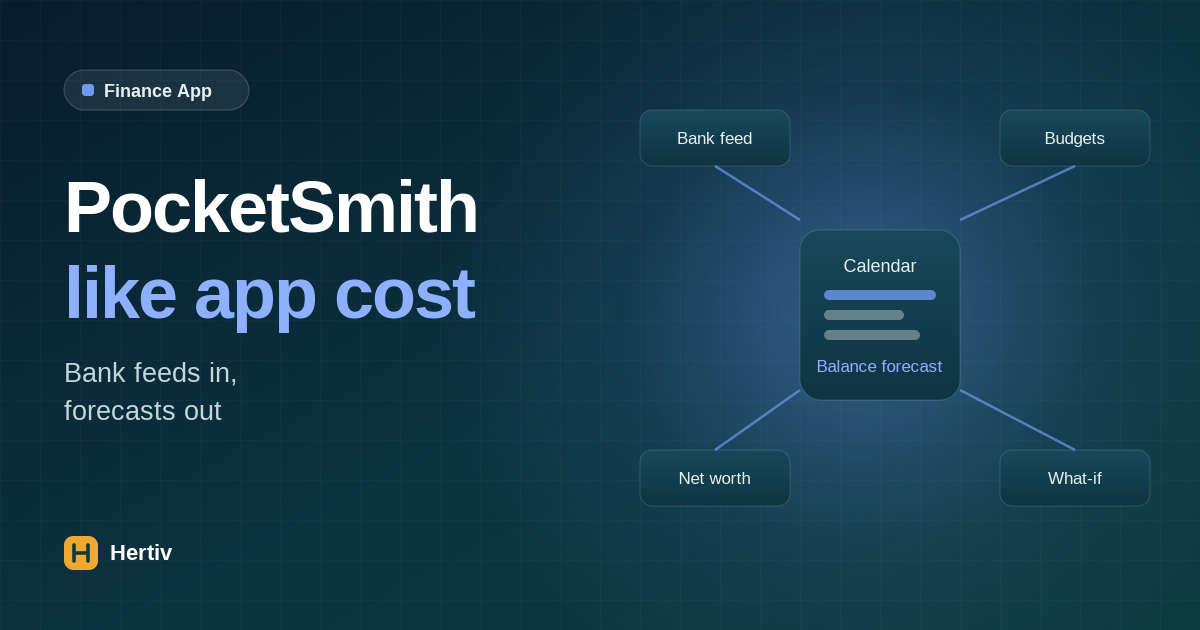
The core job is aggregation: the app connects to banks and imports transactions every day, then sorts them into categories the user can rename and reshape. On top of that sit budgets with flexible periods, a calendar that shows when bills fall due, reports on net worth and income against expense, and dashboards the user can arrange to watch the numbers that matter to them.
The table below lists the features a like-app needs in its first version and what each one is for.
| Feature | What it does | Build effort |
|---|---|---|
| Bank connections | Live feeds from the user's banks | High |
| Transaction import | Imports and categorises spending | Medium |
| Budgets | Flexible periods and rollovers | Medium |
| Cashflow calendar | Shows future balances by day | High |
| Net worth and reports | Assets, debts and trends | Medium |
| What-if scenarios | Tests big decisions against the forecast | High |
| Multi-currency | Accounts in more than one currency | High |
A first version can ship without the hardest parts. Forecasting scenarios and multi-currency support can wait until the core aggregation and budgeting work well, which keeps the first bill down and gives the team real usage data before it builds the expensive features.
How much does an app like PocketSmith cost to build?
The cost depends on how much of the PocketSmith feature set you copy and how many banks you connect to. The bands below are indicative estimates for a small team building a native mobile app with a web dashboard, and they assume you buy bank-feed and hosting services rather than building them yourself.
| Scope | What is included | Indicative cost |
|---|---|---|
| First version | Bank feeds in one market, budgets, cashflow calendar, reports | $120,000-$250,000 |
| Full product | What-if scenarios, multi-currency, advanced forecasting, web app | $250,000-$500,000 |
| Large scale | Many markets, custom feeds, team accounts, advanced security | $500,000-$1,000,000+ |
The first version covers account connections for the main banks in one market, transaction import and categorisation, flexible budgets, a cashflow calendar and basic reports. It leaves out what-if scenarios, multi-currency accounts and advanced forecasting, which are the features that push a build into the full-product band.
Bank-feed pricing changes by market and by volume, so get a quote from the feed provider before you fix a budget. PocketSmith itself offers a free tier and paid plans, and its pricing page lists the current figures, so check there rather than trusting a figure in an article. For a similar cost breakdown in another consumer app, see how much an app like Grab costs to build.
What costs the most: bank feeds, security or forecasting?
Bank feeds usually cost the most over time, because every connected account pays a fee to the aggregation provider and the price rises with the number of accounts and the market. A first version that connects to a handful of banks in one country can keep this bill small, but adding banks in more countries multiplies it.
Security is the second big cost. A finance app holds read access to people's money, so it needs encrypted storage, two-factor sign-in, audit logs and regular security reviews. These are not features you can add later without rebuilding parts of the app, so they belong in the first version even though they add weeks to the build.
Forecasting is the third cost driver, and it is the one that makes a PocketSmith-like app different from a plain budgeting app. A daily balance forecast needs scheduled bills, recurring budgets and interest rules, and a what-if engine needs a second copy of the same maths that can run on changed numbers. That is real engineering, not a chart on top of the data.
For the data plumbing behind the feeds, see data engineering services.
How is a personal finance app built, step by step?
A personal finance app is built in the same order as any product: scope first, then the hard integrations, then the features users see. The steps below keep the expensive work until the team knows the first version is worth building.
- Scope the first version. Pick one market, the main banks in it, and the features in the table above. Write down what is out of scope, including what-if scenarios and multi-currency, so the team does not drift into them.
- Pick a bank-feed provider. Compare coverage in your market, pricing per account, and how the provider handles consent and refreshes. Sign the agreement before you write code against it.
- Design the data model and security. Decide how accounts, transactions, budgets and forecasts are stored, how data is encrypted, and who can read what. Get a security review of the design before the build starts.
- Build aggregation and categorisation. Connect the feeds, import transactions daily, and build a rules engine that sorts them into categories the user can correct.
- Build budgets and the calendar. Add flexible budget periods, a calendar that shows bills and projected balances, and the reports for net worth and income against expense.
- Build forecasting. Add the daily balance projection and, once it is accurate, the what-if scenarios that let users test big decisions.
- Test, launch and iterate. Test with real bank data from a small group, fix the categorisation errors they find, then launch to one market and add banks and features from usage data.
For the build itself, see what custom software development covers.
Example (hypothetical): a first version for one market
Example (hypothetical): a team builds a first version for one market at a cost of $180,000. It launches with 20,000 users in its first year, and 5% of them pay $10 a month for premium features. That is 20,000 x 5% = 1,000 paying users, and 1,000 x $10 = $10,000 a month in revenue.
Costs are $7,000 a month for bank feeds, hosting and support, so the net is $10,000 - $7,000 = $3,000 a month. At that rate the $180,000 build pays for itself in $180,000 / $3,000 = 60 months. The lesson is that a finance app needs more paying users or a higher price to pay back quickly, and that is why most of them add premium tiers early.
What can go wrong with the budget?
Bank feeds are the most common budget surprise. A feed provider may charge per account, per refresh or per market, and a popular app can see the bill grow faster than its revenue. Agreeing the pricing model before the build, and caching balances instead of refreshing them constantly, keeps this under control.
The second surprise is categorisation. Automatic categories look easy until real transactions arrive with odd merchant names, refunds and transfers between a user's own accounts. A team that budgets a week for this and finds it needs a month will slip, so plan for a rules engine and a manual correction flow from the start.
The third surprise is compliance. Finance apps handle sensitive data, and each market has its own rules on consent, storage and breach reporting. A lawyer's review early in the build is cheaper than a redesign after launch.
What are the common mistakes?
The mistakes that sink personal finance apps are usually about scope and trust, not about code. The list below covers the ones that appear most often.
- Copying every feature at once. Building what-if scenarios and multi-currency support before the core aggregation works spreads the team thin and delays the launch by months.
- Treating bank feeds as a detail. Feed coverage and pricing decide which markets you can serve and what the app costs to run, so they belong in the first plan, not in a later sprint.
- Weak categorisation. If the app sorts spending badly, users stop trusting the budgets and the forecast, and no amount of polish brings them back.
- Forecasting without clean data. A forecast built on miscategorised transactions or missing bills is wrong in a way users notice, because they compare it with their real balance.
- Adding security last. Encryption, sign-in and audit logs are hard to bolt on after the data model is set, and a finance app without them will not pass a security review.
- No free tier. People will not pay for a finance app before they trust it with their accounts, so a free tier that proves the value first is usually needed.
Key takeaways
- Bank feeds are the biggest running cost
- Forecasting is what makes the app different
- Security belongs in the first version, not later
- A first version can skip scenarios and multi-currency
- Payback needs enough paying users or a higher price
Frequently asked questions
How much does an app like PocketSmith cost to build?
A first version costs about $120,000 to $250,000, and a full product with forecasting scenarios and multi-currency support costs about $250,000 to $500,000. Bank feeds, security and forecasting are the biggest drivers, and the ranges are indicative estimates, not quotes.
What is PocketSmith?
PocketSmith is a personal finance app from New Zealand, founded in 2008, that pulls bank accounts, cards, loans and investments into one place. It is known for cashflow forecasting: it projects daily balances years ahead from scheduled bills and budgets, and lets users test what-if scenarios.
What features does a PocketSmith-like app need?
It needs bank connections, transaction import and categorisation, flexible budgets, a cashflow calendar, net worth reports and dashboards. What-if scenarios and multi-currency support can wait for a later version, which keeps the first build smaller and cheaper.
Why do bank feeds cost so much?
A feed provider charges for every connected account, and the price rises with the number of accounts and the number of markets. A first version in one market keeps the bill small, but adding banks in more countries multiplies it, so the pricing model should be agreed before the build.
Is forecasting hard to build?
Yes, because a daily balance forecast needs scheduled bills, recurring budgets and interest rules, and a what-if engine needs a second copy of the same maths that can run on changed numbers. It is real engineering work, not a chart drawn on top of the data.
Do I need a lawyer before building a finance app?
Yes, because finance apps handle sensitive data and each market has its own rules on consent, storage and breach reporting. A review early in the build is cheaper than a redesign after launch, and it shapes the data model from the start.


