How Companies Actually Benefit From AI Technology
Companies benefit from AI technology when it cuts repetitive work, speeds up decisions and improves output quality in a specific workflow, not from adopting tools broadly.
On this page
Short answer
Companies benefit from AI technology by applying it to narrow, high-volume workflows where output quality can be measured: support triage, document review, sales research, finance reconciliation and code assistance. The value shows up as time saved per task, faster response times and fewer errors, not as a general productivity lift.
Where do companies see real benefit from AI first?
AI delivers benefit first in workflows that are high-volume, text-heavy and already measured. If a team can count how many items it processes per day and how often it reworks them, an AI step can be compared against that baseline.
The patterns that repeat across industries:
- Reading and summarising. Contracts, tickets, claims, invoices and research notes get condensed into a short structured output a person can act on.
- Routing and triage. Incoming requests are classified and sent to the right queue, which shortens waiting time before a human even touches the case.
- Drafting. First-draft replies, job descriptions, product copy and analysis memos are produced faster, with a person editing rather than starting blank.
- Extraction. Fields are pulled from documents into systems of record, which removes manual keying.
What these share is a clear input, a checkable output and an existing measure of success. That makes the benefit provable within weeks rather than argued about for quarters. Teams evaluating where to start often find an AI readiness assessment useful because it forces a written baseline before any model is chosen.
Which departments benefit most, and how?
Support, finance, operations and sales usually show the earliest measurable returns because their work is already queued, logged and counted. Legal and HR follow, with more human review built in.
| Department | Typical AI use | What improves | Review level |
|---|---|---|---|
| Customer support | Triage, draft replies, knowledge lookup | First response time, backlog | Agent approves send |
| Finance | Invoice extraction, reconciliation prep | Manual keying, close cycle | Analyst verifies |
| Operations | Document intake, exception flagging | Throughput, error rate | Supervisor spot-checks |
| Sales | Account research, CRM note cleanup | Time on admin | Rep confirms |
| Legal | Clause extraction, first-pass review | Review speed | Lawyer signs off |
| HR | Screening summaries, policy answers | Response time | Recruiter decides |
| Procurement | Supplier document checks | Cycle time | Buyer approves |
| Engineering | Code assistance, test drafting | Rework volume | Developer merges |
The pattern is consistent: the AI removes the reading and sorting, and a person keeps the decision. That split is what makes the benefit defensible in a review. Department-specific patterns are collected in the AI agents by department overview.
How do you measure the benefit instead of guessing?
You measure AI benefit by comparing a defined workflow metric before and after deployment on the same work. If no baseline exists, the project has no way to prove value, whatever the team feels about it.
Pick two or three metrics and keep them boring:
- Cycle time. How long an item takes from arrival to resolution.
- Rework rate. How often an output is rejected, corrected or escalated.
- Cost per item. Labour hours divided by items processed, including review time.
- Coverage. Share of items the AI step handles without human routing.
Example (hypothetical): a support team handles 4,000 tickets a month at an average of 12 minutes each, which is 800 hours. Triage and drafting cut handling to 9 minutes for the 70 percent of tickets the AI touches and leave the rest unchanged. New total is roughly 700 hours, a saving of about 100 hours a month before review overhead.
Whether that is worth it depends on your loaded hourly cost, which is why the arithmetic must be done on your own numbers.
Run the comparison on a held-back sample so the result is not flattered by easy cases.
What separates AI projects that pay off from the ones that stall?
Projects that pay off start from a workflow owner with a target, not from a tool looking for a home. The most common failure is a broad pilot with no defined decision it is meant to improve.
What works in practice:
- Name one workflow and one owner who is accountable for its metric.
- Write the current process down, including the exceptions that eat time.
- Choose the smallest AI step that removes the biggest chunk of reading or routing.
- Run a short build with a fixed evaluation set of real cases.
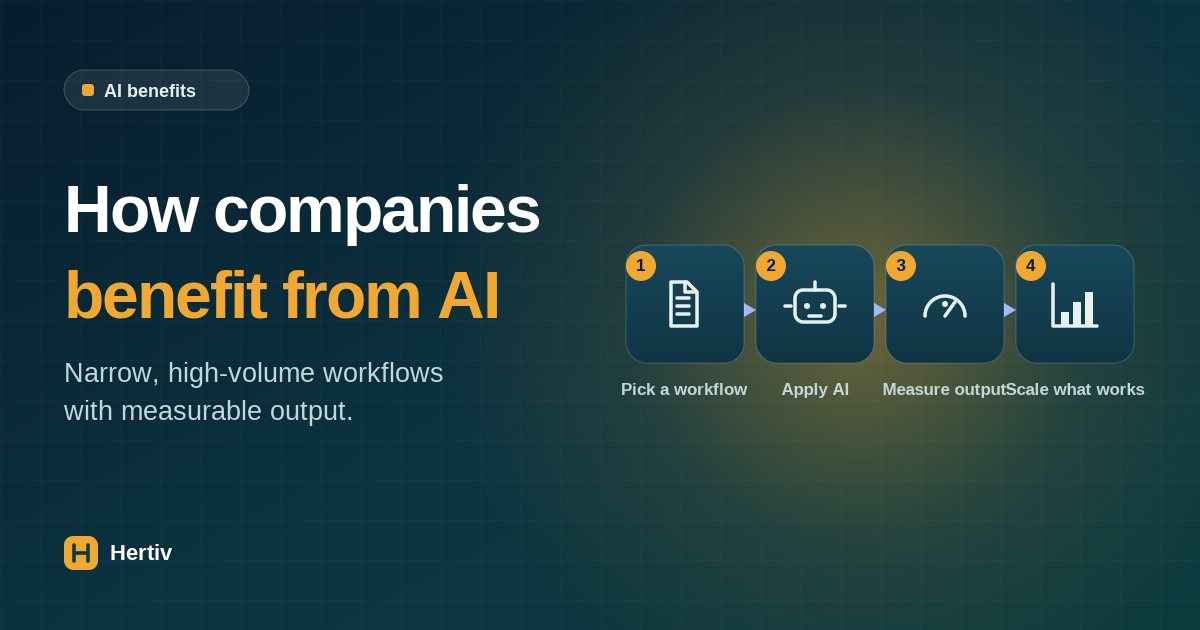
- Decide go or stop on the metric, then expand scope only after it holds.
What stalls:
- No data access plan, so the pilot runs on exported files that never refresh.
- No evaluation set, so quality debates become opinions.
- No owner after launch, so the workflow drifts back to manual.
- Security and legal pulled in at the end, which restarts the design.
A four-week AI proof of concept with a fixed evaluation set is usually enough to settle the question either way.
What does it take to run AI safely in production?
Running AI safely means controlling what the model can see, what it can do, and what gets recorded. Those three decisions matter more to long-term benefit than model choice.
- Access. The AI step should read only the documents and systems its workflow needs, with the same permission rules as the person it assists.
- Actions. Any write action, payment, send or system change should require an approval step or a hard limit until the workflow has a track record.
- Logging. Record inputs, model output, the human decision and the version of the prompt in use, so a disputed case can be reconstructed.
- Evaluation. Keep a set of real cases with expected answers and re-run it whenever the model, prompt or data source changes.
Governance work is not paperwork here. It is the reason a finance or legal team will let an AI step into their queue at all. See AI governance and responsible AI consulting for how the controls are usually scoped.
When does an AI agent make more sense than a chatbot?
An agent makes sense when the task needs several steps and tool calls rather than one answer. A chatbot responds to a question; an agent looks something up, checks a record, takes an action and reports back.
Good fits for agents:
- Resolving a support request that requires checking order status, policy and history before replying.
- Preparing a finance reconciliation by pulling statements, matching entries and flagging mismatches.
- Researching an account across CRM, public sources and past notes before a sales call.
Poor fits:
- Decisions with no clear success test.
- Work where the underlying data is inconsistent across systems, so the agent inherits the confusion.
- Anything where a wrong action is expensive and hard to reverse, unless a human gate is built in.
The engineering difference is in the tools, permissions and error handling around the model, not the model itself. That is the work described in agentic AI development.
How should a company prioritise its first AI investments?
Prioritise by volume times handling time times error cost, filtered by whether the data is accessible. That ordering tends to surface the same shortlist in most organisations.
- List candidate workflows with monthly volume and average handling time. Anything low-volume and low-time is not worth starting with.
- Check data access. If the documents or records cannot be reached cleanly and legally, the workflow moves down the list until that is fixed.
- Estimate review overhead. Work that needs heavy human checking after the AI step keeps less of the nominal saving.
- Score risk. Financial, legal, safety and customer-facing exposure determine how much control work is needed before launch.
- Pick one, fund it properly, and set a decision date. A small budget spread across five pilots rarely produces a result anyone trusts.
The output of this exercise should be a ranked list with owners and a rough cost envelope, which is the practical form a plan needs to take before it can be funded. An AI consulting engagement is often used to produce exactly that document.
What are the common mistakes when adopting AI?
Most disappointing AI programmes fail for organisational reasons, not model quality. The technology is usually capable enough for the narrow workflow; the surrounding decisions are what break.
- Buying tools before defining the workflow. Licences accumulate and nobody changes how they work.
- Skipping the baseline. Without a before number, no after number means anything.
- Testing on curated examples. Real traffic contains the messy cases that decide whether the workflow holds.
- Leaving review unmeasured. Human checking time is a real cost and is often ignored in the business case.
- No change owner. Prompts, data sources and processes drift; someone has to own the workflow after launch.
- Treating governance as a final gate. Security and legal requirements reshape the design, so they belong at the start.
Key takeaways
- Benefits are workflow-specific; a model that helps support triage may add nothing to finance close
- The clearest early gains come from reading, summarising and routing tasks rather than fully autonomous decisions
- Measure a baseline before deployment or you cannot prove the benefit
- Human review stays in the loop wherever errors carry financial, legal or safety consequences
- Governance, logging and access control decide whether gains survive an audit or a security review
Frequently asked questions
What is the fastest way for a company to see AI benefits?
Start with a single high-volume, text-heavy workflow that is already measured, such as support triage or invoice extraction. Build a narrow AI step, compare it against a baseline on real cases, and expand only if the metric holds. Narrow scope is what makes the result provable quickly.
Do companies need large datasets to benefit from AI?
Usually not for the first wins. Many useful workflows rely on existing documents, tickets or records plus a capable pretrained model. Large labelled datasets matter more when you fine-tune for specialised classification or extraction, which typically comes after a simpler approach has proven value.
How much does an AI project typically cost?
Cost varies widely with scope. A focused proof of concept on one workflow is commonly a small, fixed engagement, while production systems with integrations, review tooling and governance add substantially more. The useful discipline is to size the build against the measured saving rather than picking a budget first.
Will AI replace jobs or change team structures?
In most deployed workflows the AI handles reading, sorting and drafting while people keep decisions and accountability. That changes how time is spent and often shifts headcount toward review and exception handling rather than removing roles outright. Planning for that shift is part of the change management.
Which AI use cases carry the highest risk?
Anything that takes an irreversible action or affects a person's money, legal position, health or employment carries the highest risk. Those workflows need human approval gates, logging and clear escalation paths. Low-risk internal drafting and summarising can move faster with lighter controls.
How do you keep an AI workflow accurate over time?
Maintain a fixed evaluation set of real cases with expected outputs and re-run it whenever the model, prompt or data source changes. Add monitoring for output quality and escalation rates. Accuracy degrades quietly when upstream data shifts, so the checks have to run continuously.


