Cloud Solutions for Logistics: What They Do and When to Use Them
Cloud tools give logistics teams live tracking, shared warehouse data and routes that update as conditions change. Here is what they cover and how to choose one.
On this page
Short answer
Cloud solutions for logistics are software services that run on remote servers and help teams move goods: tracking shipments, managing warehouses, planning routes and sharing data with partners. They replace paper, spreadsheets and on-site servers with one shared view of the operation. A team benefits most when its sites, vehicles and partners all need the same live information.
What are cloud solutions for logistics?
Cloud solutions for logistics are software services that run on remote servers instead of on a computer in the office. They cover the jobs of moving goods: knowing where a shipment is, what is in a warehouse, which truck should take which route, and what to tell the customer.
The key difference from older logistics software is that the data lives in one place and everyone sees the same version. A driver, a warehouse worker and a customer service agent all look at the same shipment status, instead of each keeping their own copy in a spreadsheet.
Most of these solutions are rented by the month, so a team pays for what it uses and can add vehicles, warehouses or partners without buying new servers. That fits logistics, where volumes rise and fall with seasons and contracts.
What do cloud solutions for logistics cover?
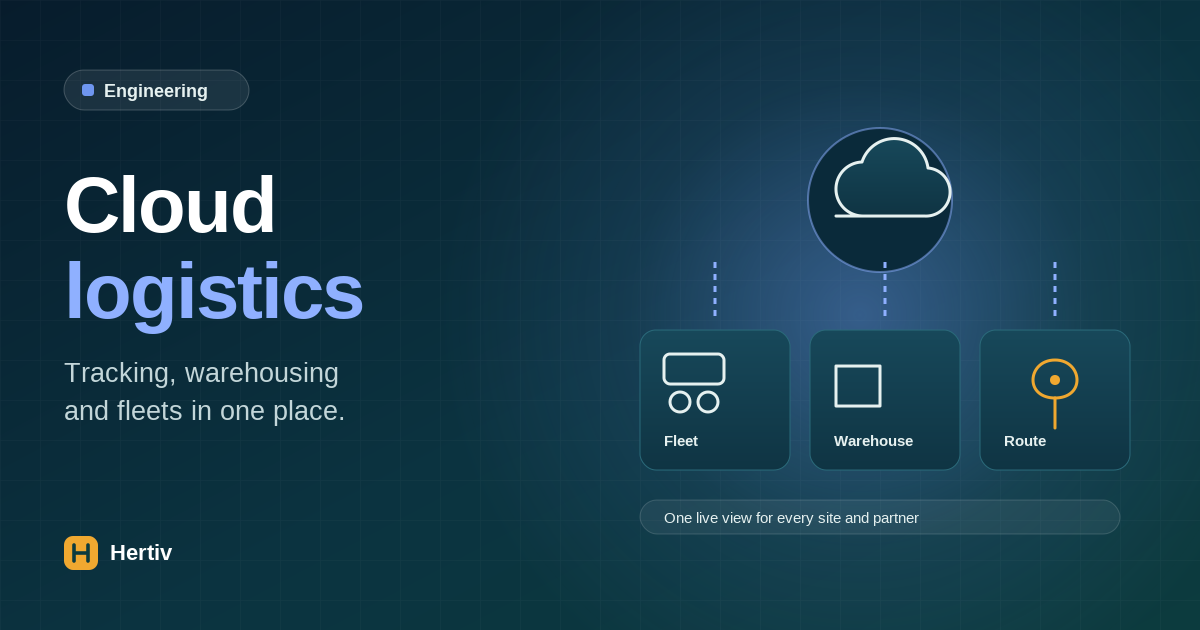
Cloud logistics tools cover four areas: tracking, warehousing, routing and sharing data with partners. The table below shows what each area does and the job it solves, so a team can see which parts it actually needs.
| Area | Cloud job | Example |
|---|---|---|
| Tracking | Live position of shipments | A customer sees where a parcel is |
| Warehousing | Stock levels across sites | A picker finds the right shelf |
| Routing | Routes that update with traffic | A driver avoids a closed road |
| Sharing | Data for partners and customers | A supplier sees an incoming order |
Some tools cover one area well, and others cover all four. A small carrier may only need tracking and routing, while a warehouse operator needs the stock and picking side too. Buying the full suite before the team needs it is a common waste of money.
How do cloud solutions work in practice?
Cloud logistics solutions work by collecting data from vehicles, warehouses and orders into one service, then showing it to the people who need it. A truck sends its position, a warehouse scanner records a pick, and an order system reports a new delivery, and all three land in the same place.
The service then turns that data into decisions: which truck takes which route, which shelf a picker should visit, and which customer needs a message about a delay. Because the data is live, the plan can change during the day instead of being fixed the night before.
Partners get access through the same service, with limits on what each one can see. A supplier sees its own orders, a customer sees its own shipments, and the team sees everything. That sharing is what removes the phone calls and emails that used to fill the gaps.
Cloud tools also change how updates work. The provider updates the software for everyone at once, so the team always runs the newest version without installing anything. That removes the upgrade projects that on-site software needs, but it also means the team must accept changes on the provider's schedule, not its own.
Should you build or buy a cloud logistics solution?
Most teams buy. Building a tracking, warehouse and routing system from scratch takes a large team and a long time, and the result still needs hosting, updates and support. Buying gives the team a working system in weeks, with the provider handling the servers and the updates.
Building makes sense only when the operation is unusual: a special kind of cargo, a rule no standard tool supports, or data that cannot leave the company's own servers. Even then, most teams buy the tracking and routing parts and build only the unusual piece on top.
The middle path is common: buy a cloud platform, then connect it to the systems the team already runs, such as accounting or the shop. The logistics software companies guide covers how teams compare those providers before they commit.
Example (hypothetical): costing a cloud move
Example (hypothetical): a carrier with 40 trucks moves its tracking to the cloud. The tracking service costs 40 times $15 a month, which is $600 a month, or $7,200 for the year.
The warehouse system costs $2,000 a month, which is $24,000 for the year. Together the two services cost $7,200 plus $24,000, which is $31,200 a year.
The one-off migration costs $18,000, so the first year totals $31,200 plus $18,000, which is $49,200. The numbers are invented to show the arithmetic, not a real quote. The point is that the monthly fee is only part of the cost, and the migration and training belong in the first-year budget too. For real rates, see vendor site.
What are the common mistakes?
The common mistakes with cloud logistics start with buying the full suite before the team needs it. A carrier that only needs tracking pays for warehouse and routing features it never opens.
- Dirty data. A cloud system is only as good as the data fed into it, and wrong stock levels or late scans make every screen wrong.
- No offline plan. Warehouses and trucks lose their connection, and a system that stops working offline stops the whole operation.
- Forgetting partners. If suppliers and customers cannot see their own data, the team goes back to phone calls and emails.
- Skipping training. Drivers and warehouse staff need to learn the new screens, or they keep their old habits and the data stays wrong.
Each of these mistakes is cheaper to fix before the move than after it. Clean data, an offline plan and a short training session are part of the project, not extras.
How do you choose a cloud solution for logistics?
You choose a cloud solution for logistics by matching it to the operation you actually run, not by counting features.
- List the jobs. Write down what the team does every day: tracking, picking, routing, customer updates.
- Check the data. Can the tool take data from your trucks, scanners and order system without manual retyping?
- Test offline. Turn the connection off and see what still works, because warehouses and trucks go offline.
- Check the partners. Can suppliers and customers see their own data without calling your team?
- Run a pilot. One route or one warehouse for a month, with real orders, then decide.
A pilot with real orders tells you more than a demo. If the team still uses spreadsheets after a month, the tool does not fit the work. For the wider move, cloud services teams usually start with the same pilot shape.
Key takeaways
- Cloud logistics tools give every site, vehicle and partner the same live view of the operation
- Tracking, warehousing, routing and data sharing are the four areas; most teams need only some of them
- Most teams should buy and connect, not build a tracking and routing system from scratch
- Dirty data and no offline plan are the mistakes that break a cloud move
- Pilot one route or one warehouse with real orders before committing
Frequently asked questions
What is a cloud logistics solution?
It is software that runs on remote servers and helps a team move goods: tracking shipments, managing warehouse stock, planning routes and sharing data with partners. Everyone sees the same live information instead of keeping separate copies.
Is cloud software better than on-site logistics software?
It fits teams whose sites, vehicles and partners all need the same live data, because there is one version to look at. A single-site operation with stable volumes may be fine on older software, so the choice follows the operation.
How much does cloud logistics software cost?
Most tools are rented by the month, and the fee grows with vehicles, users and data volume. The honest answer is a range tied to your operation, so ask vendors for a quote based on your fleet and warehouse count.
Can cloud logistics tools work offline?
Good ones can. Drivers and warehouse staff keep working when the connection drops, and the data syncs when it returns. Ask vendors to show this in a pilot, because a system that stops offline stops the operation.
Do small carriers need cloud logistics tools?
A small carrier with a few trucks may only need tracking and routing, not a full suite. Start with the job that hurts most, such as customer updates, and add more when the volume justifies it.
How long does it take to move logistics to the cloud?
A pilot on one route or one warehouse can run within a month, while a full move across all sites takes longer because data must be cleaned and staff trained. The pilot is the honest test of the timeline.


