Which Cloud Service Is Best for Media Editing?
The best cloud for media editing depends on your workflow. Compare AWS, Azure, Google Cloud, and specialist studios for video, VFX, and collaborative post-production.
On this page
Short answer
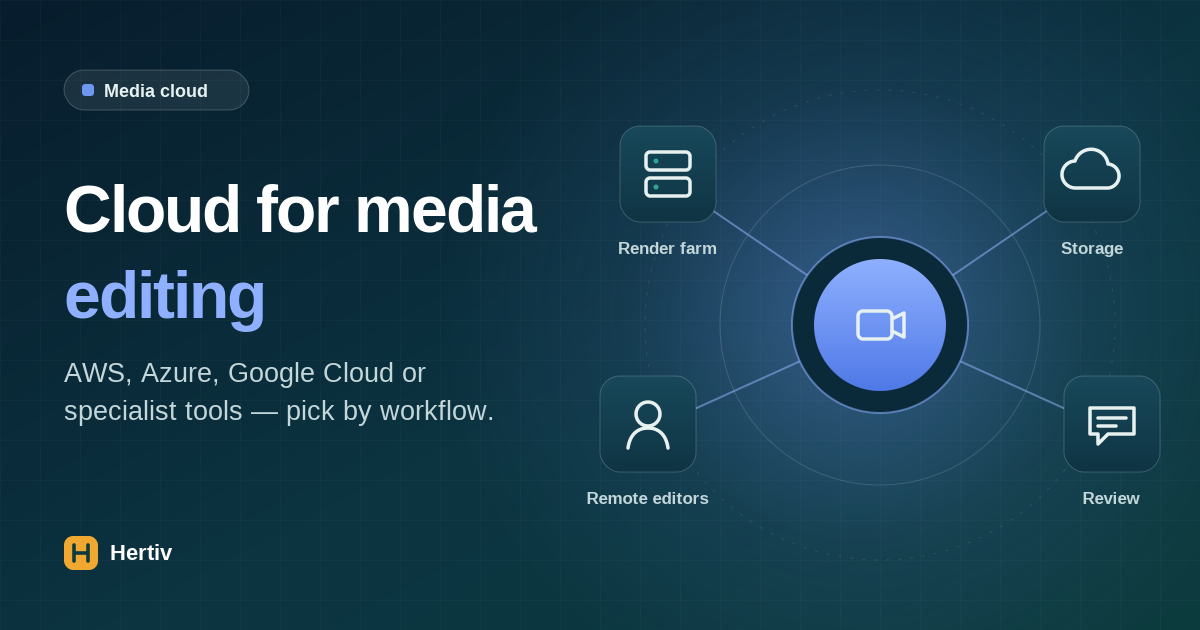
There is no single best cloud for media editing. AWS suits custom pipelines and render farms, Azure fits Microsoft-centric studios, Google Cloud works well for AI-assisted editing, and specialist platforms like Frame.io or LucidLink handle review and remote collaboration better than raw infrastructure.
Quick comparison of cloud options for media editing
No cloud provider is best for every media editing team. The right choice depends on whether you need raw infrastructure, a managed collaboration tool, or a hybrid setup.
| Option | Best for | What it provides | Effort |
|---|---|---|---|
| AWS | Custom pipelines, render farms | EC2 GPU instances, S3 storage, FSx for shared file systems | High |
| Azure | Microsoft-centric studios | Blob storage, Azure Virtual Desktop, GPU VMs | Medium |
| Google Cloud | AI-assisted editing and analytics | Cloud Storage, Vertex AI, GPU/TPU instances | Medium |
| Frame.io (Adobe) | Review and approval | Cloud review, comments, versioning | Low |
| LucidLink | Remote editors needing a shared file system | Cloud NAS that mounts like a local drive | Low |
| Blackmagic Cloud | DaVinci Resolve teams | Shared project libraries and media sync | Low |
| EditShare | Large post houses | Shared storage and asset management | High |
| Signiant / Aspera | Fast file transfer | Accelerated upload and download | Low |
Most teams use two or three of these together rather than picking one provider for everything.
Infrastructure clouds: AWS, Azure, and Google Cloud
The big three clouds are general-purpose platforms. They work for media editing when you need control over compute, storage, and networking, but they are not media-specific products.
AWS
Best for teams building a custom editing pipeline or render farm. EC2 GPU instances handle transcoding and VFX renders, S3 stores masters and proxies, and FSx for Lustre or Windows File Server gives editors a shared file system. The main cost driver is egress and storage class choices, not compute.
Pros - Broadest GPU and instance selection - Mature media services like Elemental for transcoding - Strong partner ecosystem for post-production tools
Cons - Egress fees can surprise video teams - Requires engineering effort to make editor-friendly
Azure
Best for studios already on Microsoft 365, Active Directory, or Windows workstations. Azure Virtual Desktop lets editors run workstations in the cloud, and Blob storage is cost-effective for archive tiers. Integration with existing identity and compliance tooling is the main advantage.
Pros - Tight fit with Microsoft identity and endpoint management - Good Windows workstation support - Clear compliance options for regulated media
Cons - Fewer media-specific services than AWS - GPU availability varies by region
Google Cloud
Best for teams combining editing with AI analysis, such as auto-tagging footage or generating proxies with machine learning. Cloud Storage and Vertex AI make it straightforward to run models over media libraries.
Pros - Strong AI and data tooling alongside storage - Competitive pricing on cold storage - Good network performance in many regions
Cons - Less mature media partner ecosystem - Requires more glue code for editing workflows
Specialist collaboration platforms: Frame.io, LucidLink, and Blackmagic Cloud
For most editing teams, the collaboration layer matters more than the underlying cloud. Specialist platforms solve review, sharing, and remote editing without requiring you to manage infrastructure.
Frame.io
Best for review and approval. Editors upload cuts, reviewers leave time-coded comments, and versions stay linked. It integrates with Adobe Premiere and After Effects, and with many other tools via API. It is not a storage or compute platform, so it complements AWS or Azure rather than replacing them.
Pros - Fast, familiar review workflow - Strong Adobe integration - Good API for custom pipelines
Cons - Not a full editing environment - Costs scale with storage and users
LucidLink
Best for remote editors who need a shared file system. It presents cloud storage as a local drive with intelligent caching, so editors can work in Premiere or Resolve without downloading entire projects. Performance depends on internet quality and cache size.
Pros - Editors use their existing tools - No full-download workflow - Works across Windows and macOS
Cons - Latency-sensitive - Not a render or compute platform
Blackmagic Cloud
Best for DaVinci Resolve teams. It syncs project libraries and media across editors, with options to host storage in the cloud. Setup is simple if your team already uses Resolve.
Pros - Native Resolve integration - Simple project sharing - Low setup effort
Cons - Limited outside the Resolve ecosystem - Media management still needs planning
Storage, transfer, and asset management options
Media editing generates large files and frequent transfers. The right storage and transfer layer often saves more time than the choice of cloud provider.
EditShare
Best for large post houses that need shared storage plus asset management. It provides on-premises or cloud-backed storage with project sharing and flow-based asset tracking. Setup and administration require dedicated IT effort.
Pros - Built for multi-editor facilities - Asset management included - Works with major NLEs
Cons - Higher operational overhead - Less flexible than raw cloud storage
Signiant and Aspera
Best for moving large files quickly between locations or clients. Both use accelerated transfer protocols to work around standard TCP limits. They are transfer tools, not storage, and pair with any cloud provider.
Pros - Fast transfers over long distances - Widely supported by studios and broadcasters - Works with existing storage
Cons - Another vendor and contract to manage - Not a collaboration or review tool
How to choose the right cloud for your editing workflow
Start with the workflow, not the vendor. The cloud should remove friction for editors, not add a layer they have to think about.
- Map where time is lost. If editors wait on downloads, prioritise a shared file system like LucidLink. If review cycles are slow, prioritise Frame.io or Blackmagic Cloud.
- Estimate storage and egress. Video projects are storage-heavy and egress-heavy. Model monthly transfer volumes before comparing providers.
- Check region and latency. Editors need low-latency access to active media. Pick a region close to your largest team or use edge caching.
- Decide what you will manage. Infrastructure clouds give control but require engineering. Managed platforms cost more per seat but reduce operational load.
- Plan for security and compliance. Media often includes unreleased content. Confirm access controls, encryption, and audit logs before rollout.
For teams building custom pipelines around these tools, our cloud services and DevOps services cover architecture, migration, and operations.
Common mistakes when moving media editing to the cloud
Most cloud media projects fail on cost and workflow assumptions, not on technology. Avoiding these mistakes saves months of rework.
- Treating the cloud as a drop-in replacement for local storage. Editors need predictable latency and a familiar file system.
- Ignoring egress costs. Moving masters and proxies in and out of a provider can dominate the bill.
- Forcing editors onto virtual workstations when local machines with cloud storage would be faster and cheaper.
- Skipping proxy workflows. Full-resolution editing over the internet is rarely practical at scale.
- Leaving asset management until later. Without naming conventions and metadata, cloud storage becomes a larger mess than local drives.
- Forgetting security review for unreleased content and client material.
Example (hypothetical): a five-editor team stores 40 TB of active media and 120 TB of archive. Hot storage for active media plus cold archive is typically far cheaper than keeping everything in one tier, but the exact saving depends on provider pricing and access frequency.
Key takeaways
- Match the cloud to the workflow: storage and egress costs dominate video editing, not compute.
- For remote editors, a cloud NAS or specialist collaboration platform beats spinning up VMs.
- Render-heavy VFX benefits from burst GPU instances; day-to-day editing rarely needs them.
- Check egress fees and region availability before committing to a provider.
- Hybrid setups (local cache plus cloud archive) usually beat fully cloud-based editing for large teams.
Frequently asked questions
Is cloud editing fast enough for 4K video?
Yes, with the right setup. Most teams edit proxies rather than full-resolution 4K or 8K over the internet. A shared file system with local caching, such as LucidLink, keeps editing responsive while full-resolution media stays in cloud storage for conform and grade.
Do I need AWS or can I just use Frame.io?
They solve different problems. Frame.io handles review and approval. AWS handles storage, compute, and custom pipelines. Many teams use Frame.io for collaboration and AWS or Azure for storage and rendering behind it.
What is the biggest cost in cloud media editing?
Storage and egress usually dominate. Compute matters for render-heavy work but is bursty. Model monthly transfer volumes and archive growth before choosing a provider, and use cold storage tiers for finished projects.
Can editors keep using Premiere or Resolve in the cloud?
Yes. Options range from virtual workstations on Azure or AWS to shared file systems that mount on local machines. Most teams find local machines with cloud storage faster and cheaper than fully virtualized editing workstations.
How do we handle security for unreleased content?
Use provider access controls, encryption at rest and in transit, and audit logging. Restrict download rights for reviewers and use watermarking where supported. Confirm your client contracts allow the storage locations you choose.
Should we use one cloud provider or several?
Most media teams use several. A common pattern is one infrastructure cloud for storage and rendering, one collaboration platform for review, and one transfer tool for large files. Managing a small number of vendors is usually simpler than standardising on one.


