How to Design Cloud Cost Optimization Architecture
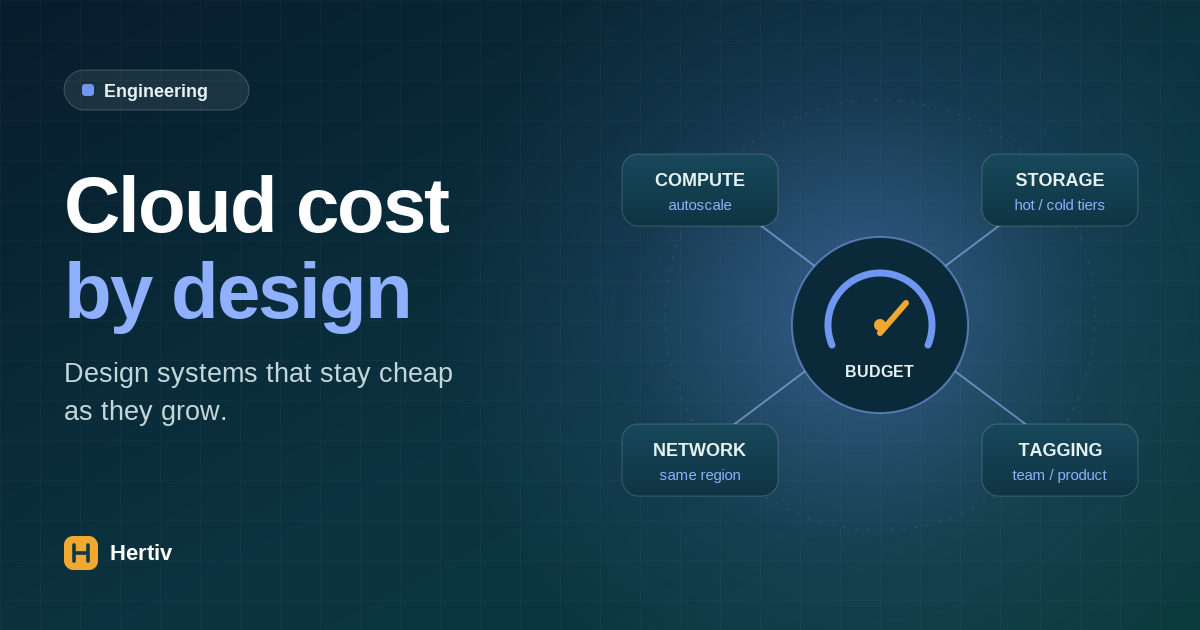
Cloud cost optimization architecture keeps costs low by design, through scaling, storage tiers and data flow. Here is how to build it into your system.
On this page
Short answer
Cloud cost optimization architecture is the practice of designing a cloud system so that cost stays low by design, through autoscaling, storage tiers, data flow and tagging, rather than by cutting the bill after it arrives. Most cloud waste is built in at design time, so the choices that matter most are compute scaling, storage tiers, data movement, observability and environment sizing.
What is cloud cost optimization architecture?
Cloud cost optimization architecture is the practice of designing a cloud system so that cost stays low by design, not by cutting it after the bill arrives. It treats cost as a design input, alongside speed, reliability and security.
The idea is that most cloud waste is built in at design time. A system that always runs at full size, stores every copy of data in the fastest tier, and moves data across regions for no reason will cost far more than one designed with those choices in mind.
Cost optimization architecture is not the same as cutting the cloud bill. Cutting the bill is a one-off exercise. Architecture is the set of decisions, defaults and guardrails that keep the bill low as the system grows.
For what cost optimization means in general, see what cloud cost optimization is.
Which design choices drive cloud cost?
Five design choices drive most of a cloud bill: how compute scales, how data is stored, how much data moves, how the system observes itself, and how environments are separated.
| Choice | What it sets | Cost trap |
|---|---|---|
| Compute scaling | How many servers run, and when | Fixed size for peak load |
| Storage tiers | Where each kind of data lives | Hot storage for cold data |
| Data movement | Which services talk across regions | Cross-region traffic |
| Observability | Logs, metrics and traces kept | Keeping every log forever |
| Environments | How dev, staging and prod are split | Prod-size test systems |
Compute is usually the largest share, so it gets the most attention. But storage and data movement are the costs that surprise teams, because they grow quietly with every new feature and every new region.
Environments are the easiest win. A staging system that mirrors production size for no reason can cost as much as production itself. Right-size every environment to what it actually does.
How do you design compute for cost?
Design compute for cost by making it scale with demand, by picking the cheapest shape that meets the need, and by turning off what is not in use. Fixed capacity for peak load is the most expensive default in cloud design.
Start with autoscaling. A service that scales out when traffic rises and scales in when it falls pays for the traffic it actually serves. Set the scale-in rules as carefully as the scale-out rules, because slow scale-in is where the waste hides.
Then match the shape to the workload. Short, bursty work suits serverless functions, where you pay per run. Steady, long-running work suits reserved or committed capacity, where you pay less per hour for a promise to use it. Batch work that can pause suits spare capacity, which is cheaper because it can be reclaimed.
Finally, schedule what does not need to run all the time. Test environments, report jobs and batch pipelines can run on a timetable and shut down outside their window. A system that runs only when needed costs a fraction of one that never sleeps.
How do you design storage and data flow?
Design storage and data flow by putting each kind of data in the cheapest tier that still meets its access pattern, and by keeping data close to the services that read it.
Hot data, such as live user records, needs fast storage. Cold data, such as logs older than a month or backups, does not. Moving cold data to a cheaper tier is a one-time design decision that keeps paying, because the volume only grows.
Data flow matters as much as storage. Every time data crosses a region boundary, the provider charges for it. Keep services that talk to each other in the same region, and copy data across regions only when a real need, such as disaster recovery, requires it.
Cache what is read often and changes rarely. A cache in front of a database cuts both the database size and the number of reads, which lowers cost on both sides. Set a clear expiry rule so stale data does not linger.
For teams building the data side of a cloud system, cloud services cover architecture, migration and operations, including how storage and data flow are usually set up.
How do you keep costs visible as you scale?
Keep costs visible by tagging every resource, by reviewing the bill on a schedule, and by giving each team a budget it can see. A cost that nobody watches will grow, because no decision is ever checked against it.
Tagging is the foundation. Every resource should carry tags for the team, the product and the environment it belongs to. Without tags, the bill is one big number and nobody can say which part of the system is responsible for a rise.
Set budgets and alerts per team, not just per account. An alert at 80 percent of a monthly budget gives a team time to act. An alert at 100 percent arrives too late.
Review the bill every month with the same discipline as a code review. Look for the three fastest-growing lines, ask what changed, and decide whether the growth bought something useful. Most waste is found in these reviews, not in a one-off audit.
Make cost part of design reviews too. When a team proposes a new service, ask how it scales, how much data it stores and how it moves. A five-minute cost question at design time saves a month of rework later.
If the bill is already high, how to reduce cloud costs covers the tactics for cutting an existing bill.
Example (hypothetical): a SaaS app redesigns for cost
Example (hypothetical): a SaaS app spends $4,800 a month on cloud. Compute is $2,400, storage is $1,200, data movement is $600 and observability is $600.
The team redesigns three parts. Autoscaling cuts compute from $2,400 to $1,600, a saving of $800. Moving logs older than 30 days to a cold tier cuts storage from $1,200 to $700, a saving of $500. Keeping two services in the same region cuts data movement from $600 to $300, a saving of $300.
The new monthly total is $1,600 plus $700 plus $300 plus $600, which equals $3,200. That is $1,600 less than before, a drop of one third, with no change to what users see. The team sets a monthly budget alert at $3,500 so a future rise is caught early.
What are the common mistakes?
The most common mistakes are sizing for peak load all the time, keeping every log forever, and treating cost as a finance problem instead of a design problem.
- Fixed size for peak load. Autoscale, and set scale-in rules as carefully as scale-out rules.
- Hot storage for cold data. Move old logs and backups to a cheaper tier on a schedule.
- Cross-region chatter. Keep services that talk to each other in the same region.
- No tags. Without tags, nobody can say which team or product caused a cost rise.
- Reviewing cost once a year. A monthly review catches waste while it is still small.
Key takeaways
- Cost is a design input, not a finance exercise
- Autoscale with careful scale-in rules, not just scale-out
- Cold data belongs in a cheap tier, not hot storage
- Keep services that talk together in the same region
- Tag every resource and review the bill monthly
Frequently asked questions
Is cost optimization architecture the same as cutting the cloud bill?
No. Cutting the bill is a one-off exercise on an existing system. Architecture is the set of design decisions, defaults and guardrails that keep the bill low as the system grows.
What is the biggest driver of cloud cost?
Usually compute, because it runs all the time and scales with traffic. But storage and data movement surprise teams most, since they grow quietly with every new feature and every region added.
When should I use serverless instead of servers?
Use serverless for short, bursty work where you pay per run and nothing while idle. Use reserved capacity for steady, long-running work, and spare capacity for batch work that can pause.
How do I know which part of my system costs the most?
Tag every resource by team, product and environment, then read the bill by tag. Without tags the bill is one big number and nobody can say what caused a rise.
Does autoscaling always save money?
Only if scale-in works as well as scale-out. A service that scales up fast but scales down slowly keeps paying for capacity it no longer needs. Test the scale-in rules.
How often should we review cloud costs?
Every month, with the same discipline as a code review. Look at the three fastest-growing lines, ask what changed, and decide whether the growth bought something useful or was simply waste.


