Cloud application security: what your app stack really needs
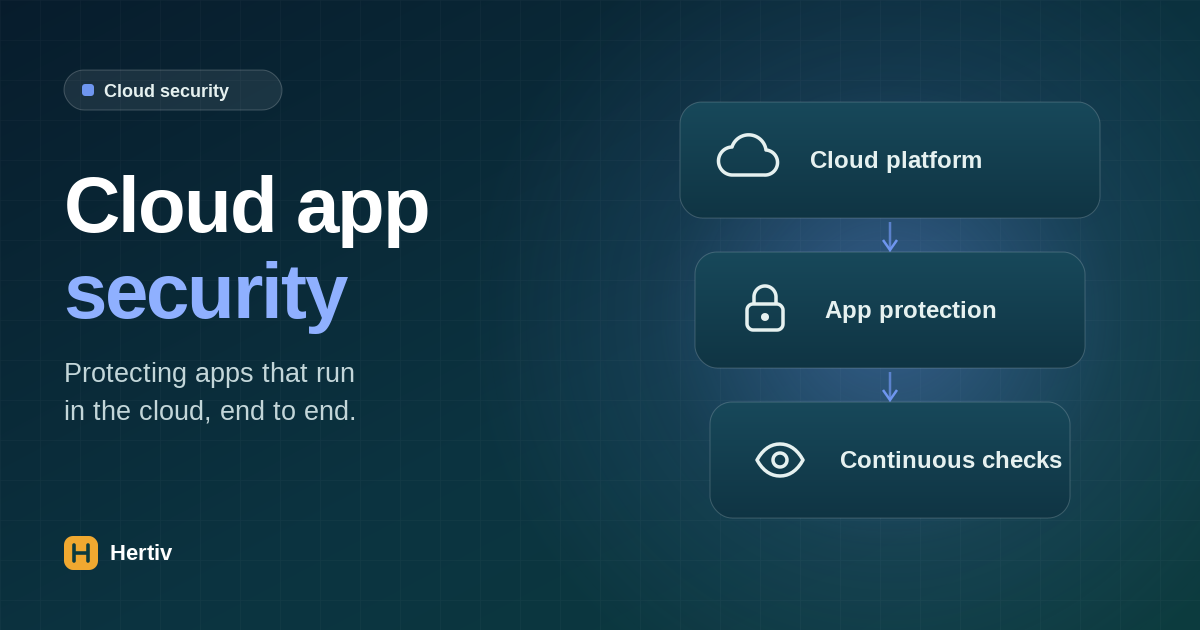
Cloud application security protects apps hosted in the cloud through identity controls, secure configuration, network boundaries, code checks and runtime monitoring.
On this page
Short answer
Cloud application security is the set of controls that protect applications hosted in public, private or hybrid cloud environments: identity and access, secure configuration, network boundaries, code and dependency checks, and runtime monitoring. It spans the whole lifecycle, from design to deployment to incident response.
What is cloud application security?
Cloud application security is the practice of protecting software that runs on cloud infrastructure, covering the code, the cloud resources it uses and the identities that connect them. It is broader than application security in a data center, because resources can be created, changed and exposed through an API in seconds.
A useful mental model is the shared responsibility split. The cloud provider secures the physical facilities, network backbone and managed service internals. Your team secures everything it deploys: accounts, roles, secrets, container images, storage policies, code and data flows.
That split sounds simple, but it shifts a lot of work to your side. A misconfigured object storage bucket or an over-permissive role in a managed database is a cloud application security problem, even if the provider's platform is working as designed.
The discipline combines four areas: identity and access, cloud configuration and posture, the software supply chain, and runtime detection and response. Each one needs an owner, a process and a review cycle. If security is only reviewed before a launch, changes introduced afterward will go unnoticed.
How is cloud application security different from traditional app security?
Traditional application security usually focuses on code, servers you control and a fixed network perimeter. Cloud application security adds elastic infrastructure and API-driven change, so the attack surface moves with every deployment.
Key differences to plan for:
- Ephemeral resources. Containers, serverless functions and managed queues are created and destroyed constantly, so inventory has to be automated.
- Identity is the perimeter. Service accounts, federated identities and workload roles replace many firewall rules as the real boundary between systems.
- Configuration is code. Infrastructure as code means a security mistake can be replicated across dozens of environments in one commit.
- Shared responsibility. You inherit some controls from the provider but still own most of the application layer.
- Data residency and compliance. Cloud regions and provider services change which laws and contract terms apply to your data.
A practical consequence is that cloud application security has to be embedded in platform engineering, not run as an external audit once a year. The teams that build the cloud environment should also own guardrails, templates and reviews. Our cloud services practice often starts by mapping which of these differences actually matter for a given product.
Which controls matter most for a cloud application?
The highest-value controls are identity and permissions, network boundaries, secret handling and configuration guardrails, because those cover most practical attack paths. Start there before buying more tooling.
A sensible baseline looks like this:
- Identity and access. Use single sign-on and short-lived credentials. Avoid long-lived access keys in code or CI. Give each workload its own role and review permissions quarterly.
- Network boundaries. Put private services behind private subnets or private endpoints. Restrict egress so a compromised service cannot call arbitrary internet addresses.
- Secrets management. Store secrets in a managed secret store, rotate them, and keep them out of repositories and build logs.
- Configuration guardrails. Enforce baseline rules for storage, databases and container registries through policy as code.
- Logging and alerting. Centralize audit logs and alert on permission changes, public exposure and unusual data access.
- Backup and recovery. Test restore procedures, not just backup jobs.
How do you secure the software supply chain in the cloud?
Supply chain security means knowing what code and artifacts you deploy, where they came from and whether they changed. In cloud environments the practical answer is to make every deploy traceable back to a reviewed commit and a signed artifact.
Steps that work in most teams:
- Scan dependencies and container images in CI on every build, and fail the build on known critical issues with a documented exception path.
- Generate a software bill of materials for each release so you can answer quickly when a vulnerability is announced.
- Sign artifacts and verify signatures at deploy time, not only at build time.
- Pin base images and package versions, and rebuild regularly instead of patching running containers by hand.
- Restrict who can change pipeline definitions, because the pipeline often has more access than production applications.
This work overlaps with platform engineering and DevSecOps. Small teams sometimes underestimate it because each step looks minor, but together they decide whether an incident is a contained fix or a scramble. If you want an outside review of the pipeline and cloud configuration, our cybersecurity services team can assess it against these controls.
What does a practical implementation plan look like?
A practical plan starts with an inventory and risk ranking, then fixes the controls that address the most damaging failure modes first. Trying to implement every control at once usually stalls.
A sequence that tends to work:
- Inventory. List cloud accounts, environments, public endpoints, data stores and the identities that can reach them.
- Rank by blast radius. Identify what an attacker or a mistaken deploy could expose: customer data, production credentials, payment flows.
- Fix the basics. Tighten public exposure, remove unused access keys, enable audit logging, enforce multi-factor authentication on administrator accounts.
- Add guardrails. Turn the fixes into policy as code and templates so new services inherit them.
- Embed checks in delivery. Add scanning, signing and configuration checks to CI with clear ownership for failures.
- Prepare response. Write runbooks for the top failure scenarios and test at least one per quarter.
Example (hypothetical): a team finds 40 cloud roles, of which 18 are unused and 6 have broad administrative permissions. Removing the unused roles and narrowing the 6 brings the reviewable set down to 16 roles, making quarterly access reviews realistic instead of ceremonial.
How should cloud application security change when you add AI features?
AI features add new data flows and new identities to the cloud application, so existing controls need extending rather than replacing. The model endpoint, vector store, prompt logs and agent tools all become part of your attack surface.
Areas to review:
- Data boundaries. Confirm what customer data leaves your environment for a model provider and under which contract terms.
- Prompt and output handling. Treat model output as untrusted input. Validate it before it reaches a database, a shell command or an internal API.
- Agent permissions. Give agents scoped credentials and human approval for high-impact actions such as payments or record deletion.
- Logging. Record prompts, tool calls and responses with the same access controls as other sensitive logs.
- Evaluation before launch. Run security and misuse tests alongside quality tests.
Our AI security practice covers these controls, and our guide to evaluating an LLM application before launch describes the testing steps in more detail. The main mistake is treating an AI feature as an isolated prototype while it quietly gets production credentials.
Common mistakes
Most cloud application security failures come from process gaps rather than missing products. These are the patterns worth reviewing first.
- Assuming the provider secures the application layer. The provider secures the platform; your configuration and code remain your responsibility.
- Long-lived credentials. Access keys in repositories, CI variables or developer laptops outlive the people who created them.
- Security review only before launch. Cloud environments change weekly; a one-time review describes a state that no longer exists.
- Alert fatigue. Too many low-value alerts hide the permission change or public bucket that actually matters.
- No owner for identity hygiene. Unused roles and service accounts accumulate because nobody is accountable for removing them.
- Untested recovery. A backup policy that has never been restored is an assumption, not a control.
How to prioritise your cloud application security work
Prioritise by the damage a failure would cause and how quickly it could be exploited, not by tool coverage or checklist length. That focus keeps a small team effective.
A five-step approach:
- Map data flows and identities. Know where sensitive data lives and which roles can reach it.
- Remove public exposure and stale credentials. These are quick wins with a large effect on risk.
- Automate the baseline. Codify the rules and apply them to every new environment through templates.
- Wire checks into delivery. Make security findings visible where engineers already work, with clear owners.
- Rehearse response. Test detection and recovery for your top scenarios, then adjust controls based on what failed.
If your team lacks the capacity to run this alongside delivery, staff augmentation or a focused assessment can help you reach a stable baseline. The goal is not a perfect score but a cloud environment where the important failures are prevented, detected and recoverable.
Key takeaways
- Cloud security is a shared responsibility: the provider secures the platform, you secure everything you deploy on it.
- Identity and least-privilege permissions are the most common control gaps in cloud applications.
- Misconfigured storage, databases and network rules cause many cloud incidents; configuration checks should run continuously.
- Shift code and dependency scanning into CI rather than treating security as a pre-release gate.
- Runtime logging and anomalies detection turn cloud infrastructure into an auditable evidence source.
Frequently asked questions
Is cloud application security the same as cloud security?
Not exactly. Cloud security is the broader discipline covering infrastructure, networks, data and identities in cloud environments. Cloud application security focuses on the applications and the cloud resources they use, including code, configuration and runtime behavior.
Who is responsible for cloud application security?
The cloud provider secures the underlying platform, but your team is responsible for the application, its configuration, identities, secrets and data handling. In practice, the engineering team that builds and operates the application should own most cloud application security controls.
What is the first control to fix?
Start with identity and public exposure. Remove unused access keys, enforce multi-factor authentication for administrators, and eliminate storage or database endpoints that are publicly reachable. These fixes address common attack paths and are usually achievable quickly.
Do we need a separate security tool for cloud applications?
Not necessarily at first. Many teams get substantial value from native cloud logging, policy as code and CI scanning before adding specialized tools. Add tooling when a specific gap, such as runtime detection or inventory, cannot be covered with what you already run.
How often should cloud configurations be reviewed?
Configuration checks should run continuously through automated policy, with a human review of exceptions and high-impact changes. A broader access and architecture review quarterly is a reasonable rhythm for most mid-market teams.
Does cloud application security cover AI features?
Yes. AI features add model endpoints, vector stores and agent identities to the application. They need the same identity, data-boundary and logging controls, plus checks on prompt and output handling before those features reach production.


