8 Multi-Cloud Management Platforms Worth Comparing
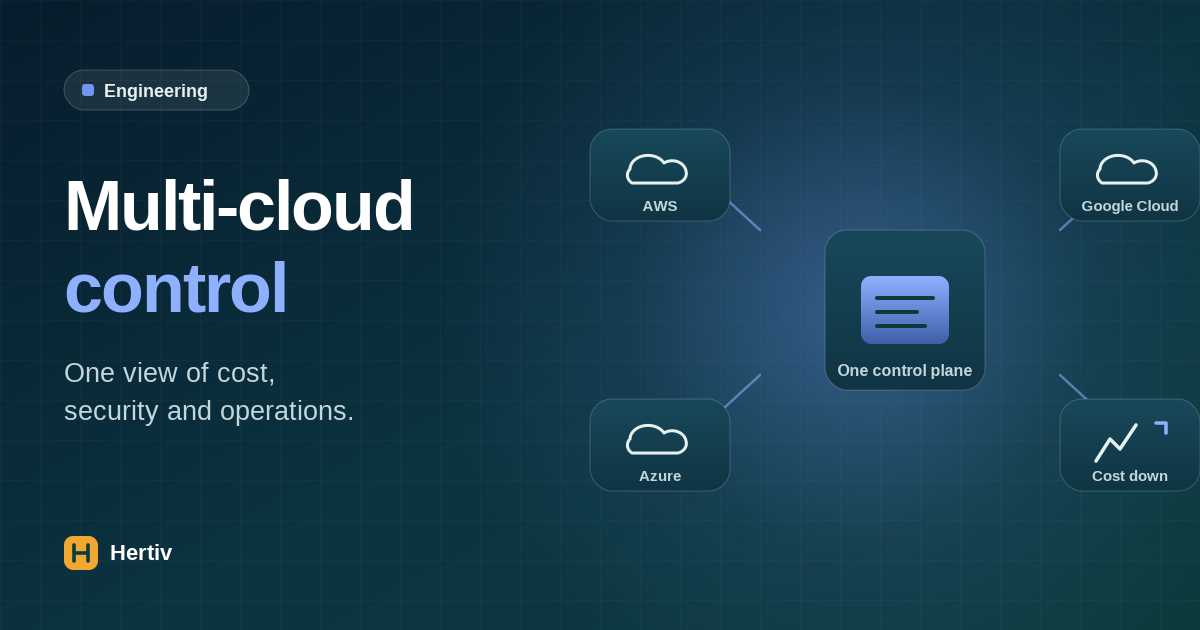
Multi-cloud platforms give one view of cost, security and operations across AWS, Azure and Google Cloud. Here are eight worth comparing, and how to pick one.
On this page
Short answer
A multi-cloud management platform gives a team one view of cost, security and operations across AWS, Azure and Google Cloud, instead of three consoles and three bills. The best choice depends on whether the biggest pain is the bill, provisioning or oversized resources.
Which multi-cloud management platforms should teams compare?
Multi-cloud management platforms give a team one place to see costs, security and operations across AWS, Azure and Google Cloud, instead of checking three consoles and three bills. The eight platforms below cover the main choices: cost control, automated operations, or a single control plane for all three clouds.
Use this comparison to shortlist two or three, then trial one on a single workload before committing. Pricing varies by the size of the estate, so check the vendor site for current rates.
| Platform | Main strength | Clouds covered | Best for |
|---|---|---|---|
| Flexera | Cost and licence control | AWS, Azure, Google Cloud | Cost governance |
| VMware CloudHealth | Cost and security posture | AWS, Azure, Google Cloud | Large estates |
| Morpheus Data | Self-service provisioning | AWS, Azure, Google Cloud | Platform teams |
| Nutanix Cloud Manager | Unified operations | AWS, Azure, Google Cloud | Hybrid estates |
| IBM Turbonomic | Automated rightsizing | AWS, Azure, Google Cloud | Performance and cost |
| CloudBolt | Self-service and cost control | AWS, Azure, Google Cloud | Governed self-service |
| Spot by NetApp | Cloud cost optimisation | AWS, Azure, Google Cloud | Workload savings |
| Densify | Resource optimisation | AWS, Azure, Google Cloud | Rightsizing fleets |
Pick the platform whose strength matches your biggest pain. If the bill is the problem, start with cost control; if provisioning is the problem, start with self-service.
Flexera and VMware CloudHealth
1. Flexera: best for cost governance
Flexera is a cloud management platform built around cost and licence control, and it fits organisations that need to show where cloud money goes and who approved it. It collects cost and usage data from AWS, Azure and Google Cloud into one view, with budgets, alerts and recommendations for unused or oversized resources.
The platform also covers software licences, which matters for teams that run licensed software on cloud machines and need to prove compliance. For a finance-led team that needs governance first and automation second, Flexera is a natural shortlist candidate.
Pros:
- Strong cost visibility and budgeting across clouds
- Licence tracking alongside cloud spend
- Recommendations for unused and oversized resources
Cons:
- More governance tool than operations platform
- Setup and tagging standards take time to get right
- Pricing depends on estate size, so check the vendor site
2. VMware CloudHealth: best for large estates
VMware CloudHealth is a cloud management platform for large multi-cloud estates, with cost reporting, security posture checks and governance policies in one place. It gives central teams a single view of spend, rightsizing opportunities and policy violations across AWS, Azure and Google Cloud.
The product fits organisations with many accounts and teams, where the main problem is that nobody can see the whole estate at once. Smaller teams may find it heavier than they need, but a central cloud team managing hundreds of accounts will use most of what it offers.
Pros:
- Single view of cost, security and policy across clouds
- Built for many accounts and many teams
- Policy engine for governance and guardrails
Cons:
- Heavier than a small team needs
- Needs good tagging to give useful answers
- Onboarding a large estate takes weeks
Morpheus Data and Nutanix Cloud Manager
3. Morpheus Data: best for platform teams
Morpheus Data is a cloud management platform built around self-service provisioning, and it fits platform teams that want developers to spin up environments without waiting on tickets. Developers request a workload through a catalogue, and Morpheus provisions it on the right cloud with the right tags, policies and cost controls applied.
The catalogue approach is the point: instead of each team writing its own deployment scripts, the platform team defines approved templates once, and every team uses them. That keeps environments consistent and makes cost and security policies apply by default rather than by reminder.
Pros:
- Self-service catalogue for developers
- Policies and tags applied at provisioning time
- Works across clouds and on-premises estates
Cons:
- Needs a platform team to run the catalogue well
- Template work up front before developers benefit
- Less focused on cost reporting than rivals
4. Nutanix Cloud Manager: best for hybrid estates
Nutanix Cloud Manager is the cloud management product from Nutanix, and it fits teams that run workloads both on premises and in public clouds. It gives one operations view across the hybrid estate, with cost, performance and governance in the same place, so a team can compare running a workload on premises against running it in AWS or Azure.
The hybrid angle is what sets it apart: most multi-cloud platforms assume the public cloud is the whole estate, while Nutanix starts from the premise that some workloads stay on premises. Teams already using Nutanix on premises get the most from it, since the management plane is shared.
Pros:
- One view across on-premises and public clouds
- Cost comparison between on-premises and cloud
- Shared management plane for Nutanix users
Cons:
- Best fit for teams already using Nutanix
- Public-cloud-only teams get less from it
- Feature depth varies by cloud
IBM Turbonomic and CloudBolt
5. IBM Turbonomic: best for performance and cost together
IBM Turbonomic is an automation platform that continuously adjusts cloud resources to match demand, and it fits teams that want cost savings without giving up performance. It analyses usage across AWS, Azure and Google Cloud, then recommends or applies changes such as resizing a machine, moving a workload or changing a storage tier.
The automation is the point: instead of a monthly report telling the team what to fix, Turbonomic makes the change itself within limits the team sets. That suits teams with large, steady estates where manual rightsizing never keeps up with demand changes.
Pros:
- Automated rightsizing within team-set limits
- Balances performance and cost, not cost alone
- Works across the three main clouds
Cons:
- Automation needs trust and careful limits at first
- Less useful for small or highly variable estates
- Pricing depends on the size of the estate
6. CloudBolt: best for governed self-service
CloudBolt is a cloud management platform built around self-service with governance, and it fits teams that want developers to provision their own resources without losing control of cost and security. Developers order from a catalogue, and CloudBolt applies budgets, approvals and policies before the resources are created.
The product sits between a pure cost tool and a pure provisioning tool: it covers both, with cost visibility and chargeback alongside the catalogue. For a team that has had a surprise bill from unmanaged self-service, that combination is the main selling point.
Pros:
- Self-service catalogue with budgets and approvals
- Cost visibility and chargeback built in
- Policies applied before resources are created
Cons:
- Catalogue setup takes platform effort up front
- Smaller vendor than the largest rivals
- Reporting depth varies by cloud
Spot by NetApp and Densify
7. Spot by NetApp: best for workload savings
Spot by NetApp is a cloud cost optimisation platform that fits teams running steady workloads on AWS, Azure or Google Cloud and wanting to pay less for them. It automates the use of discounted capacity, such as spot instances and reserved capacity, and moves workloads between instance types as prices and availability change.
The savings come from automation rather than reports: instead of telling the team which instances to change, Spot makes the change and keeps the workload running. That suits teams with predictable, fault-tolerant workloads, where an interruption or a move is cheap and the savings are real.
Pros:
- Automates discounted capacity use
- Moves workloads as prices change
- Clear savings reporting
Cons:
- Best for fault-tolerant workloads, not every workload
- Savings depend on the workload mix
- Less of a general management platform than rivals
8. Densify: best for rightsizing fleets
Densify is a resource optimisation platform that fits teams with large fleets of cloud machines and containers that need the right size. It analyses actual usage over time and recommends the right machine size, storage tier or container limit for each workload, with the reasoning shown so the team can trust the recommendation.
The focus is narrower than a full management platform, and that is the point: Densify does one job, rightsizing, in depth, rather than covering cost, security and provisioning at a surface level. Teams that already have a management platform but still overspend on oversized machines often add Densify for the analysis.
Pros:
- Deep rightsizing analysis with reasoning shown
- Covers machines, storage and containers
- Works alongside an existing management platform
Cons:
- Narrower scope than full management platforms
- Recommendations need review before applying
- Less useful for small estates
How to choose a multi-cloud management platform
You choose a multi-cloud management platform by matching its strength to your biggest pain, then trialling it on one workload before rolling it out across the estate.
- Name the pain in one sentence. Runaway bills, slow provisioning, no visibility or oversized machines are good starting points.
- Shortlist by strength. Cost tools for bills, self-service for provisioning, automation for rightsizing.
- Check the clouds you actually use. Confirm depth on your clouds, not just a logo on the vendor site.
- Trial on one workload. Connect one account, run the platform for a month, and measure what it found or saved.
- Agree the rollout owner. A platform without a named owner becomes a dashboard nobody reads.
Tagging is the foundation every platform needs. If resources are not tagged by team, project and environment, no platform can give useful cost or ownership answers. Cloud services can help set up the tagging and account structure first.
What are the common mistakes?
The most common mistakes are buying a platform before fixing tagging, choosing on features instead of pain, and rolling out without an owner. Each is cheap to avoid early and expensive to fix after launch.
- Skipping tagging. Without tags for team, project and environment, cost and ownership reports are guesswork.
- Choosing on features. A platform with the longest feature list is a poor choice if it does not fix your pain.
- No rollout owner. A platform without a named owner becomes a dashboard nobody reads.
- Trial on the wrong workload. A trial on a tiny or unusual workload proves nothing about the real estate.
- Ignoring the team cost. Every platform needs learning, maintenance and upgrades, which is real work.
- Automating too fast. Letting an automation tool change resources before the team trusts it creates incidents.
Start with the pain, trial on one workload, and expand only when the trial proves its worth. DevOps services can help run the trial and the rollout.
Key takeaways
- One platform replaces three consoles and three bills for cost and operations
- Cost tools fix bills, self-service fixes provisioning, automation fixes rightsizing
- Tagging by team, project and environment is the foundation every platform needs
- Trial on one real workload for a month before rolling out
- A platform without a named owner becomes a dashboard nobody reads
- Automate resource changes only after the team trusts the recommendations
Frequently asked questions
What is a multi-cloud management platform?
A multi-cloud management platform is software that manages resources across more than one public cloud, usually AWS, Azure and Google Cloud, from one place. It covers cost reporting, provisioning, security posture and governance, so a team does not have to check three separate consoles.
Do I need a multi-cloud platform if I use one cloud?
Usually not. A single-cloud team gets most of the value from the cloud's own console and cost tools. A management platform pays off when a team runs two or more clouds, or a hybrid estate with on-premises workloads alongside public cloud.
How do these platforms save money?
They find unused and oversized resources, recommend cheaper instance types, automate the use of discounted capacity, and show which team or project is spending what. The savings come from acting on the findings, not from the platform alone.
What is rightsizing, and why does it matter?
Rightsizing means matching a machine, storage tier or container limit to the workload's actual use. Oversized resources waste money every hour they run, and undersized ones hurt performance. Most estates have both, which is why rightsizing is a common first win.
How long does it take to roll out a platform?
A trial on one account takes days, but a full rollout across many accounts takes weeks, because tagging, budgets and policies need to be agreed first. The rollout goes faster when one person owns it and the team fixes tagging before connecting every account.
Can these platforms manage on-premises workloads too?
Some can, and some are built for it. Nutanix Cloud Manager and Morpheus Data cover hybrid estates with on-premises workloads, while most others focus on public clouds. Check the vendor site for the clouds and platforms each product supports.


