Best Database Schema Management Software to Compare
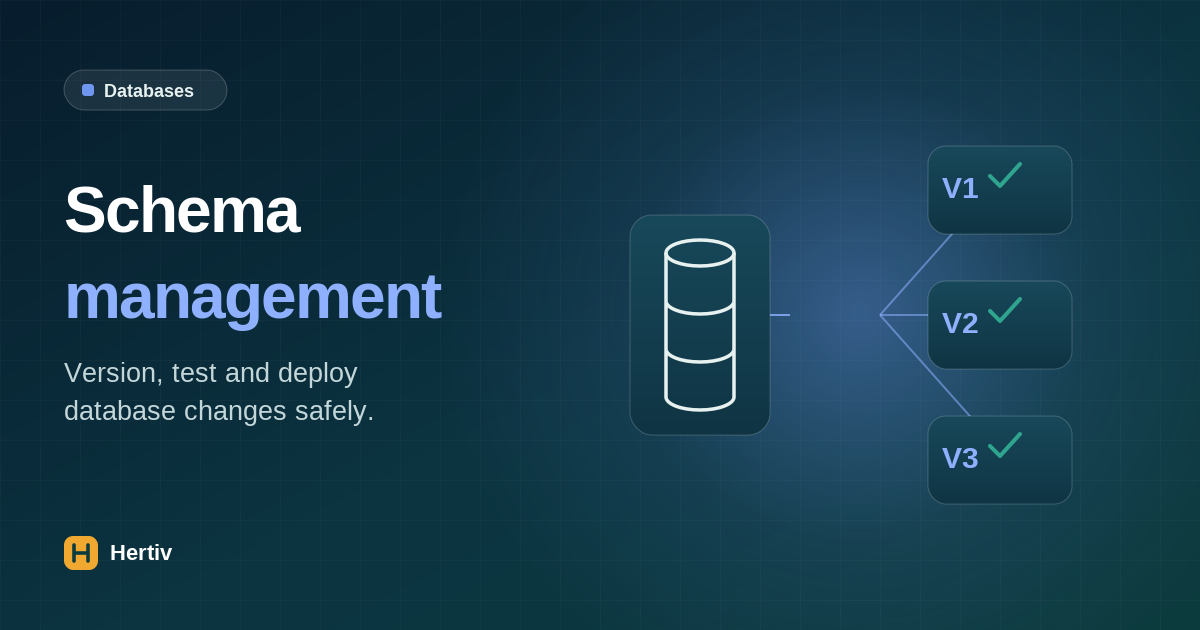
Schema management tools version, test and deploy database changes the way code is deployed. Compare eight tools that keep migrations safe, reviewed and reversible.
On this page
Short answer
The best database schema management software for most teams is Liquibase, Flyway, Prisma Migrate, Atlas, Bytebase, Sqitch, Redgate SQL Change Automation and DBmaestro. They version every schema change, run migrations in order, and let you roll back when a change fails, so database releases stop being manual and risky.
Which database schema management software should you compare?
The tools worth comparing are the ones that treat schema changes like code: versioned, reviewed, tested and deployed in order. Without that discipline, a single bad migration can lock a table, lose data or take a service down.
Use this comparison to shortlist. Schema management here means tools that track, apply and roll back database structure changes, not general database products or admin consoles.
| Tool | Best for | Approach | Databases |
|---|---|---|---|
| Liquibase | Multi-database teams | Change sets in XML, YAML or SQL | Many, incl. PostgreSQL, MySQL, Oracle |
| Flyway | Simple versioned migrations | Ordered SQL migration files | Many, incl. PostgreSQL, MySQL, SQL Server |
| Prisma Migrate | Prisma and TypeScript teams | Schema file generates migrations | PostgreSQL, MySQL, SQL Server, SQLite |
| Atlas | Declarative schema as code | Desired state, diff generates plan | PostgreSQL, MySQL, SQLite, ClickHouse |
| Bytebase | Team review workflows | Web UI with review and approval | Many, incl. PostgreSQL, MySQL, Snowflake |
| Sqitch | Git-native change management | Plain SQL with deploy and revert scripts | PostgreSQL, MySQL, Oracle, SQLite |
| Redgate SQL Change Automation | SQL Server estates | Visual Studio and pipeline integration | SQL Server, Azure SQL |
| DBmaestro | Governed enterprise releases | Policy, approvals and audit trail | Oracle, SQL Server, PostgreSQL, MySQL |
The rest of this article covers each tool in turn, with what it does best and where it is a weaker fit. Prices change often, so check the vendor site for current plans.
If you are choosing the database itself rather than the migration tooling, the best database software for startups list covers the engines these tools manage.
<h3>1. Liquibase: best for multi-database teams</h3> <h3>2. Flyway: best for simple versioned migrations</h3>
Liquibase is an open-source database change tool that describes each change as a change set in XML, YAML, JSON or SQL, then tracks which change sets have run against each database. It supports a wide range of databases from one workflow, which suits teams that run more than one database engine.
Pros:
- One workflow across many database engines
- Change sets are easy to review in version control
- Rollback support for changes that can be reversed
Cons:
- More setup and learning than a file-based tool
- Some advanced features need the paid edition
Flyway is a migration tool that runs versioned SQL files in order, named V1, V2 and so on, and records each applied migration in a history table. It is deliberately simple: migrations are plain SQL, the order is obvious, and the tool refuses to run if the history does not match.
Pros:
- Plain SQL migrations, easy to read and review
- Very quick to set up in a new project
- Wide database support and strong community
Cons:
- No built-in review workflow in the open-source edition
- Rollback needs manual undo scripts
<h3>3. Prisma Migrate: best for Prisma and TypeScript teams</h3> <h3>4. Atlas: best for declarative schema as code</h3>
Prisma Migrate is the migration tool inside Prisma, the TypeScript ORM. You describe the schema in a Prisma schema file and the tool generates SQL migrations, applies them and keeps the database in step with the code. It suits teams already building with Prisma who want migrations to follow the same model.
Pros:
- Schema and migrations stay in step automatically
- Type-safe database access from the same model
- Clear migration history in the project
Cons:
- Only useful if you use Prisma
- Less control over hand-written SQL than Flyway
Atlas is an open-source schema management tool that works declaratively: you describe the desired schema and Atlas works out the plan to reach it, showing a diff before anything runs. It suits teams that prefer to declare the end state rather than write each migration by hand.
Pros:
- Declarative model with a clear plan before applying
- Schema linting and drift detection built in
- Works well in CI pipelines
Cons:
- Declarative diffs need careful review for data loss
- Smaller community than Liquibase or Flyway
<h3>5. Bytebase: best for team review workflows</h3> <h3>6. Sqitch: best for Git-native change management</h3>
Bytebase is a web-based database DevOps tool that gives schema changes a review workflow: a developer proposes a change, a reviewer approves it, and the tool applies it with a full audit trail. It suits teams that want database changes to pass through the same review discipline as code changes.
Pros:
- Review and approval workflow built in
- Clear audit trail of who changed what
- Good visibility across many databases
Cons:
- More moving parts than a migration runner
- Some features need a paid plan
Sqitch is an open-source change management tool that treats database changes as plain SQL scripts with explicit deploy and revert steps, managed through Git. It suits teams that want full control and a workflow that mirrors how they already manage code.
Pros:
- Plain SQL with explicit revert scripts
- Works naturally with Git branching and review
- No lock-in to a vendor or a database
Cons:
- Command-line focused, no web interface
- More manual setup than newer tools
<h3>7. Redgate SQL Change Automation: best for SQL Server estates</h3> <h3>8. DBmaestro: best for governed enterprise releases</h3>
Redgate SQL Change Automation is a SQL Server toolset that plugs into Visual Studio and build pipelines, letting teams develop database changes alongside application code and deploy them through the same release process. It suits Microsoft shops with large SQL Server estates and existing .NET pipelines.
Pros:
- Deep SQL Server and Azure SQL support
- Database changes travel with application releases
- Strong testing and static analysis for SQL
Cons:
- SQL Server only, so no use for other engines
- Paid product with per-user licensing
DBmaestro is an enterprise database DevOps platform that adds policy, approvals and a full audit trail to schema releases across Oracle, SQL Server, PostgreSQL and MySQL. It suits regulated organisations where every database change must be approved, logged and reversible.
Pros:
- Policy and approval controls for every release
- Full audit trail for compliance reviews
- Supports the main enterprise databases
Cons:
- Enterprise pricing and longer setup
- More than a small team needs
How to choose database schema management software
You choose schema management software by matching the tool to your database engines, your team's workflow and how much control you need over releases.
- List your databases. A tool that only supports one engine is a dead end if you run two. Check support for every engine you deploy to.
- Decide declarative or migration-based. Migration files give explicit control; declarative tools are faster but need careful review of generated plans.
- Check the review workflow. If more than one person touches the database, you need review, approval and an audit trail, not just a runner.
- Test rollback on a copy. Run a migration, then roll it back on a staging database. If rollback is hard or manual, factor that into your choice.
- Try it in a pipeline first. Wire the tool into CI for one service before rolling it out everywhere, and confirm migrations run the same way in every environment.
For a broader view of moving data safely, see database migration, which covers how to move data without losing it.
For help with the data platform around the tool, data engineering services can set up the pipelines and environments.
What are the common mistakes?
The most common mistakes with schema management are editing the production database by hand, skipping rollback testing, and letting migrations pile up without review.
- Manual production edits. A change made by hand is not in version control, so nobody can reproduce or roll it back. Route every change through the tool.
- No rollback test. A migration that cannot be reversed turns a bad deploy into an outage. Test the revert on staging first.
- Long-running migrations in deploys. Adding a column to a huge table can lock it. Split large changes into smaller, online-safe steps.
- Skipping review for small changes. Small changes cause most outages because nobody checks them. Review everything, however trivial it looks.
- Different tools per team. If each team picks its own tool, nobody can help anyone else. Standardise on one tool per organisation.
Key takeaways
- Schema changes should be versioned, reviewed and deployed like code, not applied by hand
- Flyway and Liquibase suit most teams; Prisma Migrate fits Prisma projects and Atlas fits declarative teams
- Bytebase and DBmaestro add the review, approval and audit trail that multi-person teams need
- Always test rollback on a staging copy before a migration reaches production
- Standardise on one tool per organisation so every team can help with every database
Frequently asked questions
What is database schema management software?
It is software that versions, tests and applies changes to a database structure, such as adding tables, changing columns or adding indexes. It records which changes have run, applies them in order and supports rollback, so database releases follow the same discipline as code releases.
Is Flyway or Liquibase better?
It depends on your team. Flyway is simpler: plain SQL files run in order, which suits teams that want minimal setup. Liquibase supports more databases and richer change types, which suits teams running several engines. Both are widely used, so try each on a small project first.
Do I need schema management for a small project?
Yes, even a small project benefits. A versioned migration history means a new developer can set up a database in minutes and every change is recorded. The cost of setting up a tool like Flyway is low, while the cost of an untracked production change is high.
What is the difference between migrations and declarative schema management?
Migration-based tools apply a sequence of change scripts in order, so you control each step. Declarative tools compare a desired schema with the live database and generate a plan to reach it. Migrations give more control; declarative tools are faster but need careful review of the generated plan.
Can schema management tools prevent data loss?
They reduce the risk but cannot remove it. A tool can show a plan, run checks and roll back a change, but a bad migration can still drop a column. Review the plan, test on a staging copy with realistic data, and keep backups before any production release.
How do schema changes fit into CI and CD?
The migration tool runs as a step in the pipeline: it checks the database version, applies pending migrations and fails the build if a migration errors. This keeps every environment in step and stops code from deploying against a database that does not match.