8 Beautiful.ai Alternatives for Smarter Slide Decks
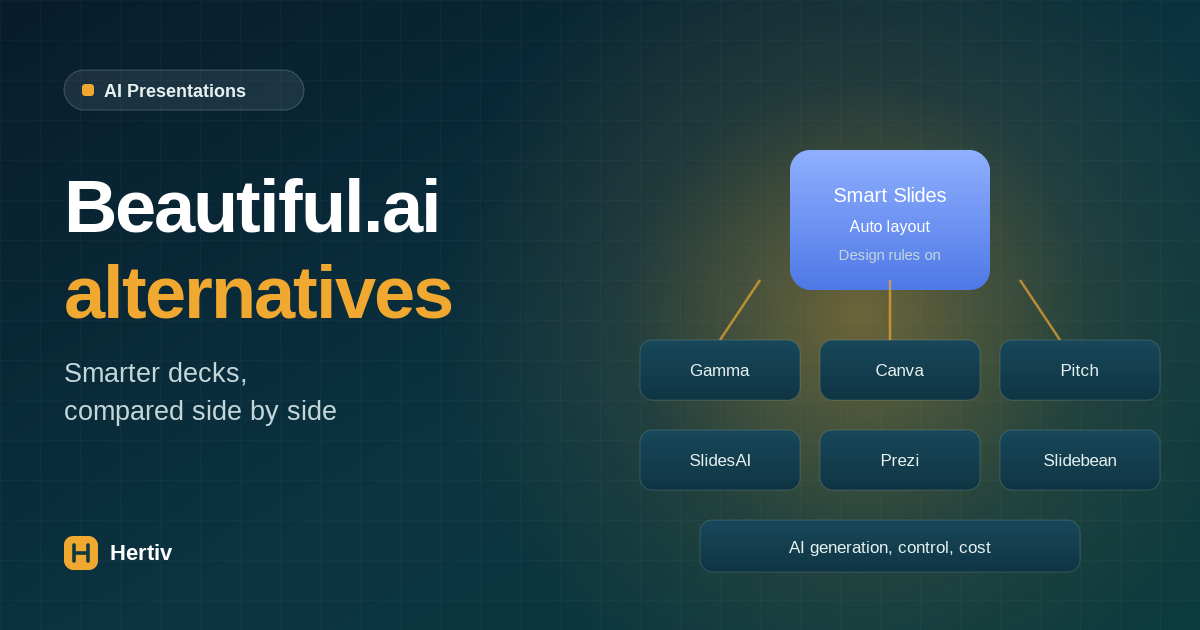
Beautiful.ai makes slides design themselves, but Gamma, Canva and Pitch fit different teams better. Here are 8 alternatives, compared on AI, control and cost.
On this page
Short answer
The best Beautiful.ai alternatives are Gamma for generating a full deck from a prompt, Canva for template variety and a free tier, and Pitch for team collaboration with viewer analytics. SlidesAI suits Google Slides users, Prezi suits non-linear storytelling, and Slidebean suits founders building pitch decks. The right pick depends on whether you need AI generation, design control, or teamwork.
Which Beautiful.ai alternatives are worth comparing?
Beautiful.ai is a presentation tool built around Smart Slides: templates that adjust layout, spacing and font sizes automatically as you add content, so a deck stays tidy without manual design work. Its DesignerBot can also draft a deck from a prompt or a document. People look for alternatives when they want more AI generation, a free tier, stronger collaboration, or a different presentation style.
Use this comparison to shortlist. Pricing changes often and depends on seats and billing terms, so treat the cost column as a starting point and check the vendor site before deciding.
| Tool | Best for | AI strength | Cost model |
|---|---|---|---|
| Gamma | Full decks from a prompt | Generates deck, docs, sites | Free tier, paid plans |
| Canva | Templates and visual design | Prompt-to-deck, Magic Design | Free tier, paid plans |
| Pitch | Team decks with analytics | Prompt-to-deck, copy rewrite | Free tier, paid plans |
| SlidesAI | Google Slides users | Text-to-slides add-on | Free tier, paid plans |
| Prezi | Non-linear storytelling | Outline-to-zoom presentation | Paid plans |
| Visme | Data-heavy decks | Prompt-to-slides, charts | Free tier, paid plans |
| Slidebean | Startup pitch decks | Content-first deck builder | Free tier, paid plans |
| Plus AI | Google Slides and PowerPoint | Prompt-to-slides add-in | Paid plans |
Start with the row that matches how you work, not the one with the most features. A solo founder and a sales team will pick different tools even for the same ten slides.
Gamma and Canva
1. Gamma: best for generating a full deck from a prompt
Gamma is a browser-based tool that generates a complete deck from a prompt, an outline or pasted content, then lets you restyle it, edit it in a freeform mode, and publish it as a live link or export it to PowerPoint, PDF or Google Slides. It also makes documents and simple websites from the same engine, so one prompt can produce more than a deck.
The trade-off is a different design philosophy from Beautiful.ai. Gamma decks are card-based and web-native, so a team that wants fixed, print-style slides may find the layout less familiar. For a team that wants a first draft fast and is happy to edit it, Gamma is the strongest alternative on this list.
- Pros: full deck from one prompt; live link publishing; exports to PowerPoint, PDF and Google Slides
- Cons: card-based layout feels different from classic slides; less strict design rules than Beautiful.ai
2. Canva: best for template variety and a free tier
Canva is a design platform with a presentation mode, a huge template library, and Magic Design, which builds a deck from a prompt. It suits teams that already use Canva for social graphics, documents or video, because the deck lives in the same workspace as everything else.
Canva is more manual than Beautiful.ai or Gamma: you still build slide by slide, even with AI help, and the design quality depends on the template you pick. For teams that want a free option with a large asset library, that trade is worth it. Building a comparable tool from scratch is a bigger job, as shown by the cost of building a platform like Canva.
- Pros: free tier; huge template and asset library; easy for non-designers
- Cons: more manual than AI-first tools; AI generation is lighter than Gamma
Pitch and SlidesAI
3. Pitch: best for team decks with viewer analytics
Pitch is a collaborative deck tool built for sales and startup teams. It offers a prompt-to-deck generator, AI copy rewriting, real-time collaboration, and viewer analytics that show who opened a deck and how far they read. That tracking is the reason sales teams pick it: a deck that is never opened is a signal, not just a file.
Pitch has less AI generation than Gamma, so teams that want a full draft from one prompt will do more manual work. For teams that present to clients and investors and need to know what happened after the send, the analytics are worth the extra effort.
- Pros: real-time collaboration; viewer analytics; clean, design-forward editor
- Cons: less AI generation than Gamma; free tier is limited for larger teams
4. SlidesAI: best for Google Slides users
SlidesAI is an add-on that turns text into slides inside Google Slides. You paste notes or a long document, and it produces a deck in your Slides account, with layout options and AI-generated visuals. It suits teams whose workflow already lives in Google Slides and who do not want to learn a new tool.
SlidesAI is a narrower tool than the others here: it generates slides, but it does not offer a separate presentation platform, collaboration features or analytics. For a Google Workspace team that wants AI drafts without switching tools, that narrow focus is the point.
- Pros: works inside Google Slides; fast text-to-slides; supports many languages
- Cons: no standalone platform; limited design control compared with a full editor
Prezi and Visme
5. Prezi: best for non-linear, zooming presentations
Prezi replaces the slide-by-slide flow with a zoomable canvas, so a presenter can move between ideas spatially instead of stepping through a fixed order. Its AI features build an outline and refine copy, and the format suits talks where the audience asks questions and the presenter needs to jump between topics.
Prezi is a poor fit for decks that must be printed or sent as a static file, because the format loses its point without the zoom. It is also a learned skill: a team used to linear slides needs time to design for a canvas.
- Pros: memorable, non-linear format; good for live talks and Q&A
- Cons: weak for static or printed decks; needs a different design habit
6. Visme: best for data-heavy decks and infographics
Visme is a design tool with an AI presentation maker that turns a prompt or a document into slides, with built-in charts and infographic tools. It suits teams that present numbers: sales results, survey data, project reports and dashboards all fit its chart and data-widget library.
Visme is broader than a deck tool, which is both its strength and its weakness. A team that only needs slides may find the interface busy, and the AI generation is less polished than Gamma for a first draft. For data-led decks, the charts make up for it.
- Pros: strong charts and infographics; AI prompt-to-slides; good for reports
- Cons: interface is busy for slide-only work; AI drafts need more editing
Slidebean and Plus AI
7. Slidebean: best for startup pitch decks
Slidebean is a content-first deck builder aimed at founders raising money. You add your content and it applies startup-focused templates, with pitch deck structure built in: problem, solution, market, traction, team and ask. It suits a founder who needs an investor-ready deck and does not want to argue with a design tool.
Slidebean is narrow by design. It is not a general presentation tool, and teams that need marketing decks, training decks or client reports will outgrow it quickly. For a single pitch deck, that narrow focus is an advantage.
- Pros: pitch deck structure built in; fast for founders; startup-focused templates
- Cons: narrow use case; limited design control
8. Plus AI: best for Google Slides and PowerPoint add-ins
Plus AI is an add-in that generates slides from a prompt or a file inside Google Slides and PowerPoint, so a team can stay in the tools it already uses. It suits corporate teams where decks must live in PowerPoint for compliance or sharing reasons, and where switching to a new platform is not an option.
Plus AI is a paid add-in with no free tier for serious use, and its generation quality depends on the prompt and the source file. For a team locked into PowerPoint or Google Slides, it is the simplest way to add AI generation without changing the workflow.
- Pros: works inside PowerPoint and Google Slides; prompt and file-to-slides
- Cons: paid plans only; quality depends heavily on the prompt
How to choose a Beautiful.ai alternative
You choose a Beautiful.ai alternative by matching the tool to how your decks are made, who presents them, and where they end up.
- Decide how much AI you want. If you want a full draft from one prompt, shortlist Gamma. If you want layout help while you build, Beautiful.ai or Canva may already be enough.
- Check where the deck lives. Google Slides teams should look at SlidesAI or Plus AI; PowerPoint-only teams should look at Plus AI; teams that present from a link can use Gamma or Pitch.
- List who edits it. A solo founder needs speed; a sales team needs collaboration and analytics, which points to Pitch.
- Test with a real deck. Rebuild one of your own decks in your top two choices and compare the time, the edits needed and the result.
- Price the seats. Add up the cost for everyone who edits, not just the presenter, and check the vendor site for the current plans.
If the choice is part of a wider AI rollout, AI product development covers how teams scope a first AI tool, and the same test-with-a-real-deck approach applies.
What are the common mistakes?
The most common mistakes when switching presentation tools are judging a tool on its demo deck, ignoring export needs, and paying for seats nobody uses.
- Trusting the demo. Every tool looks good on its own sample deck. Test with your own content, which is messier.
- Ignoring export. A deck that cannot export cleanly to PowerPoint or PDF is a problem when a client asks for the file.
- Buying seats for everyone. Count the people who actually edit decks, not the people who only view them.
- Choosing on price alone. A free tier that produces decks you have to rebuild is more expensive than a paid plan that works.
- Forgetting brand rules. Check that the tool can lock in your fonts, colours and logo before you switch a whole team.
- Skipping the trial. Most tools offer a trial or a free tier. Use it on a real deck before committing.
Key takeaways
- Gamma generates a full deck from a prompt; Beautiful.ai focuses on auto-formatting
- Canva is the best free option with the widest template library
- Pitch adds collaboration and viewer analytics for sales and startup teams
- Google Slides teams should look at SlidesAI or Plus AI first
- Test each tool with a real deck and price the editing seats before switching
Frequently asked questions
What is Beautiful.ai?
Beautiful.ai is a presentation tool built around Smart Slides, templates that adjust layout, spacing and font sizes automatically as you add content. Its DesignerBot can also draft a deck from a prompt or a document, so a deck stays tidy without manual design work.
What is the best free Beautiful.ai alternative?
Canva is the best free option, with a free tier, a large template library and Magic Design for prompt-to-deck generation. Gamma also offers a free tier with more AI generation, so a team that wants a full draft from one prompt should test Gamma first.
Which Beautiful.ai alternative is best for pitch decks?
Slidebean is built for startup pitch decks, with investor-ready structure and templates. Pitch is the better pick for a sales team that needs collaboration and viewer analytics, and Gamma works well when you want a full draft from a single prompt.
Does Gamma work with PowerPoint?
Yes. Gamma can export a deck to PowerPoint, PDF and Google Slides, and it can also publish a deck as a live link. The export keeps the layout close to the original, though a team with strict PowerPoint templates should check the result on a real deck.
Can I use SlidesAI inside Google Slides?
Yes. SlidesAI is an add-on for Google Slides that turns pasted text or a document into slides inside your Slides account. It is a good fit for teams whose workflow already lives in Google Slides and who do not want to learn a new tool.
Is Prezi a good replacement for slide decks?
Prezi is a good replacement for live talks where the presenter needs to jump between topics, because its zoomable canvas fits non-linear storytelling. It is a poor fit for decks that must be printed or sent as static files, where the zoom format loses its point.


