Azure UAE Data Residency: How to Stay Compliant
Azure runs two UAE regions, but picking one does not make you compliant. Here is what the PDPL and sector rules require, and how to pin data in-country.
On this page
Short answer
Azure UAE data residency compliance means keeping the personal data you hold in Microsoft's UAE regions — UAE North in Dubai and UAE Central in Abu Dhabi — and backing that placement with the controls the UAE's data rules require. The federal PDPL (Federal Decree-Law No. 45 of 2021) governs transfers of personal data out of the UAE, while banking and health rules can require data to stay in-country.
What is Azure UAE data residency compliance?
Azure UAE data residency compliance is the practice of keeping personal data inside the United Arab Emirates while running on Microsoft Azure, and being able to prove it. It has two parts: where the data physically sits, and what the law allows you to do with it.
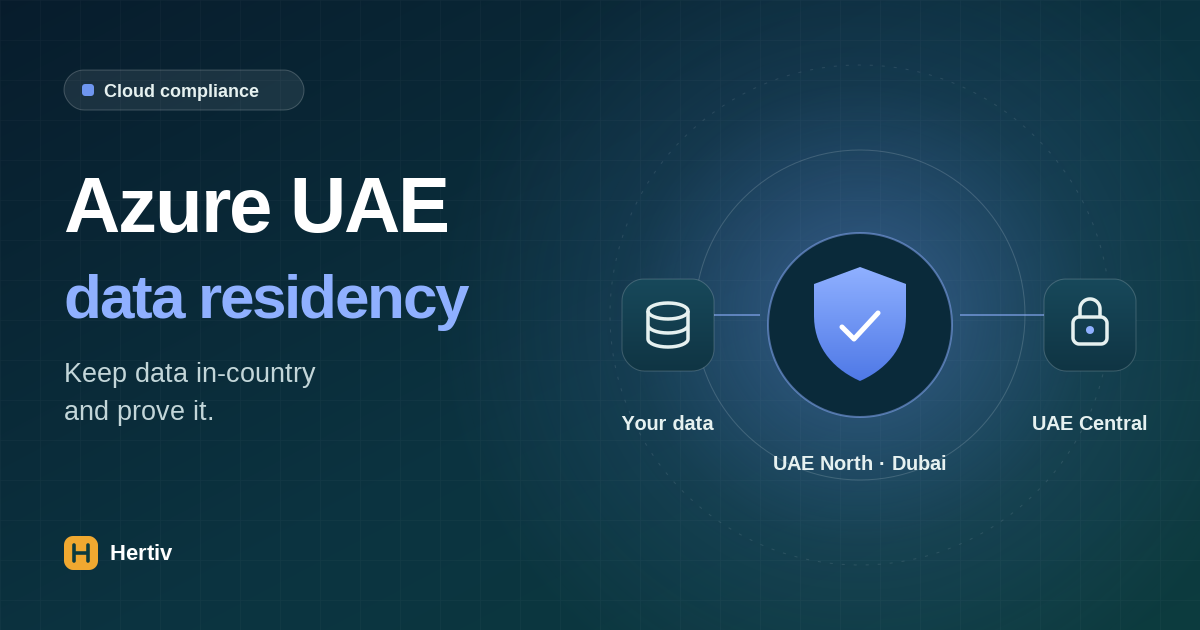
Microsoft runs two Azure regions in the UAE. UAE North is in Dubai and offers three availability zones. UAE Central is in Abu Dhabi and is a restricted-access region, mainly used for in-country disaster recovery. The two regions are paired with each other, so a workload in one can fail over to the other without leaving the country.
| Region | Location | Availability zones | Typical role |
|---|---|---|---|
| UAE North | Dubai | Three | Primary workloads |
| UAE Central | Abu Dhabi | None listed | Disaster recovery |
Picking a UAE region is the start, not the whole job. Backups, logs, identity data, support access and AI processing can all leave the country through settings you never reviewed, which is why compliance work covers the whole data flow, not just the database.
What do the UAE data rules actually require?
The UAE data rules that matter most are the federal privacy law and the sector rules that sit on top of it. The federal law is the Personal Data Protection Law, Federal Decree-Law No. 45 of 2021, known as the PDPL. It has been in force since 2 January 2022.
The PDPL does not contain a general rule that personal data must stay in the UAE. Instead, Articles 22 and 23 set the conditions for sending personal data abroad: the destination must have adequate data protection law, or the transfer must rest on another ground.
Those other grounds include a contract binding the recipient to PDPL-level protections, the person's explicit consent, or necessity for a contract or legal claim. No adequacy list has been published yet, so most transfers in practice rely on contracts and a documented assessment.
Localisation, where it exists, comes from sector rules. Banks face the Central Bank's outsourcing regulation, which requires the master system of record to stay in the UAE. Health data is covered by Federal Law No. 2 of 2019, which restricts storing or transferring health data abroad. Free zones such as DIFC and ADGM have their own data laws. Check your sector first; it decides whether a UAE region is a preference or a requirement.
Which Azure regions keep data in the UAE?
UAE North in Dubai is the primary region for most teams. It has three availability zones, so you can spread a workload across zones for resilience without leaving the country. UAE Central in Abu Dhabi has no availability zones listed and is restricted access: you request it for specific scenarios such as disaster recovery.
Two cautions apply. First, a region existing does not mean every Azure service runs in it. Microsoft publishes a product availability table by region, and some services are absent or in preview in the UAE regions. Check each service you plan to use against that list before you commit, or a design that looks in-country on paper will pull in a service from abroad.
Second, the region controls where stored data sits, not where every part of your system runs. Global services, support access from abroad and AI features that process data outside the region can all move data. A compliance review should map each component — database, backups, logs, identity, monitoring, AI endpoints — and record where each one runs. For the wider pattern, data sovereignty and cloud compliance covers how other teams mapped the same problem.
How to pin a workload in the UAE, step by step
You pin a workload in the UAE by choosing the region, then closing every path data can take out of it. The sequence below is the usual order, and each step is cheap to check before you move on.
- Classify the data. List what you hold, whose it is, and which rules apply: PDPL, banking, health or free zone law.
- Pick UAE North as primary. Use its three availability zones for resilience, and UAE Central for in-country disaster recovery.
- Check service availability. Confirm every planned service runs in the chosen region, including the tier you need.
- Pin storage and backups. Keep databases, blob storage, snapshots and backup copies in the UAE regions, and turn off cross-region replication you did not plan.
- Pin logs and monitoring. Send diagnostic logs and audit trails to a UAE-based Log Analytics workspace, not a default global one.
- Control access from abroad. Decide whether support staff outside the UAE may query the data, since remote access can count as a transfer.
- Record the transfer grounds. For any data that does leave, document the Article 22 or 23 ground and the safeguards in place.
If your team is planning a move rather than a new build, cloud migration strategy shows the same staged approach applied to a regulated move, with the residency checks built into each phase.
Example: a Dubai insurer moves its claims system
Example (hypothetical): a Dubai insurer with 120,000 policyholders runs its claims system on servers abroad and wants to move it to Azure with data residency it can show an auditor.
The team starts with classification. It finds 40 systems in scope, of which 12 hold personal data: policy records, claims documents, call recordings and payment details. The other 28 hold no personal data and can move on a simpler path. Reviewing each of the 40 systems takes 2 hours, so the classification pass costs 80 hours of work.
It places the claims database and document store in UAE North across three availability zones, with backups copied to UAE Central. It finds that two planned services are not available in UAE North and swaps them for in-region alternatives. Logs go to a UAE-based workspace, and support access from abroad is limited to a named group with a recorded transfer ground.
The move runs in three phases over nine weeks: first the document store, then the claims database, then the application. Each phase ends with a check that data, backups and logs all sit in the UAE regions before the next phase starts.
What are the common mistakes?
The most common mistakes are assuming the region choice is enough, forgetting backups and logs, and treating the PDPL as a localisation law when it is a transfer law.
- Assuming the region is enough. Backups, logs, identity data and AI processing can leave the country through default settings.
- Forgetting the backup copy. A database in UAE North with backups replicated to a region abroad fails the residency test.
- Skipping the service check. A service that is not available in the UAE regions will run elsewhere, silently.
- Ignoring remote access. Staff abroad querying the database can count as a cross-border transfer.
- Reading the PDPL as a stay-in-country rule. The law governs transfers; your sector rules decide whether data must stay.
- No evidence trail. If you cannot show where each component runs, an auditor cannot accept the design.
How to prove compliance to an auditor
You prove compliance with a data-flow diagram and a short evidence pack, not with a claim that you chose a UAE region. The diagram shows every component — database, storage, backups, logs, identity, monitoring, AI endpoints — with the region each one runs in.
The evidence pack should hold the classification list, the service availability checks, the backup and replication settings, the access policy for staff abroad, and the transfer grounds for any data that leaves the country. Keep a record of processing as the PDPL requires, and keep it current when the architecture changes.
Review the pack when anything changes: a new service, a new backup policy, a new support arrangement. Residency is a property of the running system, so the evidence has to match the system as it runs today, not as it was designed six months ago. For the related question of where AI processing happens, sovereign AI and data residency covers the same evidence pattern for AI workloads.
Key takeaways
- Azure has two UAE regions: UAE North in Dubai and UAE Central in Abu Dhabi
- The PDPL governs transfers abroad; sector rules decide whether data must stay in-country
- Check every service against Microsoft's region availability list before you commit
- Backups, logs and remote access are the usual paths data leaves the country
- Prove compliance with a data-flow diagram and an evidence pack, not a region name
Frequently asked questions
Does the PDPL require data to stay in the UAE?
No, not for ordinary commercial personal data. The PDPL's Articles 22 and 23 set the conditions for transferring personal data abroad, such as an adequate destination, a contract with safeguards, or explicit consent. Localisation requirements come from sector rules, such as banking and health regulations, not from the PDPL itself.
Which Azure region should we use as primary?
UAE North in Dubai is the usual primary region because it has three availability zones for in-region resilience. UAE Central in Abu Dhabi is restricted access and is mainly used for in-country disaster recovery. The two regions are paired with each other, so failover between them stays inside the UAE.
Can we use UAE Central as our primary region?
Usually not. UAE Central is a restricted-access region that Microsoft makes available for specific scenarios such as disaster recovery, and it has no availability zones listed. Most teams run primary workloads in UAE North and use UAE Central as the second in-country site.
Are all Azure services available in the UAE regions?
No. Microsoft publishes a product availability table by region, and some services are absent or in preview in the UAE regions. Check each service and tier you plan to use against that list before you commit, or your design may quietly depend on a service running abroad.
Does remote access from abroad count as a transfer?
It can. If staff outside the UAE can query personal data held in the UAE, that access may count as a cross-border transfer under the PDPL. Decide who may access the data from abroad, record the transfer ground, and limit access to a named group rather than leaving it open.
What evidence does an auditor expect?
A data-flow diagram showing where each component runs, the classification list, service availability checks, backup and replication settings, the access policy for staff abroad, and the documented transfer grounds for any data that leaves the country. Keep the pack current with the running system.


