App Clips: How They Help You Win New Customers
App Clips let iPhone users try part of your app without downloading it, which removes the biggest barrier to a first purchase. Here is how they win customers.
On this page
Short answer
An App Clip is a small part of an iPhone app that opens in seconds from a code, link or map listing, without a full download. Because it removes the install step, more first-time customers finish a purchase, and the clip can then offer the full app to the people most likely to return.
What is an App Clip?
An App Clip is a small part of an iPhone app that a person can open and use without downloading the full app. It loads in seconds from a code, a link or a map listing, and it handles one task, such as paying for parking or ordering a coffee.
Apple introduced App Clips so that a first interaction does not require a download. The full app is a commitment: storage space, a home screen icon and an account. An App Clip asks for none of that up front, which is why it suits tasks a person does once or rarely.
An App Clip is built from the same codebase as the full app, but it is limited in size and scope. It can use Apple Pay, Sign in with Apple and location, and it can offer to install the full app after the task is done.
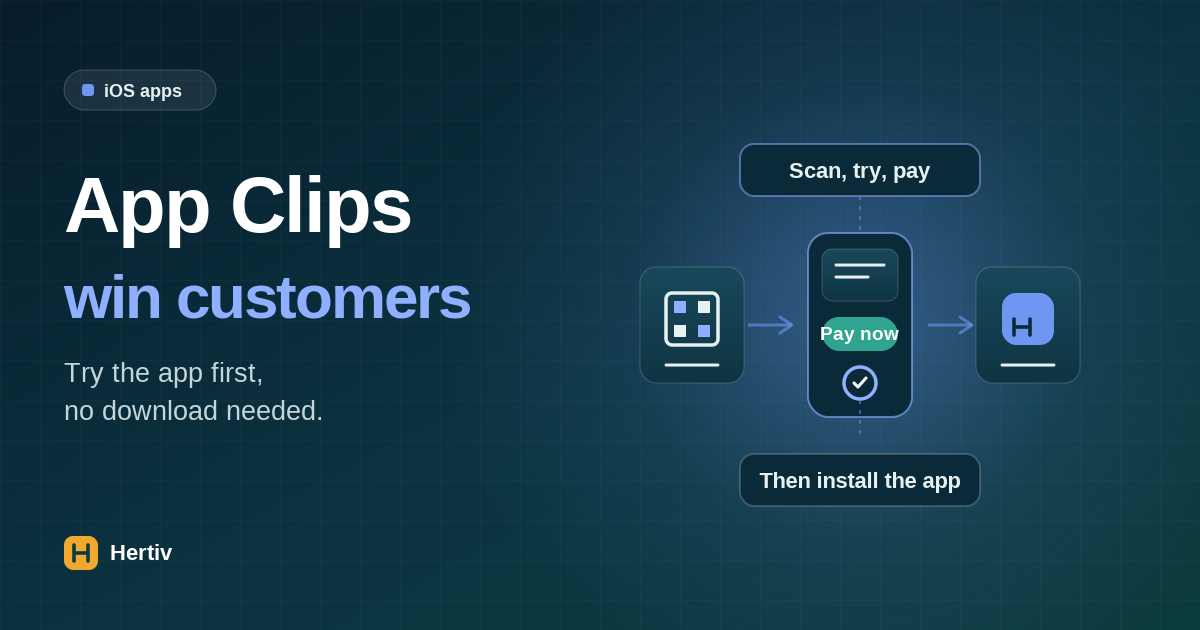
For a business, the clip is a front door. A customer scans a code at the counter, pays, and leaves with the product. The business gets the sale first and the download second, which reverses the usual order.
Where do customers meet App Clips?
Customers meet App Clips at the moment they need something, usually through a code in the physical world or a link in a digital one.
| Entry point | Where it appears | Best for |
|---|---|---|
| App Clip Code | Printed on tables, posters, packaging | Ordering and paying on site |
| NFC tag | On a terminal, door or bike | Opening, renting, check-in |
| QR code | On receipts, menus, adverts | Quick actions from a phone camera |
| Maps listing | Inside Apple Maps for a place | Booking, ordering, paying a bill |
| Messages and Safari | Shared links and web banners | Invites, shared carts, trials |
| Siri suggestion | On the lock screen by location | Repeat visits and routines |
The common thread is timing. The clip appears when the customer is already at the counter, the bike rack or the venue, so the step from interest to action is one tap. A link sent by email hours later works less well, because the moment has passed.
How do App Clips win new customers?
App Clips win new customers by removing the download step, which is where most first-time users drop off. Every extra step in a signup flow loses people, and a full app install is the biggest step of all.
Think of the funnel. A person sees a poster, scans a code, and is inside the clip in seconds. They pay with Apple Pay, so there is no account form and no card entry. The task is done before they have had time to change their mind.
The clip also builds trust cheaply. A customer who has paid once through a clip already knows the brand works, so the later offer to install the full app feels like a small step rather than a leap. That is the moment when a one-time buyer can become a repeat customer.
Clips also reach people who would never search the App Store for your app. They find you through a code on a table or a listing in Maps, which means the clip acts as a discovery channel as well as a checkout. Good store visibility still matters, and app store optimisation that drives downloads covers the basics.
What makes a good App Clip?
A good App Clip does one job well, loads fast, and asks for nothing it does not need. If it tries to do everything the full app does, it loses the speed that makes it useful.
- One task. Pay, book, order or open a door. Pick the task a first-time customer needs and build only that.
- Fast load. Keep the clip small so it opens in seconds on a normal connection. A slow clip is worse than no clip.
- No account wall. Let the customer finish the task as a guest, using Apple Pay and Sign in with Apple where identity is needed.
- Clear next step. After the task, offer the full app with one clear reason, such as loyalty points or order tracking.
- Obvious entry point. The code or link must be visible where the customer already looks, such as the table, the door or the receipt.
Design for the moment, not the product. A parking clip needs the meter number and a payment button, not a map of every car park in the city. Cut everything that does not serve the one task.
How do you measure whether App Clips work?
You measure App Clips by tracking scans, completions and full-app installs, and by comparing the cost of each acquired customer with your other channels.
Start with three numbers: how many people open the clip, how many finish the task, and how many then install the full app. The gap between opens and completions shows where the clip itself needs work, while the install rate shows whether the clip is feeding the full app.
Then look at value. A clip customer who installs the app and orders again is worth more than a one-time clip user, so track repeat orders from clip-acquired customers over the first month. Compare that with the cost of the codes, the clip build and the placement.
Measure by entry point too. A code on the counter may convert far better than a link in an email, and knowing that tells you where to spend. If one placement brings most of the installs, put more codes there and drop the ones that do not perform.
Example (hypothetical): a coffee shop uses App Clips
Example (hypothetical): a coffee shop puts App Clip Codes on its tables so customers can order and pay without downloading the app. In one month, 2,000 people scan a code.
Of those, 30 percent finish an order. That is 2,000 times 0.30, or 600 orders. The average order is 8 units, so the clip brings in 600 times 8, or 4,800 units of sales in the month.
After paying, customers are offered the full app with a loyalty reward. A quarter of the 600 buyers accept, which is 600 times 0.25, or 150 full-app installs. The shop paid nothing per install beyond the cost of printing the codes and building the clip once.
The point is not the 4,800 units of one-off sales. It is the 150 installs, because those customers can now be reached with offers and loyalty rewards. The clip paid for itself by turning a scan into a customer the shop can contact again.
What are the common mistakes?
The most common mistakes are building a clip that does too much, hiding the entry point, and never following up with the customers it brings in.
- Cloning the full app. A clip that copies every screen loads slowly and confuses first-time users.
- Forcing an account. Asking for registration before the first task kills the speed advantage.
- Weak placement. A code on the back of a menu or a link buried in a footer will barely be scanned.
- No install offer. If the clip never offers the full app, the customer stays a one-time user.
- No tracking. Without scan and completion numbers, you cannot tell which placements earn their keep.
Key takeaways
- An App Clip handles one task without a full download, which removes the biggest drop-off step
- Entry points work best at the moment of need, such as a code on a table or a Maps listing
- A guest checkout with Apple Pay keeps the first purchase fast and friction-free
- The install offer after a completed task turns one-time buyers into repeat customers
- Track scans, completions and installs by entry point to see which placements earn their keep
Frequently asked questions
Do App Clips work on Android phones?
No. App Clips are an Apple feature for iPhones. Android has a similar idea called instant apps, but the two are built differently, so a business that wants both needs a separate implementation for each platform.
How big can an App Clip be?
Apple limits App Clips to a small size so they load in seconds. In practice that means building a single-task experience rather than a cut-down copy of the full app, with only the screens the first task needs.
Do customers need an account to use an App Clip?
No, and they should not be forced to create one. Apple Pay handles payment and Sign in with Apple handles identity where it is needed, so the task can finish as a guest checkout.
Can an App Clip offer the full app afterwards?
Yes. After the task is done, the clip can show a banner offering the full app, usually with a reason such as loyalty points or order tracking. That moment is when most installs happen.
How much does an App Clip cost to build?
It depends on the task, but it is usually a fraction of the full app, because it reuses the same codebase and covers one flow. The main cost is designing the single task well and placing the codes where customers see them.
Where should App Clip Codes be placed?
Where customers already wait or look: tables, counters, doors, receipts and packaging. A code that is visible at the moment of need gets scanned; one hidden on a back page or footer rarely does.


