API Integration: What It Is and How It Works
API integration connects two systems so they share data without retyping. Learn the types, the flow, the common failures and a five-step plan to ship one.
On this page
Short answer
API integration is the work of connecting two software systems through their application programming interfaces so data moves between them without manual copying. One system sends a request, the other returns data or takes an action, and both stay in step. It is how checkouts, CRMs, payments and shipping tools talk to each other.
What is API integration?
API integration is the practice of connecting two or more software systems through their APIs so they exchange data and trigger actions in each other. An API is a documented way for one system to ask another for data or to request an action, such as creating an order or charging a payment.
Without integration, people copy data between systems by hand, which is slow and error-prone. With it, a sale in one system creates a shipment in another, updates the CRM and sends the receipt, all without anyone retyping.
| Type | How it works | Typical use |
|---|---|---|
| REST | Requests over HTTP | Most web services |
| Webhooks | Events pushed on change | Real-time updates |
| GraphQL | One query, exact fields | Flexible front ends |
| SOAP | Strict XML contracts | Legacy enterprise systems |
| File and batch | Scheduled transfers | Nightly syncs |
| Platform and iPaaS | Managed connectors | Many systems at once |
Most teams start with REST and webhooks, because they are the most widely supported. The right choice depends on what the other system offers, not on fashion. See API integration use cases for where each type fits.
How does an API integration work?
An integration works by sending a request from one system to another, then handling the response. The requesting system authenticates, asks for data or an action, and the other system replies with the result or an error.
A typical flow looks like this:
- An event happens, such as a customer placing an order.
- Your system authenticates to the other API with a key or token.
- It sends a request with the data the other system needs.
- The other system validates the request and performs the action.
- Your system reads the response and updates its own records.
- Failures are logged and retried, not silently dropped.
Webhooks reverse the direction: the other system calls yours when something changes, so you learn about it at once instead of polling. Both patterns need the same discipline around authentication, retries and logging.
What can go wrong with an integration?
Integrations fail in predictable ways, and most failures are about data and change, not about the connection itself. A field that changes meaning, a rate limit hit at peak time, or a vendor update that renames a field can all break a working integration.
Common failure points include:
- Authentication expiry. Tokens expire and keys rotate. If renewal is not automated, the integration stops silently.
- Rate limits. APIs limit how many requests you can make. A busy day can hit the limit and drop updates.
- Changed fields. Vendors rename or remove fields. Your mapping breaks and data lands in the wrong place.
- Partial failures. One record in a batch fails and the rest succeed, leaving systems out of step.
- No monitoring. Without alerts, a broken integration is found by a customer, not by your team.
Each of these is manageable with retries, idempotency keys, version pinning and alerts. The mistake is assuming the integration will keep working because it worked on day one.
How do you plan an API integration?
You plan an integration by mapping the data and the failure modes before writing code. A clear plan keeps the build small and the behaviour predictable.
- Define the data flow. List the fields that move, in which direction, and what triggers each move.
- Read the API docs. Check authentication, rate limits, error codes, versioning and sandbox access.
- Map and validate. Decide how fields map between systems and which checks prove the data is right.
- Build for failure. Add retries with backoff, idempotency keys, logging and alerts from the start.
- Test with real data. Use a sandbox and a sample of real records, including the messy ones, before going live.
If the scope is large or the systems are many, a custom software development team can map and build the integration for you.
For ready-made options, see the best API integration platforms.
Example (hypothetical): connecting a shop to a warehouse
Example (hypothetical): a small online shop sells 200 orders a day and its staff retype each order into the warehouse system. Each order takes 3 minutes to retype, which is 10 hours a day of copying, plus the errors that come with it.
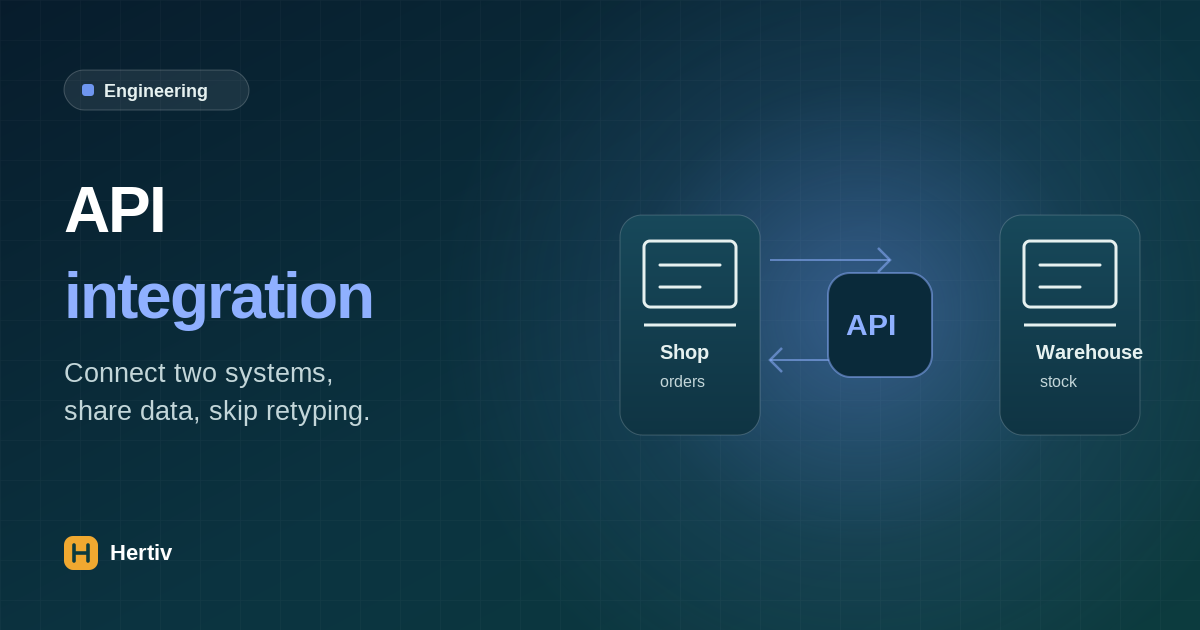
The team builds an integration: when an order is paid, the shop sends it to the warehouse API, which creates a pick list and returns a tracking number. The shop then shows the tracking number to the customer. Webhooks tell the shop when the parcel ships, so stock levels update without anyone checking.
Retyping falls from 10 hours a day to about 30 minutes of exception handling, saving about 9 hours a day. The remaining half hour handles the cases the integration cannot: orders with missing addresses and items that are out of stock.
What are the common mistakes?
The most common mistakes are skipping the data map, ignoring failure handling, and going live without monitoring. Each one is cheap to fix during the build and expensive after launch.
- No data map. Guessing which fields mean the same thing in two systems causes silent mismatches. Map every field in writing.
- Ignoring retries. Networks fail and APIs go down. Without retries and idempotency, orders are lost or duplicated.
- Hardcoding secrets. API keys in code or chat are a security risk. Use a secrets store and rotate keys.
- No version pinning. An unannounced vendor change can break the integration overnight. Pin the API version and watch the changelog.
- No monitoring. Log every call, alert on failures, and check daily that the systems agree.
- Skipping the sandbox. Testing against production data risks real orders. Use the sandbox first.
How do you keep an integration healthy?
You keep an integration healthy by watching it like a product, not a one-off project. Systems change, vendors update their APIs, and data drifts, so a working integration needs regular attention.
Useful habits include a daily reconciliation check that compares record counts between systems, alerts on error rates and latency, a pinned API version with a changelog watch, and a named owner who reviews failures each week. Keep a runbook for the common failures: token expiry, rate limits and field changes.
Review the integration when either system changes: a new field, a new product type, or a vendor update. Small reviews catch drift early, while a yearly review finds a year's worth of silent errors. Teams that treat integrations as living systems spend far less time firefighting than teams that build and forget.
Key takeaways
- API integration moves data between systems through their APIs, so nobody retypes it
- REST and webhooks cover most integrations; the right type depends on the other system
- Plan the data map and the failure handling before writing code
- Retries, idempotency keys, logging and alerts keep an integration alive
- Treat integrations as living systems with an owner and a daily reconciliation check
Frequently asked questions
What is the difference between an API and an API integration?
An API is the documented way one system offers data or actions to others. An API integration is the work of connecting two systems through their APIs so data flows between them. You can have an API with no integrations, but an integration always uses at least one API.
Do I need to code to integrate two systems?
Not always. Integration platforms offer ready-made connectors for common systems, and many tools include built-in integrations. Custom code is needed when the data mapping is unusual, the volume is high, or the systems are bespoke.
How long does an API integration take to build?
A simple integration between two well-documented systems can take a few days. Complex ones with many fields, custom rules and high volume take weeks. The data mapping and failure handling usually take longer than the first working connection.
What is a webhook and when should I use one?
A webhook is a call the other system makes to yours when something changes, so you learn at once instead of asking repeatedly. Use webhooks for real-time updates such as order status or payment events, and polling when the other system does not offer them.
How do I keep API keys safe?
Store keys in a secrets manager, never in code or chat, and rotate them on a schedule. Give each integration its own key with the narrowest permissions it needs, so a leaked key limits the damage.
What happens if the vendor changes their API?
Pin the API version you build against and watch the vendor changelog. Most vendors announce breaking changes in advance and run old versions for a time. A named owner and a test suite against the sandbox catch changes before they reach production.


