Android vs iOS Security: How They Differ, and Which Is Safer?
Android and iOS both sandbox apps and encrypt data, but they differ on app stores, updates and control. Here is how each one protects you, and which fits your use.
On this page
Short answer
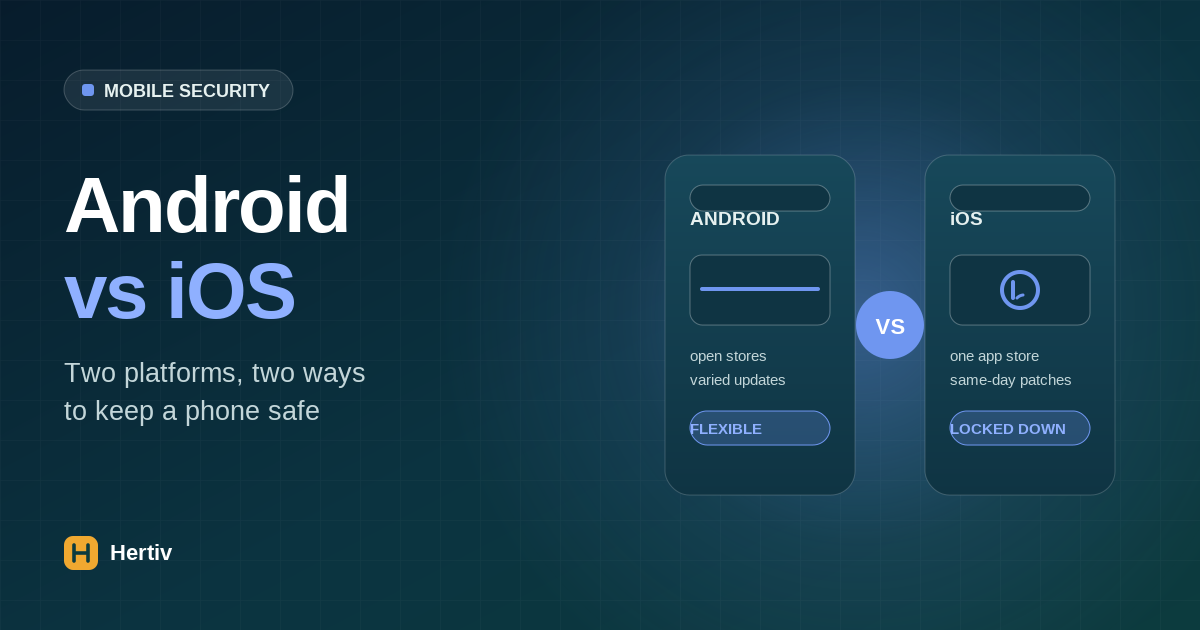
Android and iOS both protect users with app sandboxing, encryption and permission controls. They differ mainly in app store control, how fast security updates arrive, and how much freedom apps and users have on each platform.
What is Android vs iOS security?
Android vs iOS security is a comparison of how the two mobile platforms protect users, apps and data. Both use app sandboxing, encryption and permission controls, but they differ in who controls the app store, how updates reach phones, and how much freedom apps and users have.
Neither platform is safe by default in every situation. The right choice depends on how the phone is used, who manages it, and which threats matter most: a stolen phone, a malicious app, or a targeted attack on one person.
| Area | Android | iOS |
|---|---|---|
| App store | Play Store plus other stores and sideloading | App Store only, with narrow exceptions |
| App review | Automated checks, fast publishing | Human and automated review before release |
| Updates | Monthly patches, timing varies by maker | Same-day updates for supported models |
| Permissions | Granular, per-app controls | Granular, per-app controls |
| Encryption | File-based encryption on modern devices | File-based encryption, tied to passcode |
| Enterprise control | Android Enterprise management | Apple Business Manager and MDM |
How does each platform control apps?
Both platforms run each app in its own sandbox, so an app cannot read another app's files or data without permission. The difference is how apps get onto the phone in the first place, and that is where iOS is stricter.
On iOS, apps come from the App Store after review, and installing from elsewhere is blocked for most users. On Android, the Play Store is the main route, but users can also install apps from other stores or directly from a file. That freedom is useful for developers and for regions where the Play Store is limited, but it also opens a route for malicious apps.
For a business, the practical difference is control. An iOS fleet can be locked to the App Store, while an Android fleet needs a policy that blocks unknown sources and a management tool that enforces it. For teams building apps, mobile app development services handle these store rules as part of the build.
How do updates and patching differ?
Updates are the biggest practical difference between the two platforms. Apple ships security patches to all supported iPhones at the same time, and most users install them within days. Android patches are written by Google each month, but each phone maker must adapt and ship them, which takes longer on some models.
That gap matters for known vulnerabilities. A flaw fixed by Google in January may not reach a particular Android phone until March, while an iPhone gets the fix the same week. For a phone that holds work email and customer data, that delay is a real risk. That delay is one reason teams review cybersecurity services when they plan a fleet rollout.
Buyers can close much of the gap by choosing a phone maker with a good update record and a long support window. The platform alone does not decide security; the specific model and its update policy do.
What about permissions and privacy controls?
Both platforms now ask before an app can use the camera, microphone, location or contacts, and both let users grant access once, while using the app, or never. Both also show when an app is using the camera or microphone, and both offer approximate location instead of an exact fix.
The details differ in small ways. iOS shows a clear record of which apps used sensitive data in the last week, and it asks apps to request tracking permission separately. Android offers similar controls, plus per-app language and notification settings that give users finer control over what an app can do.
For most people, the permission systems are now close enough that behaviour matters more than the platform. An app that asks for contacts and location it does not need is a warning sign on either phone.
Which is safer for business and enterprise use?
For a business fleet, both platforms can be managed well, but the work looks different. iOS fleets are managed through Apple Business Manager and a mobile device management tool, which can enforce passcodes, encryption, app rules and remote wipe from one console.
Android fleets use Android Enterprise, which separates work apps and data from personal apps on the same phone. That separation is useful for bring-your-own-device policies, where staff use one phone for work and personal life.
The deciding factor is usually the fleet, not the platform. A company that already runs one management tool and one set of policies will get better security from the platform it can manage well than from switching to the other. The same applies when teams compare native and hybrid app development.
Example (hypothetical): a 40-person consultancy chooses phones
Example (hypothetical): a 40-person consultancy gives staff phones for client work. The team handles client documents, email and two-factor codes, and staff also use the phones for personal apps. The IT lead compares the two platforms on three points: updates, app control and lost-phone handling.
On updates, the iPhones in the shortlist get patches on the same day, while the Android models get them one to three months later, depending on the maker. On app control, both can be locked down, but the iOS route is simpler because the App Store is the only source. On lost phones, both support remote lock and wipe.
The team picks iPhones for staff who handle the most sensitive client data, and Android phones from a maker with a five-year update promise for the rest. The cost is 40 phones, split 15 and 25, and the policy is the same on both: a six-digit passcode, encrypted backups and remote wipe enabled. The lesson is that the management policy, not the logo, decides the outcome.
What are the common mistakes?
The most common mistakes in Android vs iOS security are assuming one platform is safe by itself, ignoring updates, and sideloading apps without a reason.
- Assuming the platform does the work. A phone with no passcode and old software is unsafe on either platform.
- Ignoring updates. Most mobile attacks use known flaws that a patch already fixes.
- Sideloading without a reason. Installing apps from outside the store is the main route for Android malware.
- Granting every permission. An app that does not need contacts or location should not have them.
- No plan for a lost phone. Remote lock and wipe must be set up before the phone goes missing, not after.
Key takeaways
- iOS is stricter on app sources; Android allows other stores and sideloading
- Apple ships patches to all supported iPhones at once; Android timing varies by maker
- Both platforms offer granular permissions and privacy controls
- For business fleets, management policy matters more than the platform
- A passcode, updates and remote wipe beat any platform advantage
Frequently asked questions
Which is more secure, Android or iOS?
It depends on the phone and how it is managed. iOS has stricter app store control and faster updates, which helps most users. A well-chosen Android phone from a maker with a long update promise, kept patched and locked down, can be just as safe in practice.
Is sideloading apps on Android dangerous?
It carries real risk, because apps installed outside the Play Store skip its checks. The risk is manageable if you only install from sources you trust, keep the unknown-sources setting off by default, and avoid apps that ask for permissions they do not need.
Do iPhones get malware?
Yes, though it is rare for ordinary users. Most iPhone malware arrives through phishing, malicious profiles or a compromised account rather than the App Store. Keeping the phone updated, using a strong passcode and turning on two-factor authentication for the Apple account closes the common routes.
How do I secure an Android phone for work?
Use a phone with a long update promise, install updates promptly, and set a strong screen lock. Keep unknown sources off, review app permissions, and use your company's management tool so work data stays separate from personal apps and can be wiped remotely.
Does Apple or Google collect more of my data?
Both collect data to run their services, and both offer privacy controls such as approximate location, tracking permission and app privacy reports. The practical step is the same on either platform: review permissions, turn off tracking where you do not need it, and delete apps you no longer use.
What should I do if my phone is stolen?
Use the find-my-device service to lock it and wipe it remotely, then change the passwords for your email and banking accounts. If remote wipe was not set up before the theft, contact your carrier to block the SIM and report the device as stolen.


