AI Vibe Coding for Startups: What It Is and When to Use It
Vibe coding means describing software in plain words and letting an AI tool write the code. It speeds up prototypes, but review and testing are still needed first.
On this page
Short answer
AI vibe coding is a way of building software by describing what you want in plain language and letting an AI coding tool write, change and fix the code. The term covers a loose style of working: short prompts, quick iterations and little hand-written code. For a startup it is a fast way to test an idea, but the code still needs review, tests and a human who understands it.
What is AI vibe coding?
AI vibe coding is building software by telling an AI coding tool what you want in plain language and accepting the code it writes. You describe the feature, the tool writes the code, you run it, and you describe the next change. The phrase spread in early 2025 as AI coding tools became good enough to build small working apps from a few sentences.
The style is different from normal coding in one way: the prompt is the main input, not the code. A developer still reads the code and fixes what is wrong, but much of the typing is done by the model. The name comes from the feeling of the work: you steer by describing the result you want and checking whether the result feels right.
For a startup, vibe coding is mostly a way to move fast before the product is settled. Founders use it to build a demo for investors, a landing page with a working form, or an internal tool that saves the team an hour a day. It is not a way to skip engineering: it is a way to test ideas before paying for full engineering.
How does vibe coding work in practice?
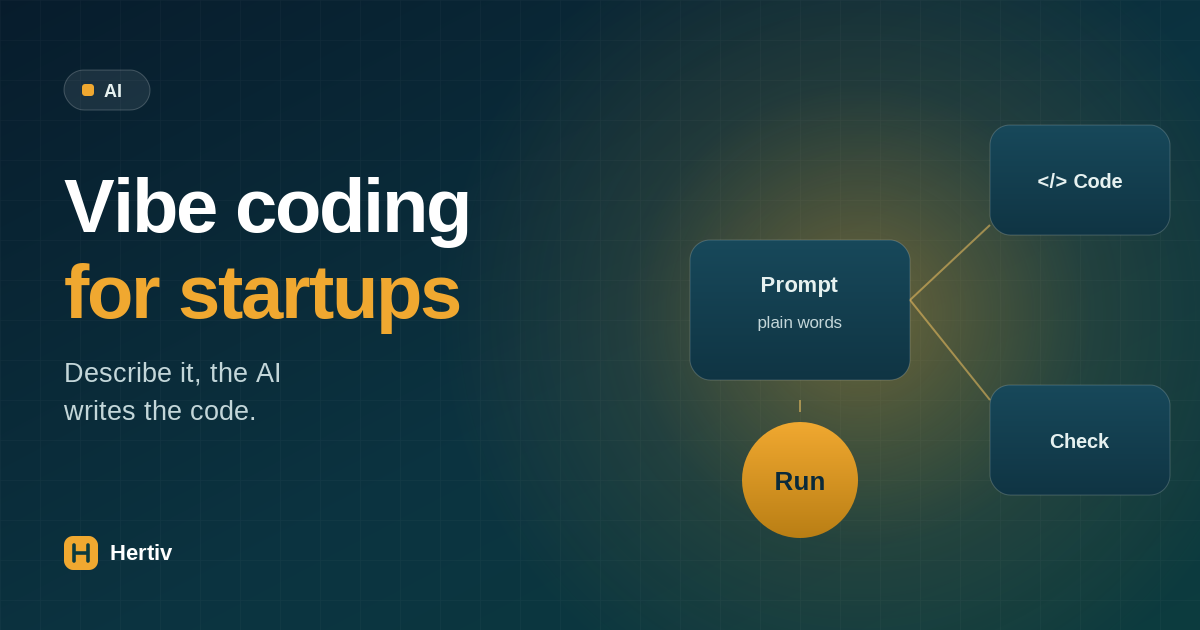
Vibe coding works as a short loop: prompt, run, check, repeat. You tell the tool what to build, it writes or changes the code, you run the app and look at the result, then you describe what is wrong or missing. Each round takes minutes, so a small feature can go through ten rounds in an afternoon.
Most tools work inside an editor or a browser. You can point at a file, paste an error message, or ask for a whole new page. The better your prompt, the better the first draft: name the parts of the screen, the data each part shows, and what should happen when a user clicks. Vague prompts produce vague code.
The loop only works if you can check the result. A founder who cannot read code at all can still check the screen, click through the flow and try the edge cases. But someone on the team should read the code before it ships, because the tool will happily write code that works in the demo and fails in real use.
Which tools do startups use for vibe coding?
Several tools support this style, and they differ in where they run and how much they do on their own. Editor-based tools sit inside the code you already have, while browser-based tools build a whole app from a prompt and host a preview for you.
| Tool | Where it runs | Best for |
|---|---|---|
| Cursor | In the editor | Editing an existing codebase |
| GitHub Copilot | In the editor | Code completion and small changes |
| Claude | Chat and editor | Drafting features and fixing errors |
| Replit Agent | In the browser | Building a small app from scratch |
| v0 | In the browser | Generating user interfaces fast |
| Bolt | In the browser | Full-stack demos with a preview link |
The tool matters less than the workflow. Pick one, learn how it handles your stack, and keep the same tool for a whole prototype. Switching tools mid-project wastes the time the tool was meant to save. For how to test the idea before building more, see how to build an AI proof of concept.
When does vibe coding help a startup?
Vibe coding helps most when the cost of being wrong is low and the value of seeing something working is high. A prototype for a pitch, a waitlist page with a real signup flow, or an internal dashboard that replaces a spreadsheet are all good cases. If the idea fails, you lose days, not months.
It also helps non-technical founders who need to show, not tell. A working demo answers questions that slides cannot: does the flow make sense, does the screen look right, can a user finish the task. Investors and early users react to a real product in a way they never react to a mockup.
The third good case is small, well-bounded features inside a larger product. A settings page, an export button, or a new report is the right size: the tool can write it in one session and a developer can review it in one sitting. Large features that touch payments, identity or data should not be vibe-coded without a plan.
What are the limits and risks?
The main limit is that the tool does not understand your business. It writes code that looks right and often runs, but it cannot tell whether the pricing logic matches your plan, whether the permissions fit your users, or whether the data model will hold up when the product grows. That judgement still belongs to a person.
Security is the sharpest risk. AI-written code can include known weak patterns, such as trusting user input, storing secrets in plain text, or exposing data through an API that should have been private. A prototype that holds real user data needs the same review as any other code, and the review should happen before launch, not after a problem.
There is also a cost that shows up later. Code written in a hurry, without tests and without a clear structure, is hard to change. A startup that builds its whole product this way can find that every new feature takes longer than the last. Vibe coding is a way to start; it is not a way to run a product for years.
Example (hypothetical): a two-week prototype
Example (hypothetical): a founder wants to test a booking tool for small clinics. She describes the tool to an AI coding tool: a page where a patient picks a clinic, picks a time, and gets a confirmation. The first working version takes 2 days of prompting and checking.
She then adds three features, each taking about 4 hours of prompting and fixing: a reminder message, a cancel link, and a simple admin view. That is 3 x 4 = 12 hours of feature work, plus the first 2 days, or about 16 hours, giving a working prototype in roughly 3 working days.
She shows it to 5 clinics. Three say the flow is clear, two say they need online payment before they would use it. She now knows what to build next. The same prototype written by hand might have taken 60 hours, so the saving is about 60 - 19 = 41 hours, spent instead on talking to clinics.
The prototype is not the product. Before launch, a developer reviews the code, adds tests for the booking flow, and checks that patient details are stored safely. That review takes 2 more days, and it is the part that makes the prototype safe to use.
How do you start vibe coding safely?
Teams start vibe coding safely by treating the AI output as a draft, not a delivery. The steps below keep the speed while adding the checks that matter.
- Pick one small, safe project. Choose a prototype or internal tool, not a payment flow or a system that holds sensitive data.
- Write a one-page brief first. List the screens, the data each one shows, and what happens on each click, before you prompt anything.
- Work in small rounds. Ask for one feature at a time, run it, and fix problems before asking for the next feature.
- Keep secrets out of prompts. Never paste API keys, passwords or real customer data into a coding tool.
- Review before shipping. Have a developer read the code, add tests for the main flow, and check security basics before real users touch it.
These steps sound slow, but they are faster than rebuilding a broken product. A short review at the end of each round is cheaper than a long fix after launch. Retrieval quality matters when the tool reads your own docs; see what retrieval augmented generation is for how that layer works.
What are the common mistakes?
The most common mistake is shipping AI-written code without reading it. The tool writes with confidence, and the code often works in the demo, so teams skip the review. The bugs then show up in front of users, where they cost far more to fix.
Another mistake is pasting real data into prompts. Customer names, email addresses and API keys do not belong in a coding tool, and some tools keep prompts for training or support. Use fake data for prototypes and keep secrets in environment files that the tool never sees.
Teams also ask for too much at once. A prompt that asks for five features returns a large block of code that is hard to review and hard to fix. One feature per round keeps the code small enough to check.
Finally, do not let the prototype become the product by accident. If the demo works, the temptation is to launch it as it is. Decide in advance what the prototype is for, and plan the review, tests and rebuild before real users depend on it. For help scoping that rebuild, see AI proof of concept development.
Key takeaways
- Vibe coding is prompting an AI tool to write code, then checking the result in short rounds.
- Use it for prototypes, demos and internal tools where the cost of being wrong is low.
- Pick one tool, work one feature at a time, and keep prompts specific.
- Never paste secrets or real customer data into a coding tool.
- Review the code, add tests and check security before real users touch it.
Frequently asked questions
What is vibe coding?
Vibe coding is building software by describing what you want in plain language and letting an AI coding tool write the code. You prompt, run the result, describe what is wrong, and repeat. The term spread in early 2025 as AI coding tools became able to build small working apps from a few sentences.
Can a non-technical founder use vibe coding?
Yes, for prototypes and demos. A founder can describe a screen, run the result and judge whether the flow makes sense. But someone who can read code should review the result before it is used with real customers, because the tool can write code that works in a demo and fails in real use.
Is vibe coding the same as using GitHub Copilot?
No. Code completion tools suggest the next lines while you write, and you stay in control of the structure. Vibe coding means the AI writes whole features from a prompt and you steer by describing the result. The two styles overlap, but vibe coding gives the tool far more freedom.
Is AI-written code safe to ship?
Only after review. AI-written code can include weak security patterns, such as trusting user input or exposing data through an API. Before launch, a developer should read the code, add tests for the main flow and check the security basics. A prototype that holds real user data needs the same review as any other code.
How much does vibe coding cost?
Most AI coding tools charge a monthly subscription, and some have free tiers for light use. The larger cost is the time spent reviewing and fixing the code, plus the cost of the model calls for large projects. Check the vendor site for current prices before budgeting.
When should a startup not use vibe coding?
When the feature handles money, identity, health data or anything where a bug causes real harm. Those parts need a plan, tests and review from the start. Vibe coding also fits badly when the product already has a large codebase with strict rules that the tool does not know.


