How Much Does AI Software Cost in the UK?
AI software in the UK costs a few hundred pounds a month for a ready-made tool or well over £100,000 for a custom build. Here is what drives the price.
On this page
Short answer
AI software in the UK typically costs from a few hundred pounds a month for a ready-made subscription to a five- or six-figure sum for a custom-built system, plus running costs for hosting, data and support. The final price depends on what the software must do, how much data it handles, how it is hosted, and how much human support it needs.
How much does AI software cost in the UK?
AI software cost in the UK is the total amount a business pays to buy or build, run and maintain software that uses artificial intelligence. It ranges from a modest monthly subscription for a ready-made tool to a large one-off build plus ongoing running costs for a custom system.
The range is wide because AI software is not one product. A ready-made chatbot subscription and a custom claims-handling system solve different problems, so their prices differ by orders of magnitude. What matters is which parts of the cost apply to your project and how they add up over a year.
| Cost part | What it covers | When you pay it |
|---|---|---|
| Subscription or licence | Access to a ready-made AI tool | Monthly or yearly |
| Build and setup | Design, development and testing | One-off, before launch |
| Data preparation | Cleaning, labelling and connecting data | Before and during the build |
| Hosting and model use | Servers, cloud machines and model calls | Monthly, by use |
| Integration | Links to your CRM, email or back office | One-off, then upkeep |
| Support and training | Monitoring, retraining and staff help | Monthly, for the life of the tool |
Use the table to list the parts that apply to your project before asking for quotes. A supplier quote that covers only the build price will look cheap until hosting and support arrive in year two.
What are the main cost parts of AI software?
The main cost parts of AI software are the licence or subscription, the build, data preparation, hosting, integration and ongoing support. Each part can be small on its own, but together they set the true price of the system.
- Licence or subscription. The fee for using a ready-made tool, usually charged per user or per month.
- Build. The one-off cost of designing and developing a custom system, or configuring a ready-made one.
- Data preparation. Cleaning and connecting the records the model needs to work well.
- Hosting and model use. The servers or cloud machines that run the model, charged by use or by machine size.
- Integration. Connecting the AI tool to the systems your team already uses every day.
- Support and training. Keeping the model accurate, fixing issues and helping staff use the tool.
Data preparation is the part teams most often forget. Cleaning, labelling and connecting the data an AI model needs can take as much effort as building the software itself, especially when records sit in several systems.
Support is the other quiet cost. Models drift as data changes, so someone must watch accuracy, retrain when needed and answer user questions. Budget for that from the start, not as an afterthought.
Off-the-shelf, custom or in-house: which costs what?
Off-the-shelf, custom and in-house AI software differ in who pays for the build and who carries the risk. A ready-made tool spreads its build cost across many customers, a custom build charges it to one, and an in-house build pays for it in staff time.
| Option | Upfront cost | Running cost | Best for |
|---|---|---|---|
| Off-the-shelf subscription | Low | Monthly fee | Common tasks, fast start |
| Custom build | High | Hosting plus support | Workflows that set you apart |
| In-house build | Staff time | Hosting plus upkeep | Teams with AI engineers |
| Hybrid | Medium | Fee plus hosting | Common work plus one custom job |
A hybrid route often fits small UK firms best. A ready-made tool covers the common work, while a small custom add-on handles the one workflow that makes the business different. You pay for the custom part only where it earns its keep.
For a first project, the cheapest option is usually a ready-made tool with a short trial. It answers the real question — does this kind of AI help our team — before any build money is spent. You can read more about scoping a first project in a guide to AI proof of concept development.
What drives the price up or down?
The price of AI software moves with scope, data, accuracy needs, integrations, compliance and hosting. Each driver can push the cost up or pull it down, and most of them are choices you control.
- Scope. One workflow costs far less than a system that touches five departments.
- Data volume and quality. Clean, well-organised data is cheaper to use than messy records spread across systems.
- Accuracy target. A model that must be right nearly every time needs more data, testing and human review.
- Integrations. Each link to another system adds build work and ongoing upkeep.
- Compliance. UK GDPR and sector rules add work on data handling, logging and access control.
- Hosting choice. A hosted API is cheap at low volume; dedicated machines suit steady, heavy use.
Accuracy is the most expensive driver to ignore. A model that must be right 99 times in 100 needs more data, more testing and more human review than one that only drafts suggestions for a person to check. Set the accuracy target from the risk, not from a wish list.
Compliance is a real cost in the UK, not an optional extra. If the software touches personal data, the design must cover lawful use, access control and record keeping from the start. Fixing these after launch costs far more than building them in.
How to budget for AI software in 5 steps
You budget for AI software by costing one workflow at a time, then adding the running costs for a full year. The five steps below keep the number honest.
- Pick one workflow. Choose the task with the clearest payoff, such as drafting replies or sorting incoming requests.
- List every cost part. Write down licence, build, data, hosting, integration and support, even if some are zero for your route.
- Price a pilot first. Cost a small trial that covers one team and one month of real use.
- Add year-two running costs. Hosting, licences and support continue after launch, so budget a full year of them.
- Set a review point. Decide in advance what result would justify continuing, and what would stop the project.
A pilot budget should include a stop rule. Decide in advance what result would justify continuing, so a weak pilot ends cleanly instead of drifting into a bigger spend. A short AI consulting review can help set that rule before money is committed.
Example: a small UK firm budgets for its first AI tool
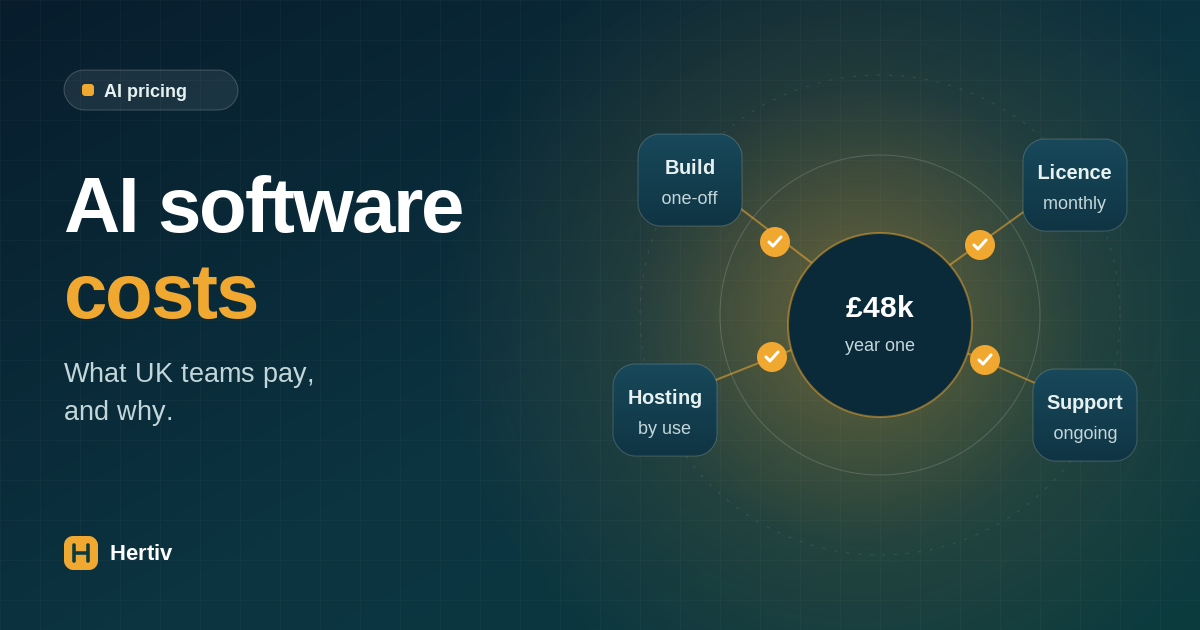
Example (hypothetical): a 30-person UK firm wants an AI tool that drafts replies to customer emails. It plans a year-one budget of £48,000, split across four parts that add up exactly.
The build costs £30,000 for a small custom system. Licences for the email and hosting tools cost £800 a month, which is £9,600 for the year. Hosting and model use cost £400 a month, which is £4,800 for the year. Training and support cost £3,600. The total is £30,000 + £9,600 + £4,800 + £3,600 = £48,000.
After year one, the running cost is £800 + £400 = £1,200 a month, plus support time. The firm reviews the tool after six months and only continues if reply time falls by at least a quarter. If the pilot misses that mark, the firm stops and keeps the lessons, not the spend.
The point of the example is the shape of the budget, not the figures. In a real project, the build is usually the largest part in year one, while licences and hosting dominate from year two onwards. A supplier who can show that split clearly is easier to trust than one who quotes a single number.
What are the common mistakes?
The most common AI software budgeting mistakes are comparing build prices without running costs, skipping data preparation, and buying for the whole company before one workflow works.
- Comparing build prices only. Two quotes look similar until hosting, licences and support are added.
- Skipping data work. A model trained on messy data gives messy answers, and fixing data after launch is slow.
- Buying for everyone at once. A company-wide rollout before one team proves the value locks in cost before the benefit is known.
- No accuracy target. Without a target, the team keeps tuning the model long after it is good enough.
- Forgetting the exit. If the supplier changes prices or closes, moving your data and prompts should already be possible.
If you are weighing a custom build against a ready-made tool, a partner for generative AI development can price both routes for the same workflow, so the comparison is based on real numbers rather than guesses.
Key takeaways
- UK AI software ranges from a monthly subscription to a five- or six-figure custom build plus running costs
- Licence, build, data, hosting, integration and support are the six cost parts to budget
- A hybrid route — ready-made tool plus one custom add-on — often fits small UK firms best
- Accuracy targets, data quality and UK GDPR compliance are the biggest hidden cost drivers
- Pilot one workflow with a stop rule before committing to a company-wide rollout
Frequently asked questions
How much does AI software cost for a small UK business?
A ready-made AI tool often costs a few hundred pounds a month, while a small custom system commonly runs to tens of thousands of pounds in year one, plus hosting and support. The honest way to price your case is to cost one workflow, including data and running costs, rather than relying on a headline figure.
Is a custom AI build worth it for a small team?
It is worth it only when the workflow is core to how the business wins work and no ready-made tool covers it. For common tasks such as drafting replies or sorting tickets, a subscription is usually cheaper. Start with a pilot and compare both routes on the same workflow.
What are the ongoing costs of AI software?
The main ongoing costs are the licence or subscription, hosting and model use, and support such as monitoring, retraining and user help. After year one, these running costs usually exceed the original build cost over time, so budget a full year of them.
Does UK GDPR change the cost of AI software?
Yes, when the software touches personal data. The design must cover lawful use, access control, logging and data retention, which adds build and review work. Building these in from the start is far cheaper than adding them after launch.
How do I avoid overspending on AI software?
Pick one workflow, run a short pilot with a clear success target and a stop rule, and compare a ready-made tool against a custom build on the same workflow. Require every quote to list hosting, data and support separately.
Should I buy AI software or build it in-house?
Buy when the task is common and a ready-made tool fits; build in-house only when you have AI engineers and the workflow is a real advantage. Most small UK firms do best with a bought tool plus a small custom add-on for the one job that sets them apart.


