AI Sitemap: How to Help AI Search Tools Find Your Pages
An AI sitemap helps AI search tools find, read and cite your pages. It builds on the XML sitemap you have, with an llms.txt file and rules for AI crawlers.
On this page
Short answer
An AI sitemap is a set of machine-readable files, usually an XML sitemap plus an llms.txt file, that tells AI search tools and chatbots which pages exist, what they cover and which ones matter most. It helps those tools find new and updated pages faster and cite the right ones, but it does not guarantee a page will be quoted.
What is an AI sitemap?
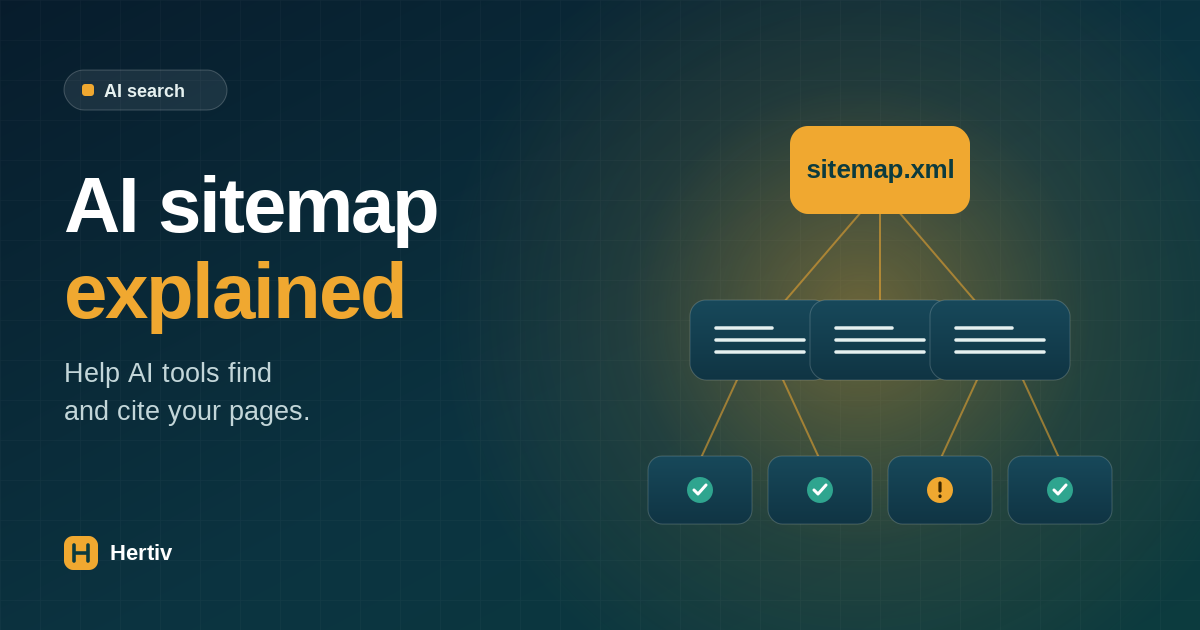
An AI sitemap is a machine-readable map of a website made for AI search tools and chatbots, not just for traditional search engines. At its core it is the XML sitemap your site may already have: a list of page addresses, when each page was last changed, and how often it changes.
What makes it an AI sitemap is the extra layer on top. Some sites add an llms.txt file, a plain-text file that lists the most important pages with a short description of each, so an AI tool can learn what the site covers without crawling every page first.
Think of it as a contents page for machines. A human visitor uses your navigation; an AI crawler uses the sitemap to find pages, learn what they are about, and decide which ones to read when answering a question.
Why do AI search tools need a sitemap?
AI search tools answer questions by reading pages, and they cannot read a page they cannot find. A sitemap gives them a direct list instead of making them follow links from your home page, which is slow and misses pages that are buried deep in the site.
| Crawler | What it reads | What it needs from you |
|---|---|---|
| Search engine bots | XML sitemaps and page links | An up-to-date sitemap at a known address |
| AI search crawlers | Sitemaps, llms.txt and page text | Clear access rules and fresh pages |
| Chatbot fetchers | Single pages on request | Fast pages with clean, readable text |
| Training crawlers | Large sets of public pages | A robots.txt rule that says yes or no |
The sitemap also tells crawlers what changed. A page with a recent update date gets re-read sooner than one that has not changed in a year, so your newest work reaches AI answers faster instead of waiting for a full crawl.
Teams building these tools start from AI agent development, where retrieval and citation are part of the design from the start.
What belongs in an AI sitemap?
An AI sitemap lists the pages that matter and leaves out the ones that do not. Include the pages you want quoted: guides, product pages, documentation and posts that answer real questions. Leave out login pages, search results, duplicate versions and staging copies.
Each entry should carry the page address, the date it was last changed, and a signal of how important it is. The XML sitemap format supports all three, and most content systems can generate the file for you.
- Canonical pages only. One address per page, so crawlers do not split attention across duplicates.
- Fresh dates. Update the last-changed date when the content actually changes, not on every deploy.
- Plain descriptions. In llms.txt, a one-line summary of what each key page covers.
- Working links. Every address in the file should return a live page, not a redirect loop or an error.
Keep the file honest. A sitemap that lists pages that do not exist, or dates that never change, teaches crawlers to ignore it, which is worse than having no sitemap at all.
How do you build an AI sitemap, step by step?
You build an AI sitemap by generating the XML file, adding the llms.txt file, and then checking that crawlers can actually reach both. Most of the work is listing the right pages and keeping the list current.
- Generate an XML sitemap from your content system, or with a sitemap tool, and check every address returns a live page.
- Remove duplicates, login pages, search results and staging copies from the list.
- Write an llms.txt file at the site root listing your most important pages with a one-line description each.
- Link the sitemap in robots.txt so crawlers find it without guessing the address.
- Submit the sitemap in the search console you use, and check the crawl report for errors.
- Set the sitemap to regenerate when content changes, so dates stay honest.
After the first build, the job is maintenance. A sitemap that is right on day one and stale by month three does less good than a smaller sitemap that is always current.
How do robots.txt and llms.txt fit in?
Robots.txt and llms.txt do different jobs. Robots.txt tells crawlers which parts of your site they may visit, and it is where you list your sitemap address. Llms.txt tells AI tools which pages matter and what they cover, in plain text that is easy for a model to read.
Robots.txt is the access rule. If you do not want a particular AI crawler reading your site, you say so there, naming the crawler. If you want AI tools to read your public pages, leave the path open and make sure the sitemap is listed.
Llms.txt is a guide, not a rule. It is a convention some sites use to point AI tools at the best pages first, with short descriptions. A crawler is free to read the whole site anyway, but a good llms.txt file helps it start with the pages you most want quoted.
Keep both files at the site root, keep them short, and keep them in sync with the sitemap. A robots.txt that blocks a crawler while the sitemap invites it in sends a mixed message that wastes everyone's time.
If the sitemap work is part of a wider site rebuild, custom software development can build the generation step into the publishing flow.
Example: a docs site with 240 pages
Example (hypothetical): a software company has a docs site with 240 pages. Before the AI sitemap, its guides were found only through links from the home page, and a new guide could take weeks to appear in AI answers.
The team generates an XML sitemap listing all 240 pages, removes 18 duplicate and staging copies, and writes an llms.txt file pointing at the 20 most-used guides. Checking the sitemap by hand would take about 2 minutes per page, or 480 minutes, which is 8 hours; the automated check takes about 10 minutes.
With the sitemap submitted and regenerating on every content change, new guides are picked up within a day instead of weeks. The team checks the crawl report weekly and fixes any address that returns an error, which keeps the list trusted.
What are the common mistakes?
The most common mistakes with AI sitemaps are listing pages that do not exist, never updating the file, and blocking the crawlers you want to attract. Each one makes the sitemap useless or, worse, teaches crawlers to ignore your site.
- Listing duplicate, staging or login pages that should never be quoted
- Leaving last-changed dates stale so crawlers stop trusting the file
- Blocking AI crawlers in robots.txt while asking them to cite your pages
- Writing llms.txt descriptions that describe the company, not the page
- Building the sitemap once and never checking the crawl report for errors
If your site already has an XML sitemap, you are most of the way there. The AI part is a small addition: a clean list, honest dates, and a short llms.txt guide to the pages that matter. For help making your content easy for AI tools to find, see generative AI development.
Key takeaways
- An AI sitemap is your XML sitemap plus an llms.txt guide for AI tools
- List only canonical, live pages you want quoted, with honest update dates
- Robots.txt controls access; llms.txt points AI tools at your best pages
- Submit the sitemap and check the crawl report for errors every week
- A sitemap helps AI tools find and cite pages; it does not guarantee a quote
Frequently asked questions
What is an AI sitemap?
An AI sitemap is a machine-readable map of your site made for AI search tools and chatbots. It is usually an XML sitemap listing your pages and update dates, plus an llms.txt file that describes the most important pages in plain text.
Do I need an AI sitemap if I already have an XML sitemap?
You are most of the way there. An XML sitemap already helps crawlers find pages. The AI part is the extra layer: clean dates, no dead or duplicate addresses, and an llms.txt file that points AI tools at the pages you most want quoted.
What is llms.txt?
Llms.txt is a plain-text file at the root of a site that lists its most important pages with a short description of each. It is a convention some sites use so AI tools can learn what a site covers without crawling every page first.
Can a sitemap make AI tools quote my pages?
No. A sitemap helps AI tools find and read your pages faster, but whether a page gets quoted depends on its content, how well it answers the question, and whether the tool trusts the source. The sitemap improves discovery, not ranking.
How often should an AI sitemap be updated?
It should regenerate whenever content changes, so update dates stay honest. Check the crawl report weekly for errors such as dead addresses, and fix them quickly, because a sitemap with errors teaches crawlers to ignore it.
Should I block AI crawlers in robots.txt?
Only if you do not want AI tools reading your site at all. If you want your pages cited in AI answers, leave the paths open and list your sitemap in robots.txt. Blocking crawlers while asking for citations sends a mixed message.