How AI Shopping Assistants Help Ecommerce Stores Sell More
An AI shopping assistant helps shoppers find products, compare options and check out using live store data. Here is how it works and how to measure it.
On this page
Short answer
An AI shopping assistant is a chatbot connected to a store's live catalogue, stock and order data, so it can help shoppers find the right product, answer delivery questions and guide them through checkout. Stores use it to cut support work, reduce wrong purchases and recover abandoned carts.
What is an AI shopping assistant?
An AI shopping assistant is a chatbot or virtual assistant on an ecommerce store that helps shoppers find products, answer questions and complete a purchase. It reads what the shopper types, looks up the store catalogue, and replies with product suggestions, sizes, prices and delivery information, often with links to the product pages.
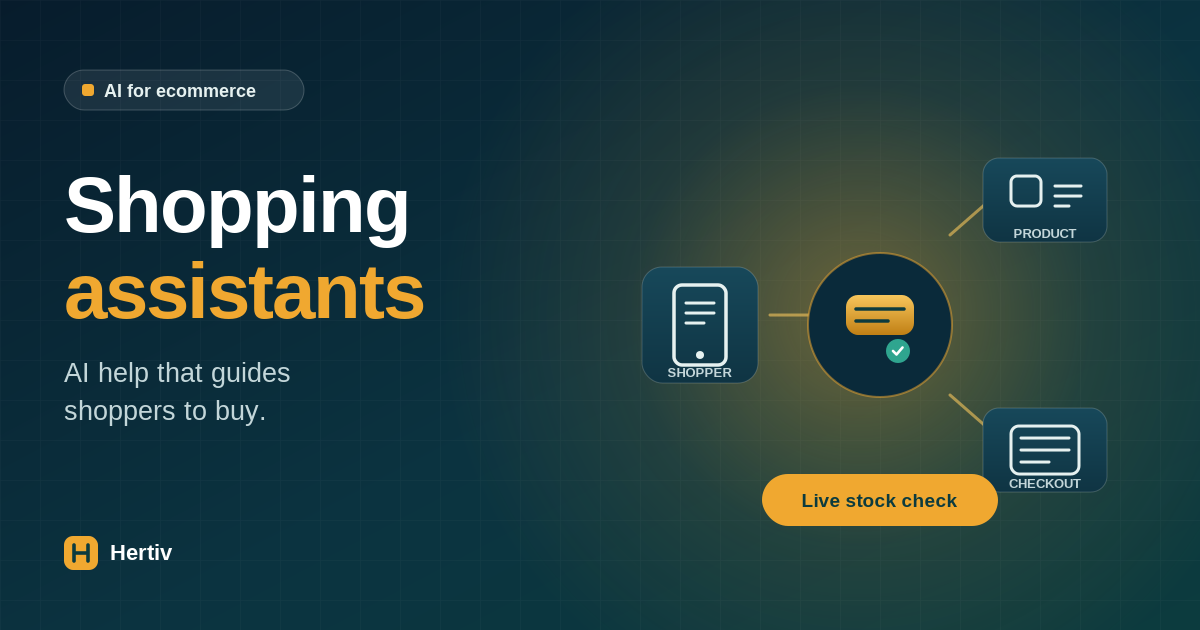
Unlike a general chatbot, a shopping assistant is connected to live store data: stock levels, prices, promotions and order status. That connection is what makes it useful. A shopper can ask for "waterproof walking shoes under $100 in size 9" and get real products that are in stock, instead of a generic list copied from a catalogue page.
Virtual shopping assistants take the same idea further by remembering the shopper's preferences, suggesting matching items, and guiding them through checkout. They are used most by fashion, beauty, electronics and grocery stores, where shoppers often need help choosing between similar products.
What can a shopping assistant do for a store?
A shopping assistant can take over the routine questions that fill a support inbox and turn browsing into buying. Its value comes from the jobs it does well, not from chatting for its own sake.
| Job | What the assistant does | Why it matters |
|---|---|---|
| Product search | Finds items by need, size and budget | Shoppers find products faster |
| Comparisons | Explains differences between similar items | Fewer returns from wrong choices |
| Order help | Checks delivery status and returns | Fewer support tickets |
| Cross-selling | Suggests matching accessories | Higher average order value |
| Recovery | Reminds shoppers about abandoned carts | Recovers lost sales |
| After-sales | Answers care and warranty questions | Better repeat purchase rate |
The strongest assistants combine these jobs in one conversation. A shopper who asks about a jacket can be shown matching items, told about delivery times, and helped through checkout without leaving the chat. Each handoff to a human or a separate page adds friction, so the assistant should complete as much as possible inside the conversation.
Chatbot vs virtual shopping assistant: what is the difference?
A chatbot and a virtual shopping assistant are related, but they are not the same thing. A chatbot answers questions from a fixed set of topics, while a virtual shopping assistant is built around the store's products and the shopper's goal.
| Feature | Simple chatbot | Virtual shopping assistant |
|---|---|---|
| Product knowledge | Links to pages | Live stock, price and sizes |
| Personalisation | None or basic | Remembers preferences and orders |
| Checkout | Hands off to the site | Guides checkout in the chat |
| Recommendations | Fixed suggestions | Based on the shopper's needs |
| Build effort | Low | Higher, needs catalogue data |
Most stores should start with a chatbot that answers the most common questions, then add shopping features once the basics work. Jumping straight to a full virtual assistant is expensive, and it fails if the catalogue data is messy.
A simple assistant that answers delivery and stock questions reliably is worth more than an ambitious one that suggests the wrong products. For a broader view of what chatbots can do, see AI chatbot use cases for business.
How to add a shopping assistant to your store in 6 steps
You add a shopping assistant to a store by starting with one job, connecting it to real catalogue data, and testing it with real shoppers before expanding it.
- Pick one job. Choose the question shoppers ask most, such as finding the right size or checking delivery times. Build for that job first.
- Clean the catalogue data. Make sure product names, sizes, prices and stock levels are correct and consistent. Bad data produces wrong suggestions.
- Connect the store. Link the assistant to the catalogue, stock and order systems through the store platform or an API, so answers use live data.
- Write the conversation. Draft short replies for the main questions, including what the assistant says when it does not know an answer.
- Test with real shoppers. Run a small trial on a few product pages and watch where shoppers get stuck or drop off.
- Add a human handoff. Make it easy to reach a person when the assistant cannot help, and log those cases so the assistant can learn from them.
Keep the first version small. A shopping assistant that handles one job well earns trust, and trust is what lets you add more jobs later. If you are scoping the build, an AI chatbot development partner can help you connect the assistant to your store systems.
Example (hypothetical): a small fashion store adds a shopping assistant
Example (hypothetical): a small fashion store with 400 products gets 60 questions a day about sizes, delivery and returns. It adds a shopping assistant that answers those three questions and suggests matching items.
In the first month, the assistant answers 1,800 questions. About 1,200 are resolved without a human, and 600 are handed to support staff. At 4 minutes saved per resolved question, that is 1,200 times 4 minutes, which is 4,800 minutes, or 80 hours saved in the month. The assistant also suggests matching accessories in 300 conversations, and 60 of those shoppers add an accessory, so 60 extra items are sold.
The store pays $400 a month for the assistant platform and $200 a month for review time, a total of $600. The 80 hours saved are worth far more than that in staff time, and the 60 extra items are a bonus. The store then adds a second job, order tracking, only after the first three jobs work reliably.
What are the common mistakes?
The most common mistakes with AI shopping assistants are messy catalogue data, overpromising, and hiding the human handoff.
- Messy product data. Wrong sizes, prices or stock levels make the assistant suggest products that cannot be bought. Clean the data first.
- Answering everything. An assistant that tries to handle every question usually handles none well. Start with one or two jobs.
- No human handoff. Shoppers who cannot reach a person when the assistant fails will leave. Always offer a clear path to support.
- Recommending without limits. Suggesting expensive items to every shopper feels like a sales push. Match suggestions to the shopper's stated budget.
- Ignoring the logs. The questions shoppers ask show where the store is unclear. Review the logs weekly and fix the gaps.
How to measure whether the assistant works
You measure a shopping assistant by the work it removes and the sales it helps, not by how many chats it holds.
Track the share of questions resolved without a human, the time saved per resolved question, and the number of shoppers who buy after talking to the assistant. Compare those figures with the same period before the assistant launched. Also track the handoff rate: if many shoppers ask for a human, the assistant is failing on a specific job, and the logs will show which one.
Watch the return rate too. If the assistant suggests the wrong size or product, returns will rise even as sales look good. A good assistant reduces returns by helping shoppers choose correctly the first time. Review these numbers monthly and expand the assistant only when the current jobs are working, as outlined in how to build an AI app for the wider build process.
Key takeaways
- A shopping assistant answers from live catalogue, stock and order data
- Start with one job, such as sizes or delivery, before adding more
- Clean product data matters more than a clever conversation design
- Always offer a clear handoff to a human when the assistant cannot help
- Measure resolved questions, time saved and returns, not chat volume
- Expand only when the current jobs work reliably
Frequently asked questions
What is the difference between a chatbot and a shopping assistant?
A chatbot answers general questions from a fixed set of topics. A shopping assistant is connected to live store data, so it can find in-stock products, compare options and guide a shopper through checkout.
Do shopping assistants work for small stores?
Yes, if the store starts small. A small store should pick one common question, such as sizes or delivery, and automate only that. The cost stays low and the assistant is more likely to work well.
What data does a shopping assistant need?
It needs accurate product names, sizes, prices, stock levels and delivery options, plus order status for after-sales questions. Messy or outdated data is the most common cause of wrong suggestions.
Can a shopping assistant increase sales?
It can, by helping shoppers find the right product faster and suggesting matching items. The effect is easiest to see in stores where shoppers often need help choosing between similar products.
How do you handle questions the assistant cannot answer?
Give it a clear handoff to a human and log the question. Reviewing those logs weekly shows which jobs to add next and where the store information is unclear for shoppers.
How much does a shopping assistant cost to build?
Costs vary with the store platform, the number of jobs and whether it uses an existing platform or a custom build. See vendor site for platform pricing, and budget monthly for review, testing and data upkeep after launch.


