What Does AI ROI Cost? The Costs Behind the Return
AI ROI cost is the full price of a return from AI: build, data, running fees, staff time and governance. Count every part before you judge whether a project pays.
On this page
Short answer
AI ROI cost is everything an AI system costs before it returns value: the build, the data work, the monthly running fees, the staff time to operate it, and the governance around it. Most teams undercount it because they price the model and forget the rest, so their return looks better than it is.
What does AI ROI cost mean?
AI ROI cost is the full cost of an AI system, counted the way the return on investment formula needs it: every pound or dollar spent to build, run and govern the system, set against the value it returns. ROI is the gain minus the cost, divided by the cost, so a cost figure that leaves parts out makes the return look bigger than it is.
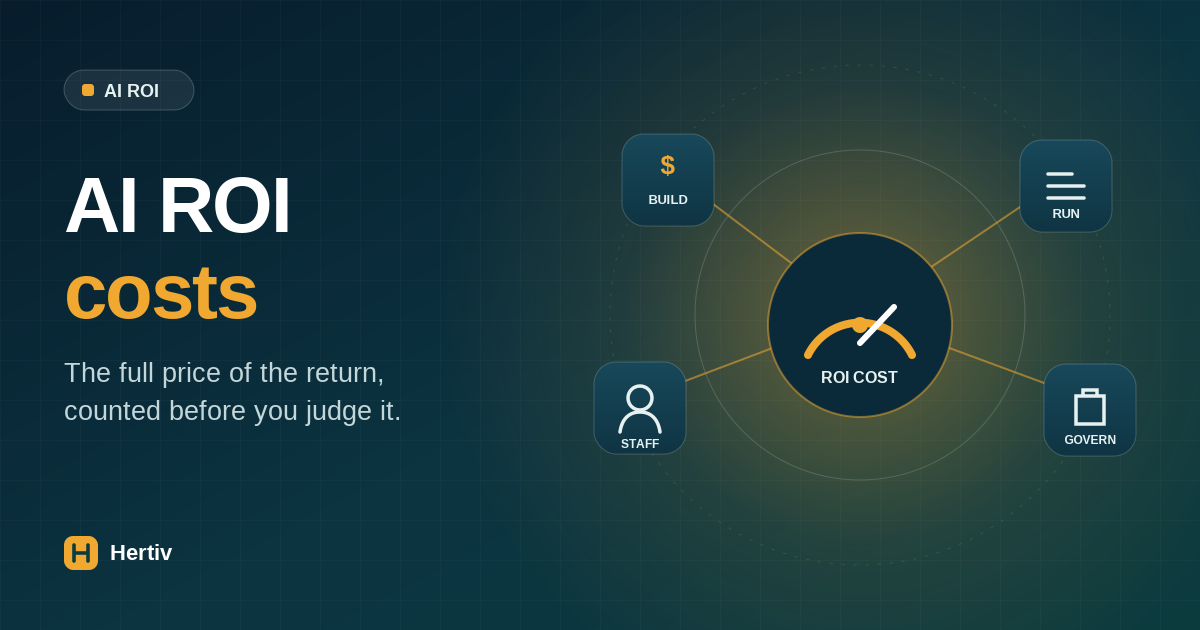
The cost side has five parts, and they arrive at different times. Build and data work come first and are easy to see. Running fees, staff time and governance keep coming every month, and they are the parts most teams forget to count.
| Cost part | What it covers | When it appears |
|---|---|---|
| Build | Design, integration, testing | Before launch |
| Data work | Cleaning, labelling, pipelines | Before launch, then ongoing |
| Running fees | Model calls, hosting, tools | Every month |
| Staff time | Review, fixes, support | Every month |
| Governance | Checks, logging, access control | Before launch, then ongoing |
A honest cost figure also includes the time your own staff spend on the project. If two engineers spend three months building an integration, that time is part of the cost even though no invoice arrives for it.
What goes into the build cost?
The build cost covers design, integration, testing and the first round of fixes. For most business AI projects this is the largest single cost, and it is also the one teams estimate most accurately, because it looks like any other software project.
Integration is usually the biggest line inside the build. The model is rarely the hard part; connecting it to your CRM, document store or ticket system, with the right permissions and error handling, takes most of the time. A project that plugs into one system costs far less to build than one that touches five.
Testing is the second line. You need an evaluation set of real cases with known good answers, and you need to run it every time the prompt or the model changes. Teams that skip this pay for it later, when bad answers reach customers and someone has to rebuild trust.
Data work sits alongside the build. Cleaning documents, removing duplicates, labelling examples and building the pipeline that keeps source content fresh are real costs. If your help centre has five versions of the same policy, the model will surface all five, so the cleaning has to happen before launch.
What does it cost to run AI every month?
Running costs are the monthly fees for model calls, hosting, storage and the tools around the system. They start small in a pilot and grow with use, which is why they are easy to miss in the first business case.
Model fees usually depend on volume: the number of tokens processed, the number of calls made, or the number of users. A support agent that answers 1,000 tickets a month costs far less to run than one answering 50,000, so the running cost has to be tied to a volume forecast, not a flat guess.
Hosting and storage add a steady line. Vector databases, document stores, logs and monitoring all carry a monthly charge, and logs matter: without them you cannot debug a bad answer or prove what the system did. These are small lines on their own, but they add up across a year.
Staff time is the largest running cost for most teams. Someone has to review flagged answers, fix the cases the model gets wrong, update the source documents and handle the tickets the agent hands off. Budget a few hours a week for this from the start, or the system quietly degrades.
What costs do teams forget?
The costs teams forget are the ones that do not look like technology spending. Change management is the biggest: training staff, rewriting the process the AI now touches, and answering the questions that follow. A support team that has to learn a new review queue needs time, and that time has a cost.
Governance is the second forgotten cost. Access controls, logging, data handling rules and periodic reviews all need someone to own them. In regulated work this is not optional, and the review time grows as the system touches more data.
Rework is the third. The first version of a prompt, a retrieval setup or an evaluation set is rarely the last. Plan for at least one round of fixes after launch, when real usage shows the cases your tests missed.
Finally, there is the cost of the fallback. When the model is unsure, a human has to take over, and that handoff has to work. If the fallback is slow or unclear, staff route around the system and the return falls. A AI readiness assessment can surface these hidden costs before you commit budget.
How do you work out the cost side of ROI?
Work out the cost side of ROI by listing every cost in one place, then splitting it into one-off and monthly lines. That split is what lets you compare year one against year two, which is where most AI projects turn from cost into return.
- List the one-off costs. Build, integration, data cleaning, labelling, testing and training. Put a number on staff time as well as vendor fees.
- List the monthly costs. Model fees, hosting, storage, monitoring and the staff hours for review and fixes.
- Forecast volume. Tie model fees to a realistic number of tickets, documents or calls per month, not to the pilot volume.
- Add governance. Include the time for access reviews, logging checks and data handling, especially in regulated work.
- Total year one and year two separately. Year one carries the build; year two shows the steady running cost, which is the fair comparison against the yearly return.
Once you have the two totals, the return side is simpler to judge. If the system saves a known number of staff hours a month, multiply by a loaded hourly rate and compare it with the monthly running cost. The AI ROI calculator can help you run the numbers once you have the cost lines.
Example: a support agent's first year
Example (hypothetical): a company builds a support agent that drafts answers from its help centre. The one-off costs are $40,000 for the build and $8,000 for cleaning the help centre and labelling 200 example tickets. That is $48,000 before launch.
The monthly running costs are $900 for model calls, hosting and monitoring, plus 10 staff hours a month for reviewing flagged answers and updating documents. The model fees are $900 a month, so $10,800 for the year, bringing the year-one total to $58,800.
On the return side, the agent handles 1,500 tickets a month and saves 6 minutes on each, which is 150 hours a month. At a loaded rate of $40 an hour, that is $6,000 a month, or $72,000 a year.
The first-year return is therefore ($72,000 - $58,800) / $58,800, which is about 22%. In year two the build cost is gone, so the same $72,000 return against $10,800 of running fees plus review time is a far stronger result. The lesson is that AI ROI is usually a year-two story, not a launch-month story.
What are the common mistakes?
The most common mistakes in AI ROI cost are counting only the model fee, ignoring staff time, and judging the project on its first month. All three make the numbers look better than they are.
- Counting only the vendor invoice. The model fee is often the smallest line. Build, data, review time and governance usually cost more.
- Ignoring staff time. If your own people build, review or fix the system, that time is a cost, even without an invoice.
- Using pilot volume for running costs. A pilot with 200 tickets a month tells you nothing about the cost at 20,000 tickets a month.
- Skipping the fallback cost. Human handoffs need staff time too, and a bad handoff erodes the return.
- Judging on month one. Year one carries the build cost. Judge the project on year two running costs against the yearly return.
For a full method on the return side of the same calculation, see how to measure AI ROI.
If you want help scoping the costs before you start, AI consulting can put the numbers together with you.
Key takeaways
- AI ROI cost is the full price of the system: build, data, running fees, staff time and governance
- The model fee is often the smallest line; integration and data work usually cost more
- Staff time for review, fixes and handoffs is a real cost, even without an invoice
- Split costs into one-off and monthly lines, and judge year one and year two separately
- AI ROI is usually a year-two story, once the build cost is behind you
Frequently asked questions
What is included in AI ROI cost?
Everything spent to build, run and govern the system: design and integration, data cleaning and labelling, model and hosting fees, staff time for review and fixes, training, and governance such as access controls and logging.
Why do teams undercount AI costs?
Because they price the model fee and forget the rest. Integration, data work, review time and change management rarely appear on a vendor invoice, so they get left out of the business case.
How do you estimate monthly running costs?
Forecast the volume first, such as tickets, documents or calls per month, then price model fees, hosting and storage against that volume. Add the staff hours for review and fixes, which are usually the largest monthly line.
Is staff time really part of the cost?
Yes. If your own engineers build the system or your support staff review its answers, that time has a value. Leaving it out makes the return look better than it is and hides the true cost of running the system.
When does an AI project usually pay back?
Often in year two rather than year one, because year one carries the build and data costs. Once those are paid, the yearly return is compared with the much lower running cost, which is where the return usually turns positive.
What is the biggest hidden AI cost?
Change management and review time. Training staff, rewriting the process the AI touches, and reviewing flagged answers every week all cost time, and teams that skip them see the system degrade and the return fall.


