AI in Sales: Where It Actually Helps
AI in sales helps teams find leads, write outreach, analyse calls and forecast deals. It works best when the process is clear — here is where it helps.
On this page
Short answer
AI in sales is the use of machine learning tools to help sales teams find and rank leads, draft outreach, analyse calls and forecast revenue. It works best when it removes routine work and surfaces patterns a rep would miss, and it fails when it is bolted onto a sales process that is already unclear. The gains come from better focus, not from replacing the rep.
What is AI in sales?
AI in sales is the use of machine learning software to help sales teams find leads, write outreach, analyse calls and forecast revenue. It reads the data a sales team already produces, such as CRM records, emails and call transcripts, and turns it into suggestions, summaries and scores.
It is not one tool. It is a set of uses that sit inside the tools reps already open: the CRM suggests the next best account, the email tool drafts a follow-up, the call recorder summarises the meeting, and the forecasting tool flags deals that are likely to slip. Each use is small on its own, and the value comes from the sum of them.
Sales teams adopted these tools quickly because the work is repetitive and the data is rich. A rep spends hours a week on prospecting lists, follow-up notes and pipeline updates, and those are exactly the tasks a model can draft or pre-fill. The tool comparison in top AI sales tools shows the main options.
Where does AI help in sales?
AI helps most where the task is repetitive, data-rich and easy to check. The table below shows the strongest uses and what the rep still owns in each case.
| Sales task | What AI does | What the rep still does |
|---|---|---|
| Prospecting | Ranks accounts by fit and buying signals | Chooses which accounts to work |
| Outreach | Drafts emails from CRM notes and context | Edits, personalises and sends |
| Call analysis | Summarises calls and flags next steps | Runs the call and owns the relationship |
| Forecasting | Scores deal health from activity data | Judges the deal and commits the number |
| CRM hygiene | Logs calls, fills fields, dedupes records | Checks the record before it is used |
| Lead scoring | Scores new leads by conversion patterns | Decides the follow-up and the offer |
Prospecting and call analysis usually deliver the fastest return, because they remove hours of manual work a week. Forecasting is slower to trust, because it needs several months of clean deal data before its scores mean anything. Teams that start with one row of the table and measure it do better than teams that buy five tools at once.
What AI cannot do in sales
AI cannot build trust with a buyer. A prospect who is deciding whether to trust your company with a large contract wants a person who understands their problem, not a generated message. The tools can prepare the rep, but they cannot sit in the room and read it.
It also cannot negotiate well. Negotiation needs judgement about what the buyer values, what your company can give up, and when to walk away. A model can suggest a discount band from past deals, but the decision to offer it, and the timing, belongs to the rep and the manager.
Finally, AI cannot fix a broken sales process. If stages are undefined, if the CRM is half empty, or if no one agrees what a qualified lead is, the model will produce confident-looking output from bad input. Clean up the process first, then add the tool. The automation angle is covered in AI SDR for sales automation.
How do you start using AI in sales?
You start using AI in sales by picking one workflow, proving it saves time, and then expanding. A rollout that touches every workflow at once is hard to measure and harder to fix.
- Pick one painful workflow. Prospecting lists, follow-up notes and call summaries are the usual starting points.
- Clean the data it needs. The tool reads your CRM, so fix duplicate accounts and stale stages before you switch it on.
- Run a small pilot. Give the tool to three or four reps for a month and compare their time and output with the rest of the team.
- Set the review rule. Decide what the rep must check before anything reaches a customer, and make that rule explicit.
- Measure one outcome. Track time saved, reply rate or forecast accuracy, and expand only if the number moves.
Keep the pilot small enough to stop. If the tool does not save time or improve the outcome in a month, the problem is usually the data or the workflow, not the model. Fix that first, then try again. The agent angle is covered in AI agents for sales teams.
Example (hypothetical): a 10-rep team adds AI
Example (hypothetical): a 10-person sales team spends 5 hours a week each on prospecting lists and follow-up notes, or 50 hours a week in total. The manager trials an AI prospecting and drafting tool.
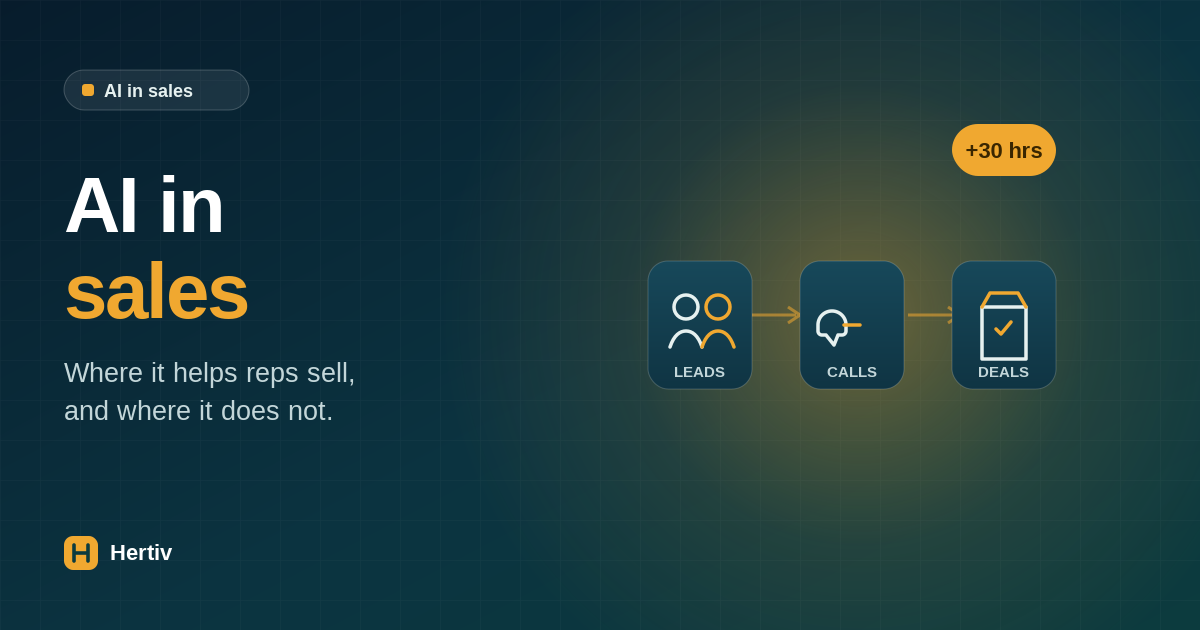
With the tool, prospecting and drafting fall to 2 hours a week per rep, or 20 hours in total. The team saves 30 hours a week. At a $40 per hour planning rate, that is $1,200 a week, or about $4,800 a month.
The tool costs $150 per user per month, or $1,500 a month for the team. The net saving is about $4,800 minus $1,500, or $3,300 a month, before counting any extra deals. The manager keeps the pilot running because the time saving is measured, not assumed, and reviews reply rates each month to check the drafts still land well.
How do you measure whether AI in sales is working?
You measure AI in sales by outcomes, not by usage. A tool that every rep opens but that changes nothing in the pipeline is not working, however good its adoption numbers look.
- Time saved. Hours a week the rep gets back on the workflow the tool was bought for, measured by a short time log, not by a guess.
- Reply and meeting rates. Whether AI-drafted outreach gets more replies and meetings than the old templates, on a like-for-like sample.
- Forecast accuracy. Whether deal scores predict wins and slips better than the manager's gut, judged over a full quarter.
- Pipeline quality. Whether the CRM has fewer stale deals and cleaner stages after the tool fills and updates records.
Pick one metric per tool and review it monthly. If the metric does not move in a quarter, the tool is either aimed at the wrong workflow or fed with data too poor to help. The forecasting angle is covered in predictive analytics in sales.
What are the common mistakes?
The most common AI in sales mistakes are buying before fixing the data, letting drafts reach customers unchecked, and judging the tool by usage instead of outcomes.
- Automating a messy process. AI on top of undefined stages and a half-empty CRM produces confident-looking noise.
- Sending drafts unchecked. Generated outreach that no one reads will eventually say something wrong to a real prospect.
- Buying five tools at once. Overlapping tools confuse reps and make it impossible to tell which one helped.
- Ignoring the data it learns from. A model trained on old or biased deal data will repeat the same mistakes faster.
- Measuring logins instead of results. Usage is easy to count and says nothing about whether sales improved.
Key takeaways
- AI in sales removes routine work; it does not replace the rep
- Prospecting, outreach, call analysis and forecasting are the strongest uses
- Results depend on clean CRM data and a clear sales process
- Start with one workflow and measure the outcome before expanding
- A human still owns trust, negotiation and the final decision
Frequently asked questions
What is the best first AI use in sales?
Prospecting and call summaries are the best first uses, because they save hours a week and the output is easy to check. Lead ranking is also strong once the CRM is clean. Start with the workflow your reps complain about most, and measure the time it saves before buying anything else.
Does AI in sales replace sales reps?
No. AI drafts, ranks and summarises, but buyers still want a person who understands their problem and owns the relationship. The tools work best when they remove routine work so reps spend more time talking to customers, not less. Teams that treat the tool as a replacement usually lose trust first.
How much does AI for sales cost?
Prices vary by tool and team size, so check the vendor site for current plans. Most tools charge per user per month, and the real cost includes the time spent cleaning CRM data and reviewing drafts. Budget for that setup time, because it is usually larger than the first month of subscription.
What data does AI in sales need?
It needs clean CRM records, call transcripts or notes, and email history. The model reads what your team already produces, so gaps and duplicates in the CRM show up directly in the output. Fix duplicate accounts, stale stages and missing fields before switching a tool on.
How do you keep AI outreach from sounding robotic?
Use the draft as a starting point, not a finished message. Give the tool real context from the CRM, such as the last conversation and the account's industry, and require the rep to edit before sending. Short, specific drafts with one clear ask sound far more human than long generic ones.
How long before AI in sales shows results?
Time saved usually shows within a few weeks, because prospecting and note-taking shrink at once. Pipeline and revenue effects take a full quarter, because deals need time to move through the stages. Judge the pilot on time saved first, then on reply rates, and only later on closed revenue.


