AI for Small and Mid-Sized Businesses: What Changes as You Grow
AI for small and mid-sized businesses starts with one useful task, then grows into shared data and team-wide rollout. Here is what changes as you grow.
On this page
Short answer
AI for small and mid-sized businesses means using AI where it saves real time: answering common questions, drafting documents, spotting overdue invoices and summarising calls. Small firms start with one task; mid-sized firms add shared data, integrations and rollout plans across teams.
What does AI mean for a small or mid-sized business?
AI for a small or mid-sized business is software that takes over repetitive, text-heavy or data-heavy work so a small team can handle more without hiring at the same pace. It is not a research project. It is a draft email, a summarised call, a flagged invoice or an answered question, done in seconds instead of minutes.
Small businesses usually have one or two people doing many jobs, so the first AI win is often personal: a founder or manager who uses a general AI tool to draft, summarise and plan. Mid-sized businesses have departments, so the win shifts to shared work: the same customer record, the same invoice queue and the same support inbox, with AI helping each team in turn.
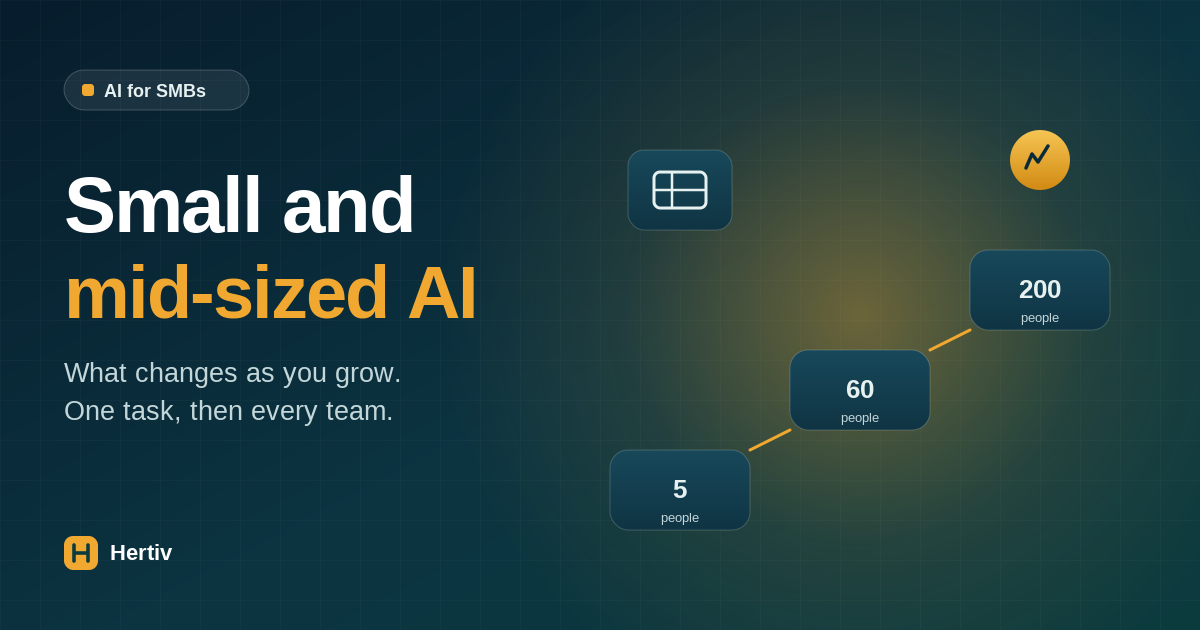
The label covers a wide range, from a five-person shop to a 200-person company with several offices. What they share is a tight budget, a small or absent IT team, and a need for tools that pay for themselves quickly. If you are at the very start, AI for small business covers the first steps and the costs in more detail.
What changes when a business grows from small to mid-sized?
What changes as a business grows is not the AI itself, but the coordination around it. A small firm can try a tool on one laptop and see the result the same day. A mid-sized firm needs shared logins, agreed rules for what the AI may do, and someone who owns the rollout, or each team buys its own tool and the data splits.
| Area | Small business | Mid-sized business |
|---|---|---|
| Teams | One or two people, many jobs | Departments with handoffs |
| Systems | One or two core tools | CRM, finance and support to connect |
| Data | Spreadsheets and inboxes | Shared records that must agree |
| Decisions | Owner decides on the spot | Manager approval and budgets |
| Risk | One wrong draft, easy to fix | Wrong answers reach customers |
The practical lesson is to keep the first project small even as the company grows. A mid-sized business that tries to roll AI out to five departments at once usually stalls, while one that proves value in a single team and then copies the pattern to the next team moves faster.
Where do small and mid-sized businesses get the fastest return from AI?
Small and mid-sized businesses get the fastest return from AI where the work is high volume, repetitive and already written down. Support replies, quote drafting, invoice chasing, meeting notes and lead follow-up are the usual first wins, because the input already exists in an inbox or a system and the output is easy to check.
Support is often first. A shared inbox with hundreds of similar questions is a good fit for drafting replies that a person reviews before sending. Sales follow-up is close behind: AI can summarise a call, draft the follow-up and update the CRM, which saves the rep the admin work that usually gets skipped.
Finance tasks follow once the basics work. Chasing overdue invoices, matching payments and flagging unusual expenses are all pattern work that AI handles well, provided a person checks the exceptions.
The rule is simple: if a task is done the same way fifty times a month and a mistake is cheap to catch, it is a good first project. A readiness check such as an AI readiness assessment can confirm which of your tasks fit that pattern.
How do you roll AI out across more than one team?
You roll AI out across more than one team by proving it in one team, writing down what worked, and then copying the pattern with a named owner in each new team. A rollout without an owner in each team drifts, because nobody feels responsible for the prompts, the data or the results.
Start with the team that asked for help and has the clearest pain, usually support or sales. Give that team a single tool, a short guide and a weekly check-in for the first month. Measure one thing, such as replies drafted per day or hours saved on follow-up, and share the result with the next team.
When you add a second team, reuse the same setup: the same account structure, the same rules for what the AI may and may not do, and the same review step for customer-facing output. The second rollout is usually twice as fast as the first, because the decisions are already made. Keep a simple log of prompts and examples that work, so a new joiner can start from what the team already knows.
What data and systems do you need first?
What you need first is one system of record that everyone trusts and a small set of clean examples. AI that reads a CRM full of duplicates and dead leads will draft follow-ups to the wrong people, and AI that reads an inbox with five versions of the same price list will quote the wrong price. Clean the source before you scale the AI.
The minimum setup is modest: a CRM or shared customer list, an inbox or help desk, and a finance tool that holds invoices and payments. The AI connects to these through integrations or simple exports, and the team agrees which system is the source of truth for each fact. Where the customer sits in the CRM, for example, is a question the CRM answers, not a spreadsheet.
You do not need a data warehouse or a data team to start. You need named owners for the customer list, the price list and the product information, and a habit of fixing bad records when they appear. The CRM angle is covered in AI in CRM, which shows how AI uses customer data without duplicating it.
Example (hypothetical): a 60-person distributor adds AI in three steps
Example (hypothetical): a 60-person distributor sells parts to workshops. Its support team of four handles 400 emails a week, its sales team of six spends hours on follow-up notes, and its finance team chases 120 overdue invoices a month.
Step one is support. The team connects an AI drafting tool to the shared inbox, with a rule that a person reviews every reply before sending. In the first month, drafting time falls from 6 minutes per reply to 2 minutes. With 400 emails a week, that saves 400 times 4 minutes, or about 27 hours a week across the team.
Step two is sales. The team uses AI to summarise calls and draft follow-ups, which the reps edit and send. Follow-up time falls from 15 minutes per call to 5 minutes. With 60 calls a week, that saves 10 hours a week.
Step three is finance. AI flags the 30 most overdue invoices each week and drafts the chase emails. The team collects payment a week faster on average, and the number of invoices over 60 days overdue falls from 40 to 25 in two months. Each step was funded by the savings of the one before it.
What are the common mistakes?
The most common mistakes for small and mid-sized businesses are buying tools before fixing data, rolling out to everyone at once, and letting AI send customer-facing messages without review.
- Buying five tools at once. Each team picks its own AI tool and the data splits. Start with one tool and one team.
- Skipping the data clean-up. AI trained on duplicate customers and old prices will quote the wrong price to the wrong person.
- No review step. Customer-facing drafts need a human check until the error rate is proven low.
- No owner. A rollout without a named owner in each team stalls when the first problem appears.
- Measuring usage instead of outcomes. Counting logins tells you nothing. Measure hours saved, replies sent or invoices collected.
- Ignoring training. Staff who are not shown how to prompt and check the output will either avoid the tool or trust it blindly.
How do you pick your first AI project?
You pick your first AI project by scoring tasks on volume, pain and ease of checking, then choosing the one task with the highest score and a clear owner.
- List repetitive tasks. Ask each team to name the three tasks they repeat most often each week.
- Score them. Give each task points for volume, time spent and how easy it is to check the output.
- Check the data. Pick a task where the input already exists in a system and is mostly clean.
- Run a four-week pilot. One team, one tool, one measure of success, with a weekly review.
- Decide with numbers. If the pilot saves time or money, fund the next team. If not, stop and pick another task.
A short proof of concept is the cheapest way to test a task before committing. An AI proof of concept run over a few weeks, on your own data and with a fixed success measure, will tell you whether the use case is real.
Key takeaways
- Small firms win with one useful task; mid-sized firms win by copying that pattern across teams with a named owner
- The fastest returns come from high-volume, repetitive work that is easy to check: support replies, follow-ups and invoice chasing
- Clean the source data first: AI reading duplicate customers and old prices will quote the wrong price
- Keep a human review step on customer-facing output until the error rate is proven low
- Fund each next step from the savings of the one before it
Frequently asked questions
How much does AI cost for a small business?
Many general AI tools cost little per user per month, while a custom integration costs more. Start with a general tool for drafting and summarising, measure the time saved, and only pay for a custom build when the general tool cannot reach your systems.
Do we need an IT team to use AI?
No, not to start. A general AI tool needs only a login and a short guide. You need IT help later, when you connect AI to your CRM or finance system, and then a small project with a vendor is usually enough.
Which team should try AI first?
The team with the most repetitive written work and the clearest pain, usually support or sales. Pick the team that asked for help, because willing users give honest feedback and adopt faster than a team that was told to.
Is our customer data safe with AI tools?
It depends on the tool and its settings. Check where data is stored, whether it is used for training, and who can see it. Business plans usually offer stronger controls than free plans, and customer data should never go into a personal account.
How do we stop staff trusting AI output blindly?
Keep a review step for anything a customer sees, and train staff to check names, numbers and prices every time. Share examples of AI mistakes early, so the team learns to verify instead of assuming the draft is right.
When should a mid-sized business hire AI help?
When the pilot works but the rollout stalls, or when you need AI connected to several systems at once. A short engagement to design the rollout and the integrations is usually cheaper than months of stalled internal effort.