How to Build an AI Solution for Enterprise Knowledge Management
Build an AI knowledge system that answers staff questions from your own documents, with citations and permissions. Scope, data and six build steps.
On this page
Short answer
An AI solution for enterprise knowledge management lets staff ask questions in plain language and get answers drawn from the company's own documents, with a source cited for each answer. It combines search over approved content with a language model, and it respects the same permissions as the underlying systems.
What is an AI solution for enterprise knowledge management?
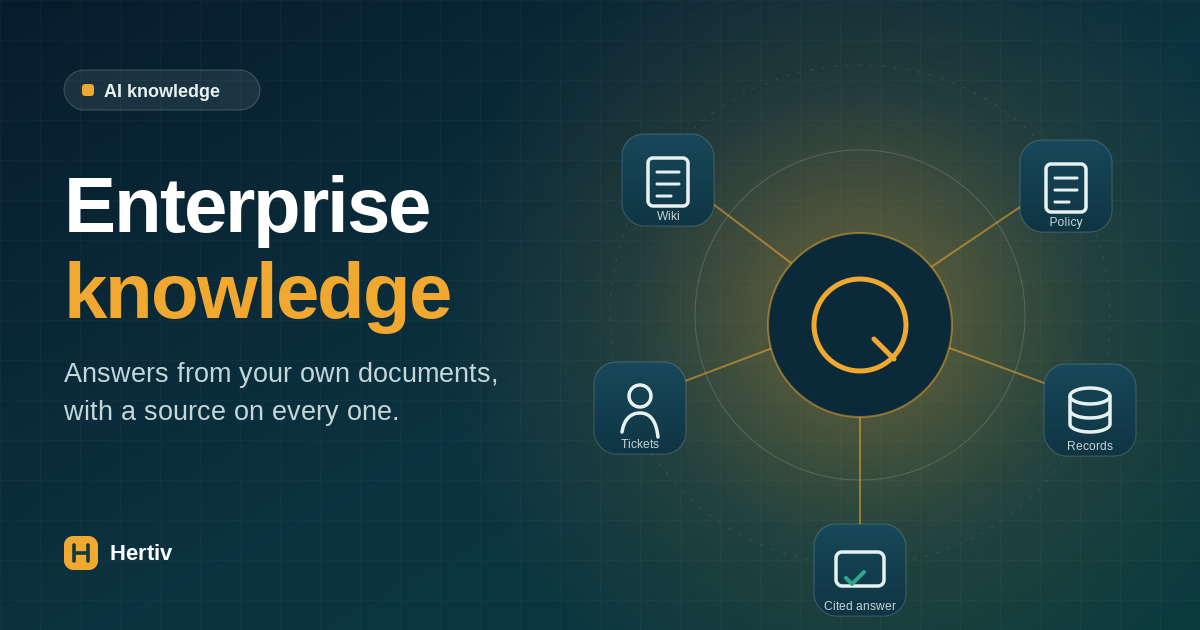
An AI solution for enterprise knowledge management is a system that lets staff ask questions in plain language and get answers drawn from the company's own documents, tickets and records, with a source attached to each answer.
It is not a chatbot that guesses. The system searches approved content first, then drafts an answer from what it found. If nothing relevant exists, it says so and routes the question to a person. That grounding is what separates a knowledge system from a general chat tool.
Most enterprises already have the knowledge; it is scattered across wikis, shared drives, ticket systems, email and chat. Staff waste time searching, asking colleagues, or working from outdated copies. The AI solution puts one search box in front of all of it, with permissions so people only see what they are allowed to see.
The table below shows the sources such a system usually connects to and what each one is used for.
| Knowledge source | What it holds | Typical owner | AI use |
|---|---|---|---|
| Help centre and wiki | Approved answers and how-to guides | Support and operations | Draft answers with citations |
| Policy documents | Rules, limits and approval steps | Legal, HR and finance | Answer policy questions with sources |
| Ticket and call history | Real questions and past resolutions | Support | Learn phrasing and edge cases |
| Product and engineering docs | Specs, runbooks and change notes | Engineering | Help staff find the current version |
| CRM and sales notes | Account history and commitments | Sales | Brief staff before a customer call |
| Training material | Courses, checklists and onboarding | Learning and development | Guide new staff step by step |
What problems does it solve?
It solves the slow, repeated search for answers that already exist inside the company. Support agents retype the same answer, new hires wait days for a colleague to explain a process, and sales staff guess at account history before a call.
Three pains show up in almost every enterprise. First, knowledge goes stale: five versions of the same policy exist, and nobody knows which one is current. Second, answers depend on who you ask, so two teams give customers different answers. Third, experts become bottlenecks, because only they know where the real answer lives.
A knowledge system attacks all three by making one version the source of truth, citing it in every answer, and logging which questions had no good answer. That log is itself valuable: it shows where the documentation is thin.
The return is measured in time saved per question and in fewer wrong answers, not in how many chats the system handled. A AI readiness assessment is a good way to find out whether your documents are clean enough to start.
How does the system work?
The system works by combining search over your own documents with a language model that drafts answers from the retrieved passages, then checking permissions before anything is shown to the user.
A typical flow looks like this:
- A staff member asks a question in plain language.
- The system searches the connected sources and ranks the most relevant passages.
- It checks the asker's permissions and drops anything they may not see.
- The model drafts an answer using only those passages, with a citation for each claim.
- The answer is shown with its sources, and the user can open the original document.
- If no passage is relevant, the system says so and creates a handoff to a person.
The search layer matters more than the model. Good results come from clean, current documents with clear titles and owners. If the wiki has five conflicting versions of the expenses policy, the system will surface all five, and the answer will be no better than the source.
Permissions are a hard requirement, not a nice extra. The system must respect the same access rules as the underlying tools, so a salary policy or a confidential contract never appears in an answer for someone without access. See RAG development for how grounded answers are built.
What data and access do you need first?
You need a small, clean set of sources before you need a large one. A pilot with one department and a few hundred well-kept documents teaches you more than connecting every drive in the company on day one.
Start by listing the sources staff actually consult when they are stuck: the help centre, the policy wiki, the ticket system, the product docs. Then check each one for freshness. Anything without an owner or a review date should be reviewed or removed before it is connected.
You also need an evaluation set: 20 to 50 real questions staff have asked, each with the answer a knowledgeable person would give. This set is how you judge whether the system is improving, and it is built before the first prompt is written.
Access control needs a map of who can see what. Talk to IT and the owners of each source early, because permission mistakes are the fastest way to lose trust in the system. A document AI pass can help clean and structure messy document sets before they are indexed.
How to build it in six steps
You build it by scoping one department, cleaning its documents, wiring search and permissions, and then testing with real users before you widen access.
- Pick one department and one question type. Support, HR and operations are common first choices because the questions repeat.
- Clean the source documents. Remove duplicates and outdated pages, assign an owner to each, and set a review date.
- Build the evaluation set. Collect 20 to 50 real questions with known good answers, and agree on what counts as a correct answer.
- Connect search, permissions and drafting. Index the cleaned sources, enforce the access map, and require a citation for every answer.
- Run a pilot with real users. Let a small group use it for two to four weeks, log every answer, and fix the sources behind the failures.
- Widen access one source at a time. Add a department only when its documents are clean and its evaluation set passes.
Keep a human in the loop for anything that affects money, legal commitments or safety. The system drafts; a person approves. For a small first version, AI proof of concept development is the usual route.
Run the pilot with a fixed evaluation set and a clear success threshold, as how to build an AI proof of concept explains, so the decision to expand is based on measured results rather than enthusiasm.
Example (hypothetical): a support team that answers faster
Example (hypothetical): a support team of 40 people answers about 300 questions a day from staff across the company. Each question takes about 6 minutes of searching and checking, which is 300 × 6 = 1,800 minutes, or 30 hours a day across the team.
The team builds a knowledge system over its help centre and ticket history. In the pilot, 200 of the 300 questions get a cited draft that an agent reviews in about 1 minute each, and the other 100 are handed to a person at 6 minutes each.
That is 200 × 1 + 100 × 6 = 800 minutes, or about 13 hours and 20 minutes a day. The saving is 1,800 − 800 = 1,000 minutes, or about 16 hours and 40 minutes a day.
The saving only holds because the drafts cite their sources and agents can correct them. The team reviews the log each week, fixes the documents behind the most common failures, and adds the questions that had no good answer to the documentation backlog.
After two months the team expands the system to HR policy questions, using the same pattern: clean the sources, build the evaluation set, pilot, then widen access.
What are the common mistakes?
The most common mistakes are connecting messy documents, skipping the evaluation set, and letting the system answer from memory instead of from retrieved sources.
- Indexing everything at once. Stale and duplicated documents produce confident wrong answers. Clean first, then connect.
- No evaluation set. Without known good answers, quality debates are anecdotal and nobody can tell whether a change helped.
- Answers without citations. Staff cannot check an answer they cannot trace, so they stop trusting the system.
- Weak permissions. A system that shows confidential documents to the wrong people will be switched off, however good its answers are.
- No owner for the content. Documents go stale again within months unless someone is responsible for keeping them current.
- Measuring chats instead of outcomes. Count time saved and questions answered correctly, not how many people opened the tool.
Key takeaways
- One search box over your own documents, with a citation on every answer
- Clean, owned documents matter more than the model you pick
- Permissions must match the source systems, or trust is lost fast
- An evaluation set of real questions is how you judge quality
- Start with one department, pilot, then widen access source by source
Frequently asked questions
What is enterprise knowledge management?
It is the practice of collecting, organising and keeping the knowledge a company runs on, so staff can find the current answer without asking around. An AI solution adds a search layer and a drafting model on top of that knowledge, so answers come with sources instead of from memory.
Do we need to clean our documents first?
Yes, at least for the sources you connect first. Duplicates and outdated pages produce confident wrong answers, because the system can only repeat what it finds. Remove or review anything without an owner or a review date before it is indexed.
How is this different from a general chatbot?
A general chatbot answers from its training data and can invent details. A knowledge system searches your own documents first and drafts only from what it retrieved, with a citation for each claim. If nothing relevant exists, it says so and hands off to a person.
What does it cost to build?
Cost depends on how many sources you connect, how much cleaning the documents need, and whether you host the model yourself. A single-department pilot is usually a small project; the larger cost is the ongoing work of keeping documents current. Ask a vendor for a scoped estimate.
Who should own the system once it is live?
Give it one owner who is responsible for document freshness, the evaluation set and the question log. Without an owner, documents go stale within months and answer quality drifts. The owner works with the departments that own each source.
Can it answer questions about confidential documents?
It can, but only for people who already have access to those documents. The system must enforce the same permission rules as the source tools, so a salary policy or a contract never appears in an answer for someone without access.


