How Much Does AI Agent Development Cost?
AI agent development cost depends on scope, tools and the guardrails around it. This guide breaks the budget into parts and shows what drives each one.
On this page
Short answer
AI agent development cost is the total spend to design, build, test and run an agent that performs tasks on behalf of users. The main parts are scoping and design, integration with your tools and data, model and infrastructure running costs, testing and guardrails, and ongoing maintenance. A narrow agent on one workflow costs far less than a broad agent with many tools and write access.
What is AI agent development cost?
AI agent development cost is the total spend to design, build, test and run an agent that performs tasks on behalf of users. It covers more than the model: the agent needs tools, data access, guardrails, monitoring and someone to maintain it after launch.
An agent is different from a chatbot in one important way: it takes actions. It can look up a record, draft a reply, create a ticket or update a system. Each action needs a tool, a permission and a check, and each of those adds to the budget.
The cost splits into five parts:
- Scoping and design. Defining what the agent does, what it may not do, and how success is measured.
- Build. Wiring the model to your tools, data and interfaces.
- Testing and guardrails. Evaluation sets, approval rules and fallbacks for failures.
- Running costs. Model calls, hosting, logging and monitoring.
- Maintenance. Fixing failures, updating prompts and tools, and handling new requests.
Teams that budget only for the build are surprised twice: once by the testing effort and again by the running costs. A realistic budget covers all five parts from the start.
What does each part of the budget cover?
Each part of an AI agent budget covers a different kind of work, and each one scales differently as the agent grows. The table below is a planning guide, not a quote: the numbers depend on your systems and your scope.
| Budget part | What it covers | What drives it up |
|---|---|---|
| Scoping and design | Workflows, rules, success measures | Vague goals, many stakeholders |
| Build | Tools, integrations, interface | Number of tools, messy APIs |
| Testing and guardrails | Evaluation, approvals, fallbacks | High-stakes actions, strict rules |
| Running costs | Model calls, hosting, logging | Volume, long conversations |
| Maintenance | Fixes, updates, new requests | Changing tools, growing scope |
Build cost grows with the number of tools the agent can call. An agent with two tools and read-only access is a small build; an agent with ten tools and write access to three systems is a large one, because every tool needs error handling, permissions and tests.
Running cost grows with volume and with conversation length. An agent that resolves a question in three model calls costs far less per case than one that takes fifteen calls to reach the same answer. Short, focused prompts and good retrieval keep the call count down. For the design side, AI agent development covers how agents are usually scoped.
What drives the cost up or down?
Three factors drive AI agent development cost more than anything else: scope, tool count and the stakes of the actions the agent takes.
Scope is the biggest lever. A narrow agent that handles one workflow, such as triaging support tickets, is cheap to build and easy to test. A broad agent that handles many workflows needs more tools, more guardrails and more testing, and its failure modes multiply. Start narrow and add workflows one at a time.
Tool count is the second lever. Each tool the agent can call needs an integration, a permission model, error handling and tests. Tools that write to systems cost more than tools that only read, because a bad write needs a rollback or a human approval step.
Stakes are the third lever. An agent that drafts text for human review needs light guardrails. An agent that issues refunds or changes records needs approval rules, audit logs and a kill switch, and the testing effort grows to match.
What keeps cost down: a single owner for the agent, a fixed set of tools, a test set built before the build starts, and a clear rule for when the agent hands off to a person. See AI agents in logistics for how one industry scopes agent work.
Build or buy: which costs less?
Buying an agent platform costs less up front when your workflow matches what the platform already does. Building costs less over time when your workflow is specific to your business and no platform covers it well.
A platform gives you the agent framework, the tool connectors and the monitoring out of the box, and you pay a subscription plus usage. That suits standard workflows such as support triage or document Q and A, where the platform's templates already fit.
Building makes sense when the agent must work with your own systems, your own data and your own rules. You pay for the build and the maintenance, but you control the tools, the permissions and the roadmap, and you are not paying for features you never use.
The honest comparison includes the hidden costs on both sides. A platform still needs configuration, evaluation and someone to own it. A custom build still needs hosting, monitoring and maintenance. Compare total cost over two years, not the first month.
How to estimate your AI agent budget in five steps
You estimate an AI agent budget by working from the workflow outward, pricing each part separately instead of guessing a single number.
- List the workflows. Write down the tasks the agent will handle and the ones it will not. Fewer workflows means a smaller budget.
- Count the tools. List every system the agent must read from or write to, and note which writes need approval.
- Price the build. Estimate the integration and testing effort per tool, then add scoping and design time.
- Estimate running costs. Multiply expected cases per month by the model calls per case and the cost per call, using the vendor's published rates; otherwise write see vendor site.
- Add maintenance. Set aside a monthly share of the build effort for fixes, updates and new requests, and review it quarterly.
Keep the estimate in writing and revisit it after the first month of real usage. Actual call counts and failure rates will differ from the plan, and the revised estimate is what the next budget should use. An AI readiness assessment can surface the data and process gaps that would otherwise appear as surprise costs.
Example: budgeting a support triage agent
Example (hypothetical): a software company wants an agent that reads incoming support tickets, tags them by topic and urgency, and drafts a first reply for an agent to review. It handles about 2,000 tickets a month and has read-only access to the help centre.
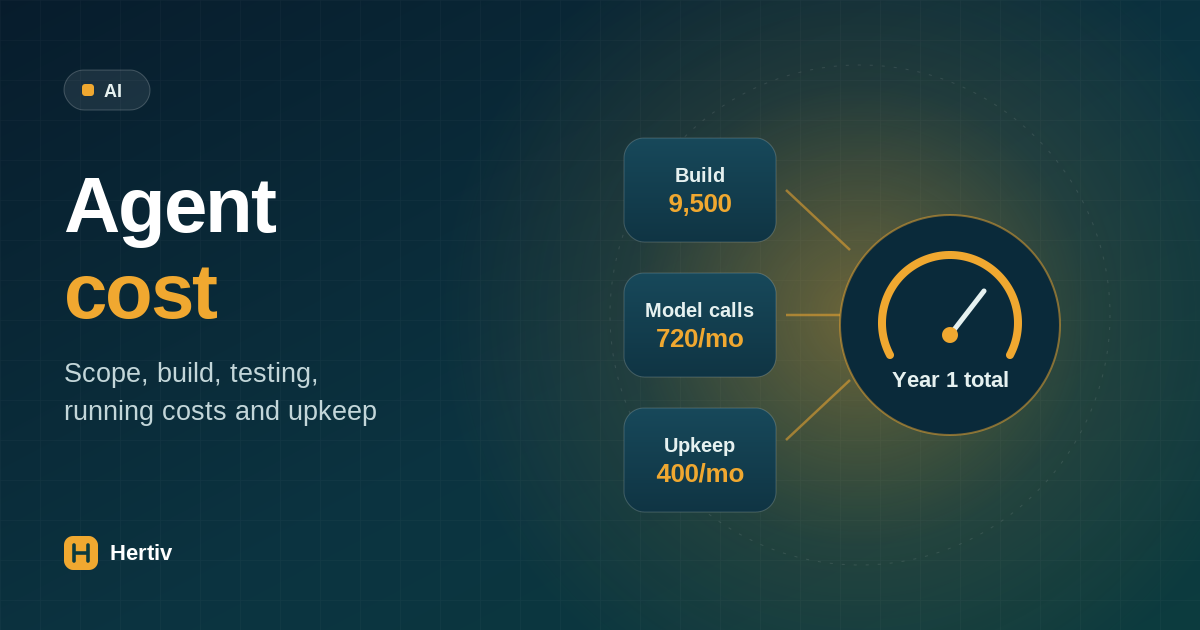
The build is priced at 9,500 for scoping, tool wiring and the review screen. Model calls are estimated at 720 a month, based on 2,000 tickets and the published per-call rate the team checks on the vendor site. Maintenance is priced at 300 a month for fixes and prompt updates, and support and monitoring at 100 a month.
The first-year total is 9,500 plus 12 times 720 plus 12 times 300 plus 12 times 100. That is 9,500 plus 8,640 plus 3,600 plus 1,200, which is 22,940. The team also sets a monthly cap on model calls so a spike in tickets cannot surprise the budget.
After three months the team finds the agent averages fewer calls per ticket than planned, because most tickets need only one retrieval and one draft. The running cost comes in below the estimate, and the saving is moved into the maintenance budget for a second workflow.
What are the common mistakes?
The most common AI agent cost mistakes are budgeting only for the build, letting scope grow without repricing, and skipping the evaluation set.
- Budgeting only for the build. Testing, guardrails and maintenance are real costs, not optional extras.
- Unpriced scope growth. Every new tool and workflow adds build, testing and running cost.
- No evaluation set. Without known good answers, you cannot tell whether changes help or hurt.
- No cap on model calls. A loop or a traffic spike can multiply running costs overnight.
- Skipping the handoff rule. Agents that cannot hand off to a person create expensive failures.
- Comparing only month one. Platform and custom costs cross over time; compare two years, not one month.
For a realistic picture of running costs on a smaller model, small language model cost shows how the numbers break down.
Key takeaways
- Budget all five parts: scoping, build, testing, running costs and maintenance
- Scope, tool count and action stakes drive cost more than model choice
- A narrow agent on one workflow costs far less than a broad one
- Compare build and buy over two years, not the first month
- Cap model calls and build the evaluation set before you build the agent
Frequently asked questions
What is the biggest cost in AI agent development?
Usually the build and the testing, not the model calls. Wiring tools, setting permissions, building evaluation sets and adding guardrails take more effort than the model itself, and they grow with every tool and workflow you add.
How much does it cost to run an AI agent each month?
It depends on cases per month, model calls per case and the vendor's per-call rate. Multiply those three numbers for an estimate, and set a monthly cap so a traffic spike or a looping agent cannot multiply the bill overnight.
Is it cheaper to build or buy an AI agent?
Buying is usually cheaper up front when a platform already covers your workflow. Building is usually cheaper over time when the workflow is specific to your business. Compare total cost over two years, including maintenance, not just the first month.
Why do AI agent projects go over budget?
The usual causes are scope growth without repricing, missing evaluation sets, and underestimating guardrails for write actions. Each new tool adds build, testing and running cost, so price every addition before you approve it.
Do AI agents need ongoing maintenance?
Yes. Tools change, prompts drift, and users ask for new workflows. Set aside a monthly share of the build effort for fixes and updates, and review the agent's failure log regularly so the same failure does not repeat.
Can a small team afford an AI agent?
Yes, for a narrow workflow with a few tools and read-only access. Start with one task, a managed platform or a small custom build, and a clear handoff rule, then expand only after the first workflow is measured and trusted.


